22
CCS-UC-1: Secure SIP Endpoint with Cisco UCM 11.0 Configuration Guide – DOC. 7991A
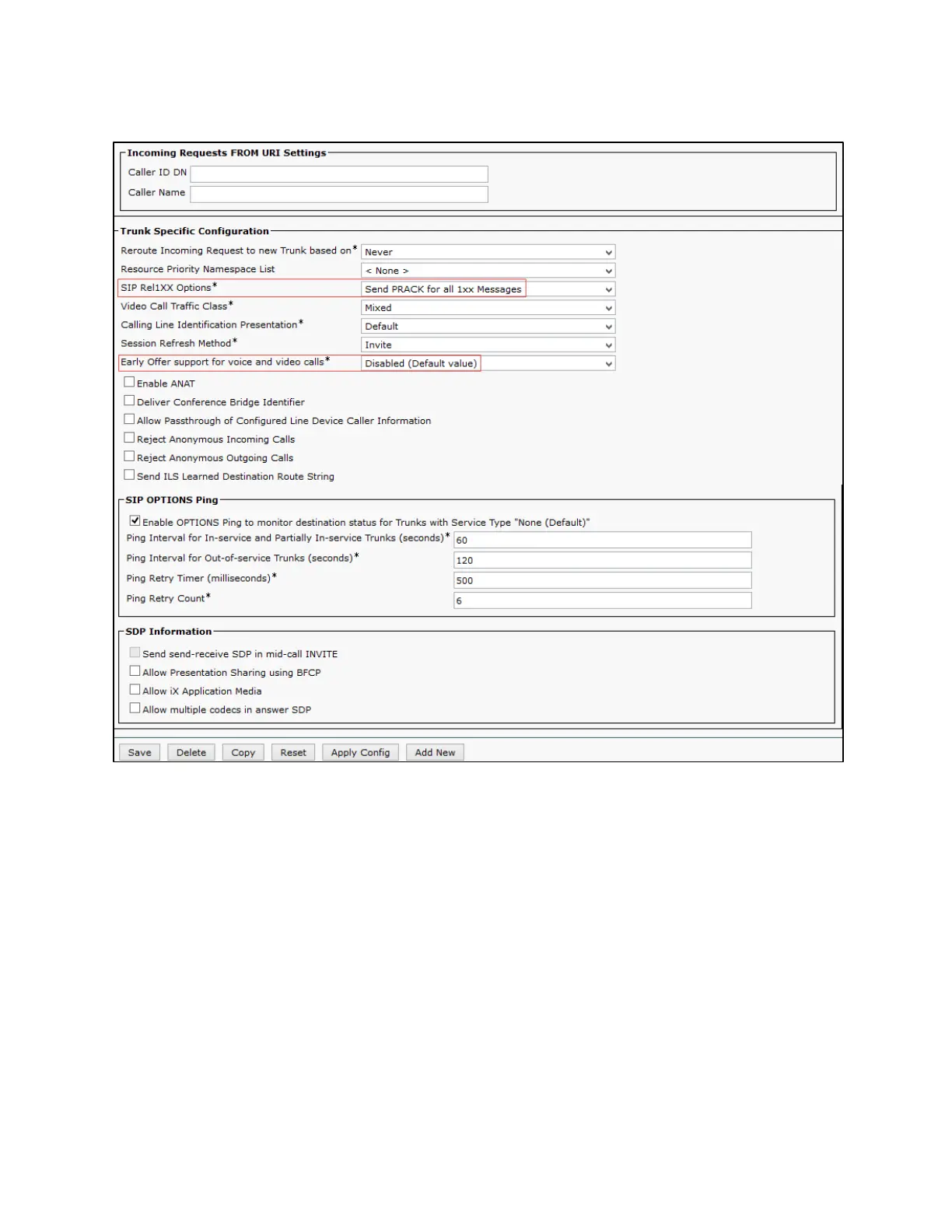
Cisco UCM: Trunk Secure SIP Profile Configuration (4/4)
2. On the screen that appears, click
and configure the SIP Profile:
• Assign a
: Standard SIP Profile_Crestron
was used in this example.
• Configure
: Send PRACK for all 1xx Messages
• Configure
Early offer support for voice and video
as Disabled
3. Retain all other default configurations.
4. Click
, and then click
.















 To Next Page