Supplemental Guide – DOC. 8226D TSR-310: Handheld Touch Screen Remote • 31
Wi-Fi Test
On the Diagnostics screen, tap Wi-Fi Test to display the Wi-Fi Diag. screen.
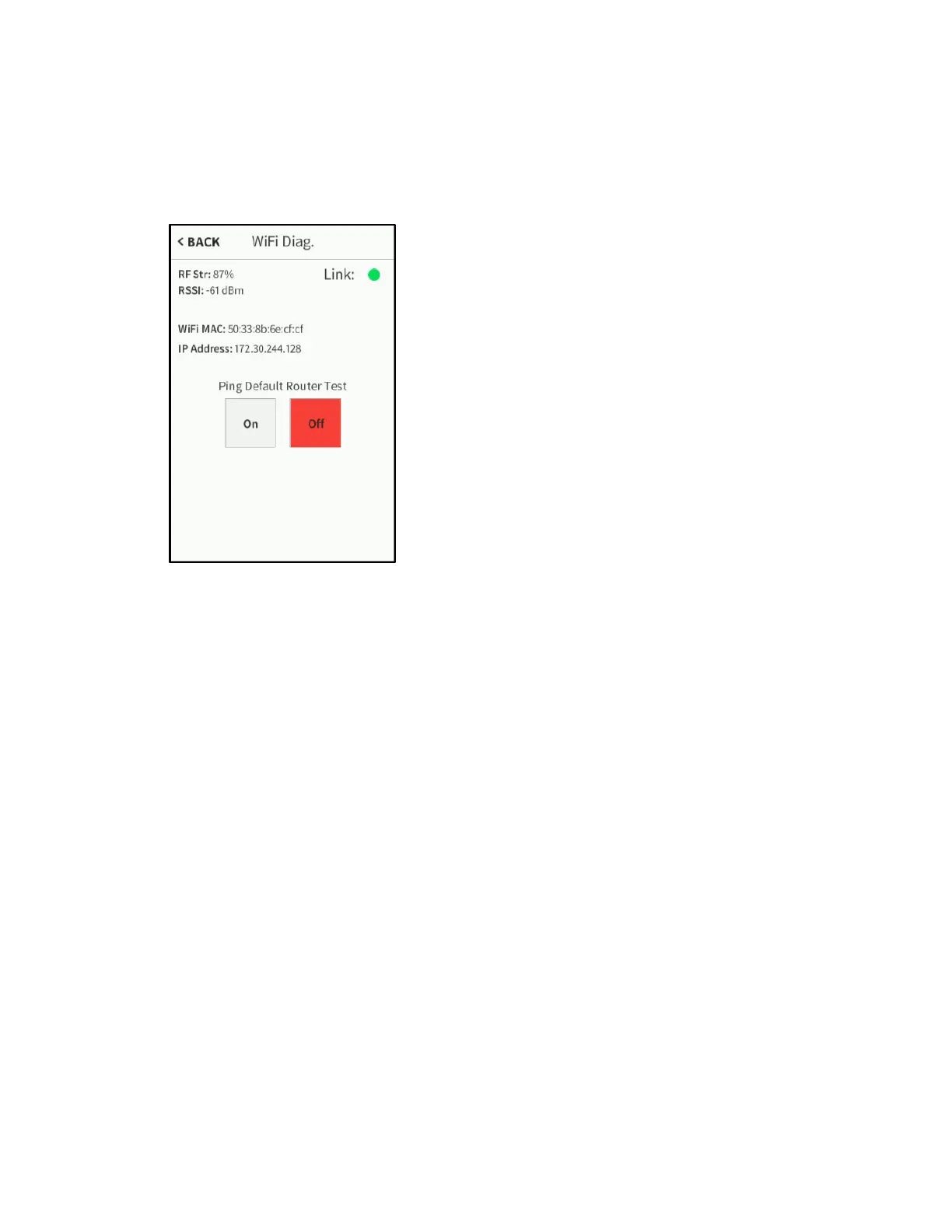
Wi-Fi Diag. Screen
Use the Wi-Fi Diag. screen to view and test the Wi-Fi network connection. The Wi-Fi
Diag. screen displays the Wi-Fi connection RF strength, RSSI (received signal strength
indication), MAC address, and IP address. A
Link indicator is also provided to indicate the
status of the Wi-Fi connection. (Green indicates that the Wi-Fi connection is active.)
The Wi-Fi Diag. screen also provides controls to test the connection to the default
router. Tap
On to begin the test and Off to end the test.
During the router test, the TSR-310 pings the default router. If the router is
communicating with the TSR-310, connection data displays below the ping test controls
within five seconds. The connection data updates after every successive ping.
Tap < BACK to return to the
Diagnostics screen.



 To Next Page