4 • TSR-310: Handheld Touch Screen Remote Supplemental Guide – DOC. 8226D
Access the Setup Screens
The setup screens enable basic configuration prior to regular operation of the TSR-310.
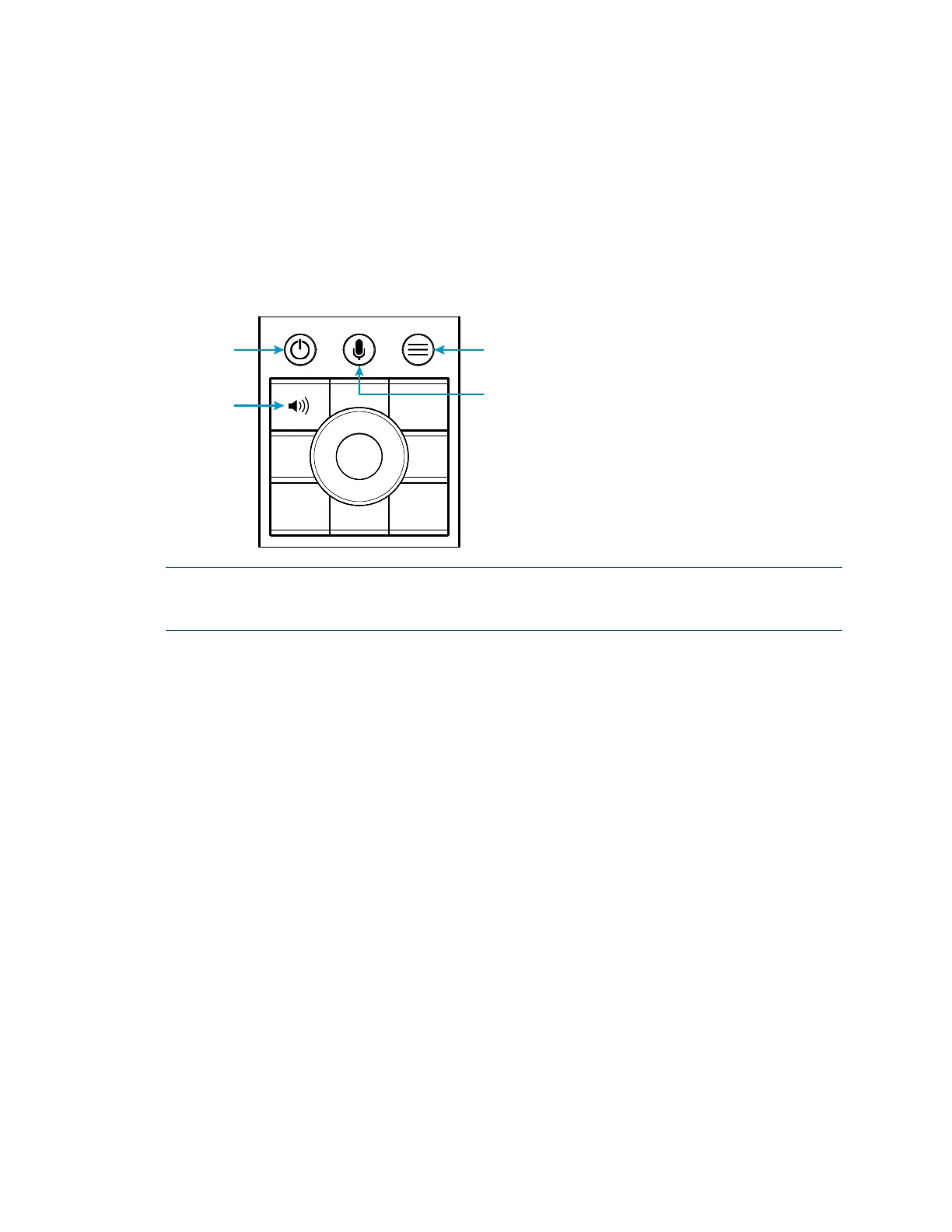
To access the setup screens during regular operation, press the power (1), microphone
(2), home (3), and raise volume (4) buttons twice in sequence (1, 2, 3, 4, 1, 2, 3, 4) within
five seconds. Refer to the illustration below for button locations on the TSR-310.
TSR-310 Button Press Locations
NOTE: The TSR-310 also provides a web configuration interface that may be used to
view and configure various TSR-310 settings. For more information, refer to
"Configuration via Web Interface," starting on page
34.
(3) Home
(2) Microphone
(1) Power
(4) Raise
Volume



 To Next Page