Supplemental Guide – DOC. 8226D TSR-310: Handheld Touch Screen Remote • 45
• Standby
- Docked Standby Time: Enter a standby timeout (0–120 seconds) for when
the TSR-310 is docked.
- Undocked Standby Time: Enter a standby timeout duration (0–120 seconds)
for when the TSR-310 is undocked.
- Undocked Suspend Time: Enter a duration (0–240 seconds) before the
TSR-310 enters suspend mode when is it undocked.
Configure Date/Time
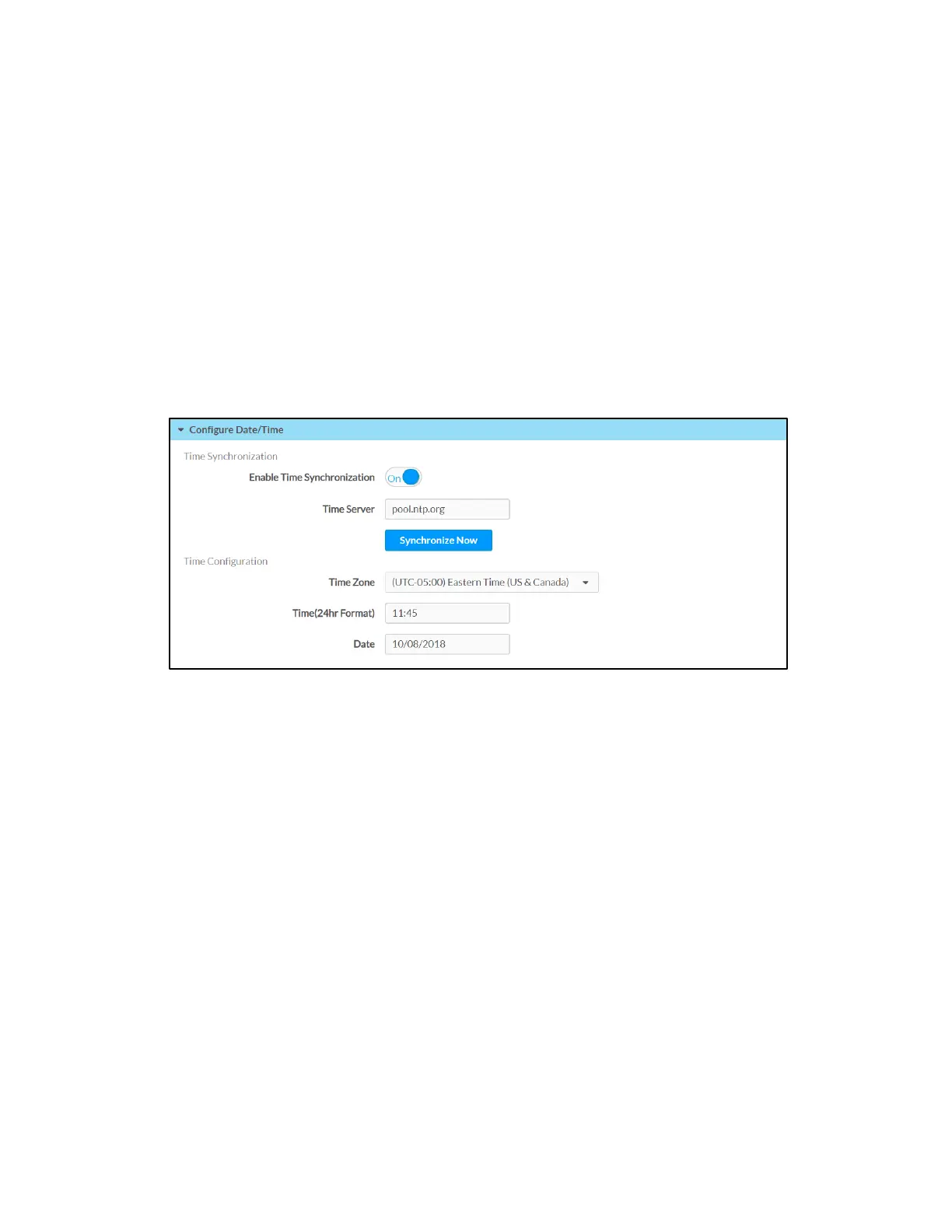
Click Configure Date/Time to configure date and time settings for the TSR-310.
Settings Tab - Configure Date/Time
• Time Synchronization
- Enable Time Synchronization: Toggle the switch to turn time synchronization
via SNTP (Simple Network Time Protocol) on or off.
- Time Server: With Enable Time Synchronization set to On, enter the SNTP
server used to synchronize the date and time for the TSR-310.
- Synchronize Now: With Enable Time Synchronization set to On, tap
Synchronize Now to synchronize the TSR-310 with the SNTP server entered
for
Time Server.
• Time Configuration
- Time Zone: Select a time zone for the TSR-310 using the drop-down menu.
- Time(24hr Format): Select the time for the TSR-310 (in 24-hour format)
using the pop-up menu that is displayed.
- Date: Select the date for the TSR-310 using the pop-up calendar that is
displayed.



 To Next Page