thecrowgroup.com Page | 16
Call Scenarios:
1. Pressing voice device’s Panic button, panel generates GSM call to any predefined destination number
2. Pressing the Voice device’s Dial button, panel generates GSM call to any predefined destination number
3. Call Disconnect Button
4. End user can Call the control panel and the call can be answered in the Voice device by pressing the
dial button ( no.4)
Reminder Note: Do not forget to insert SIM card to support voice calls
Overview
________________________________________________________________________________________________________________
This level displays general information such as device state, device type, RSSI, battery level, Zones, Users, Outputs
information. Battery and RSSI level statistics per hour, day, week and more.
Diagnostic sub level shows the relevant and current panel communication type is online. Information on Ethernet, GSM,
panel Radio Frequency, Wi-Fi details.
In Addition, there is a walk test tool, which helps installer to test the system, verify all works properly before leaving the site.
• Battery Status
• Ethernet network status with internal connection status.
• Wi-Fi connection status and details
• GSM and GPRS/3G status with RSSI level
• ISM 2-Way Wireless Radio information
Walk Test _________________________________________________________________________________________________________________
Click on "Start Walk Test" to start the test. Check Zones connection status, device type and RSSI signal of each ISM detectors.
By cross walking through all of the detectors connected to the system and activating them, the associated zone will latch up
to allow verification that all zones are commutating properly with control panel.
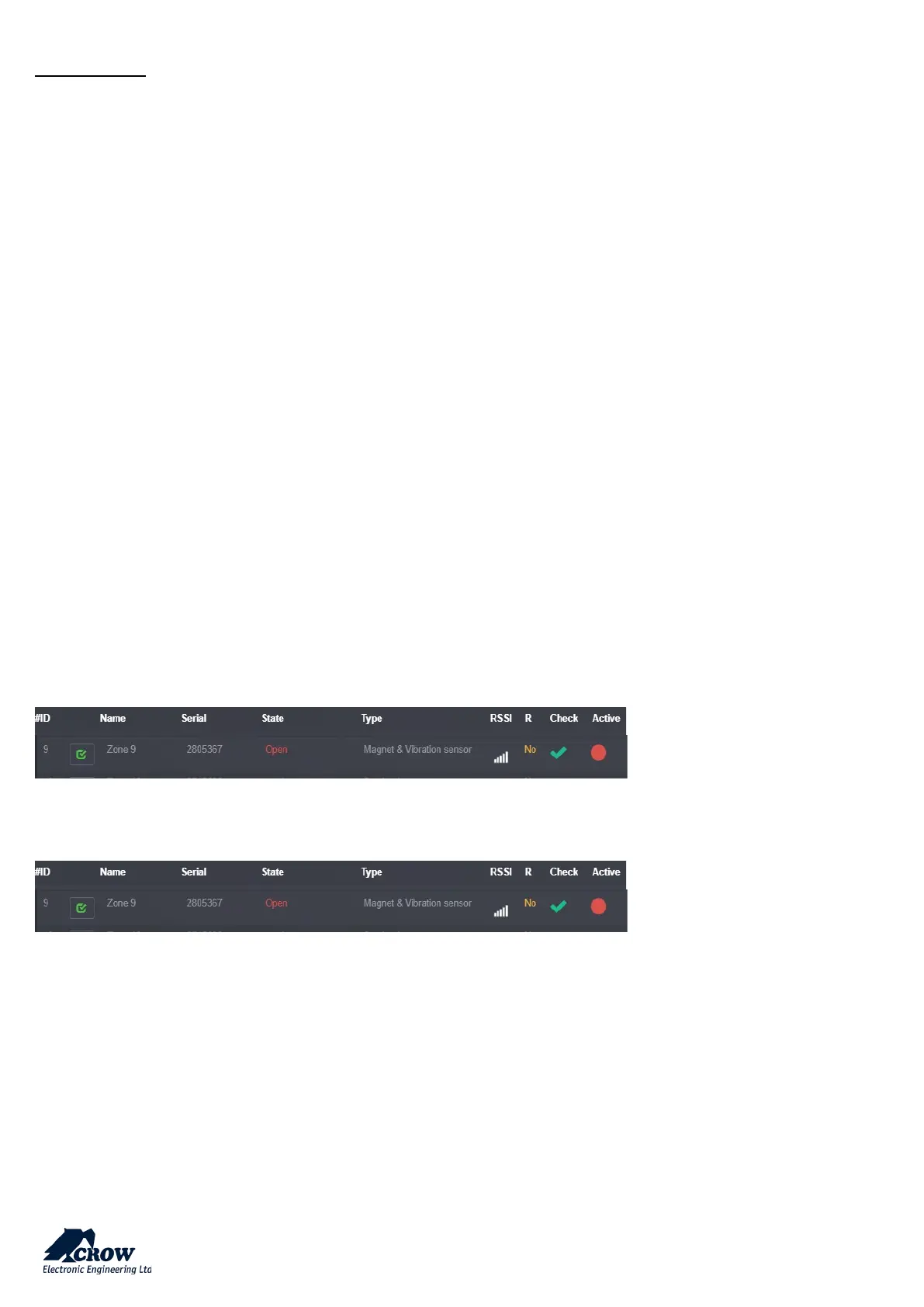
The results of the walk-test displayed on the screen to verify which detectors triggered during walk-test mode
Press "Exit & Stop Walk Test" button, the walk-test mode will be terminated
Screenshots below, describes triggering detector while system is in walk test mode,
Note: the communication panel led shows orange color while the system is in walk test mode.
Control
_________________________________________________________________________________________________________________
This is a level for installer testing the system that allows the system be ARM, DISARM or STAY ARM for each AREA.


 To Next Page