thecrowgroup.com Page | 30
Zones Options
Parameter Description Default Configuration
Zone will not report alarm
to channels 1-7
This option disables the zone to send alarm report including
camera photos through all enabled communication channels
1-7
In addition, there is no activation of siren and KP buzzer.
special event code 4130 indication and “shadow event name
assigned to this feature.
Disable (unchecked)
Zone will not send alarm to
channel 8
This option disables the zone to send alarm report, excluding
camera photos through channel 8,
Disable (unchecked)
Zone Sends Reports
This option enables the zone to send report function through
all enabled communication channels.
All Zones Selected
Zone is on Soak Test
If a zone is suspected of being faulty and is causing false
alarms, you can turn it into a Soak Test Zone and it will still be
monitored for alarms when armed but it will not cause the
sirens to sound or report to the dialer. The Soak Test zone will
still be logged in the event memory however so it is possible
to check the activity of the zone, via the memory, and after a
suitable period of no alarms it can be re-instated as part of the
alarm by removing the Soak Test option
No Zones selected
Exit Terminator Zone
If this option is selected, when the zone unseals during the exit
delay time and then seals again the panel will cancel any
remaining exit delay time and arm in 3 seconds from the time
the zone was sealed.
No Zones selected
Trigger if open The camera will be triggered in any panel state mode. No Zones selected
Camera Assignment
Parameter Description Default Configuration
Cameras
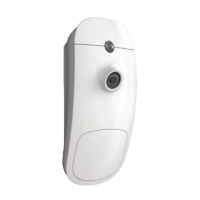
This option enables the zone to trigger PIRCAM or multiple
PIRCAMs.
No Zones selected


 To Next Page