
 Need help?
Do you have a question about the Crow Shepherd and is the answer not in the manual?
Details the capabilities of the SHEPHERD system.
Describes the device's front view and explains LED status lights.
Details the physical rear view of the device and its connectivity ports.
Instructions for accessing and utilizing the web installer for system configuration.
Guide on setting up users, areas, and wireless zones during initial installation.
Details on configuring and managing system outputs like sirens or smart plugs.
How to configure different channels for sending event reports to monitoring stations.
Settings for TCP/IP, Wi-Fi, GSM/GPRS/3G/4G, and DECT wireless device connectivity.
Configuration for RF settings and other communication-related panel options.
Step-by-step guide for pairing the DECT voice device and its operational use.
How to perform a walk test for system verification and sensor functionality checks.
Operation of ARM, DISARM, and STAY modes for the security system.
Parameters for user configuration, types, permissions, and assignments to areas/keypads.
Configuration for time zones, handset assignment, and user permissions.
Detailed configuration and usage of access tags for system arming/disarming.
Configuration of area names, general settings, and delay timers for arming operations.
Assigning zones and users to specific areas for system control and activation.
Assigning time zones, mapping signals to outputs, and configuring account numbers.
Configuring audible beeps on keypads for exit delay monitoring.
Status options for zones including active, stay mode, and two-trigger configurations.
Configuration for zone operational modes and special zone types like handover and auto-bypass.
Settings for 24-hour auto-reset, fire, water, gas, and temperature zones.
Configuration for chime mode and zones functioning as key switches.
Options to disable alarm reporting, enable zone reports, and configure soak test mode.
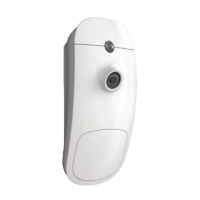
Assigning zones to trigger PIRCAM detectors for image capture.
Enabling zones to function as key switches for arming/disarming.
Assigning various alarm events from zones to trigger specific system outputs.
Assigning tamper, chime, near, and verified alarms to trigger outputs.
Configuration of entry delay times for zones in armed and stay modes.
Adding, deleting, and configuring parameters for radio zones and detectors.
Examples of configuring zones for specific detector types like PIR and magnetic contacts.
Configuration options for Wireless PIR and Door/Window Magnet detectors.
Configuring the re-trigger count for zone alarms to limit repeated activations.
Configuring zone alarm sounds to be heard on keypads.
Settings for output behavior like constant state, mute, and monitoring.
Configuring output types and assigning time zones to control output operation.
Assigning specific alarm signals like Mains Fail or Tamper to outputs.
Assigning tamper and sensor-watch alarms to trigger system outputs.
Assigning duress, walk test, and panic alarms to outputs for signaling.
Configuring delay and reset times for system outputs.
Steps involved in adding new radio output devices to the system.
Assigning general zone alarms, stay alarms, and 24H alarms to trigger outputs.
Assigning tamper, chime, and entry delay events to trigger system outputs.
Assigning near and verified alarm events to trigger system outputs.
Process for adding extender devices and configuring their inputs and outputs.
Removing extender devices from the system configuration.
Selecting the communication channel type (TCP/IP, Wi-Fi, GSM, SMS, VOICE).
Activating channels, setting destination addresses, and defining protocols.
Configuring channel backup, restore times, and SIA null-event supervision.
Assigning unique account numbers for each area for monitoring station identification.
Configuring which specific events (failures, alarms, bypasses) are reported.
Reporting arm/disarm signals, program mode access, and zone bypasses.
Reporting communication failures, output failures, and various alarm types.
Information on radio keypads and a visual overview of the SH-KP Icon Keypad.
Settings for keypad beeps, LED indications, and panic alarm voice call features.
Assigning keypads to specific areas and users for control.
Linking keypads to control system outputs for activation/deactivation.
Steps involved in adding a new keypad to the system.
Detailed settings for remote access, communication options, TCP/IP, GSM, and Wi-Fi.
Explanation of DECT ULE technology and its application requirements.
Enabling DECT, managing contact numbers, learning, and deleting DECT devices.
Settings for RF channels, jamming prevention, and managing wireless repeaters.
General settings for time zone configuration, including start/end times and days.
Defining the start/end times and active days for system time zones.
Programming holidays to override normal time zone operations.
Assigning time zones to areas for automated arming/disarming and STAY ARM operations.
Managing user actions and access based on the active time zone.
General miscellaneous settings and configuration for chime alarm behavior.
Voice commands for controlling the system's ARM, STAY ARM, and output operations.
Security settings like installer codes, duress digits, and arming restrictions due to faults.
Setting system date, time, and ensuring EN/UL compliance.
Configuration of radio zone supervised time and two-trigger zone timers.
Setting delays for reporting alarms, mains failures, and communication failures.
Assigning voice devices to areas and controlling system outputs.
Voice commands for ARM, STAY ARM, and output control via voice device.
Method for testing sensors without triggering false alarms and verifying system operation.
Information about the panel's connection status via Ethernet, Radio, GSM, and Wi-Fi.
Details on event notifications and system configuration.
 General
| Brand | Crow |
|---|---|
| Model | Shepherd |
| Category | Security System |
| Language | English |

 To Next Page