10
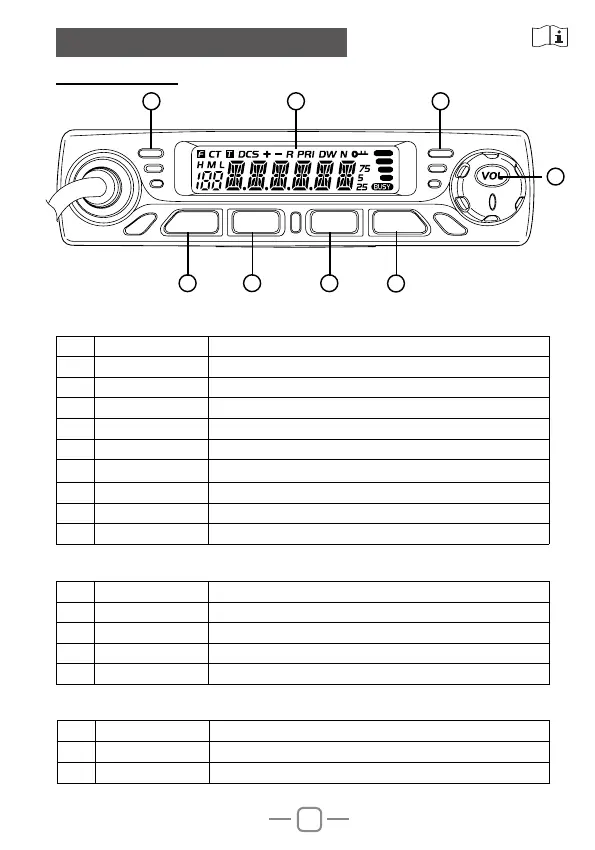
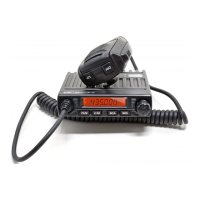
4.1 Front Panel
Basic Function
Press Fun key until F icon appears then press following key
4. GETTING ACQUAINTED
NO. Knob Function
1 FUN Function Menu key
2 V/M VFO/Memory mode switch key
3 SCA Scan Key
4 SQL Squelch key
5 VOL
Power on/off and volume key
6 RX
indicator Light on when squelch valid
7 TX indicator Light on when TX
8 LCD display Display channel / frequency / function setting
9 Speaker Listen to calls
NO. Knob Function
1 V/M Channel store
2 SCA Channel scan delete or add
3 SQL CTCSS/DCS setting
4 VOL Keypad lock
1 2 3
4
5
FUN V/M SCA SQL
Hold Fun key then press following key
NO. Knob Function
1 V/M Delete memory channel
2 SQL Voltage display function
6 78
(only for amateur version)


 To Next Page