23
7.22 Display Mode Setup
Enter No.12 function menu , the LCD displays "DSP".
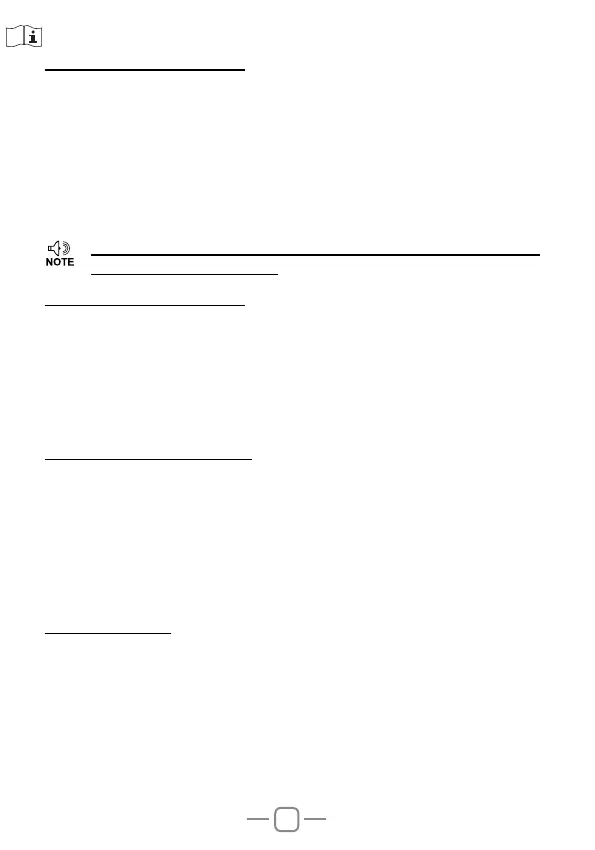
This radio has 3 different dispaly modes:
FRQ: Frequency+Channel mode ( Amateur transceiver mode)
CH: Channel mode
NM: Channel+Name Tag mode (Amateur transceiver mode),
if channel not named ( Amateur transceiver mode), it displays
Frequency+Channel mode.
Default: FRQ.
7.23 BEEP Prompt Setup
Enter No.13 function menu, the LCD displays "BEEP".
The
prompt function is conrm the transceiver’s operation, it will emit
BEEP prompt sound when with wrong operation.
ON: Turn on BEEP prompt function
OFF: Turn off BEEP prompt function
Default: ON.
7.24 TOT(Time Out Timer)
Enter No.14 function menu , the LCD displays "TOT".
The time-out timer limits continuous transmitting time. When transmit
time exceed programmed value, the transmitting will stop and emit a
prompt.
1-30: 1-30 minutes range available by 1 minute/step
OFF: Turn off TOT function.
Default level: 03.
7.25 APO Setup
Enter No.15 function menu , the LCD displays "APO".
Once APO is activated, the radio will be automatically switched off
when the preset timer is running to end.
30: Auto power off after 30m
60: Auto power off after 1h
120: Auto power off after 2h
OFF: Disable Auto power off
Default: OFF.
»
This function will be auto-hidden if channel mode locked.(Refer
to programming software).


 To Next Page