
EasyManua.ls Logo

Crystal DBH50R - User Manual

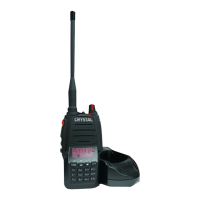
Crystal DBH50R
50 pages
Print Icon
To Next Page IconTo Next Page
Loading...
DBH50R
Version 7

Questions and Answers

  • A
    angela72Aug 17, 2025
    How to fix a Crystal DBH50R with no power?
    • C
      Christopher DunnAug 17, 2025
      If your Crystal Two-Way Radio has no power, it might be due to an exhausted battery pack. Try recharging or replacing the battery pack. Also, ensure the battery pack is correctly installed by removing it and reinstalling it. If the power switch or battery touch is broken, send the radio to local dealers for repair.
  • B
    Brandy BassAug 19, 2025
    What to do if my Crystal Two-Way Radio has green light but no sound?
    • C
      christopher31Aug 19, 2025
      If the receiving indicating lamp (green light) on your Crystal Two-Way Radio is on but there is no sound, first, ensure the volume isn't too low by turning it up clockwise. If the volume is already up, the loudspeaker, earphone jack, or volume switch might be broken, so please contact local dealers for repair.
  • A
    adriana30Aug 22, 2025
    Why is the communication distance short on my Crystal DBH50R Two-Way Radio?
    • T
      Timothy PriceAug 22, 2025
      If the communication distance of your Crystal Two-Way Radio becomes short and has low sensitivity, check the condition of the antenna and ensure the antenna base is not loose. Also, verify that the selected mode frequency matches the local frequency when programming. Finally, check if the radio is set to low power output and contact local dealers for repair if needed.
  • T
    Tony ManningAug 25, 2025
    Why does my Crystal DBH50R battery die quickly after charging?
    • J
      Joy CunninghamAug 26, 2025
      If your Crystal Two-Way Radio battery dies shortly after being fully charged, the battery pack's lifespan is likely over. Replace the battery pack with a new one.
  • P
    Patricia MoraAug 27, 2025
    Why is my Crystal DBH50R Two-Way Radio receiving intermittently with noise?
    • R
      Ronald KellyAug 27, 2025
      If you experience intermittent receiving with big noise on your Crystal Two-Way Radio, you may be out of communication range or obstructed by tall buildings or in a basement. If this isn't the case, the 450 filter might be broken, so please contact local dealers for repair.
  • S
    Stefanie DawsonAug 30, 2025
    How to fix Crystal Two-Way Radio when I can't hear my group?
    • W
      williamsrachelAug 31, 2025
      If you cannot talk to or hear other members in your group using the Crystal Two-Way Radio, ensure you are on the same frequency or channel. Also, verify that the CTCSS/DCS settings are the same. Finally, confirm that you are within the communication range.
  • M
    Megan MorrowSep 2, 2025
    Why does my Crystal DBH50R loudspeaker sound bad?
    • M
      Maria HodgeSep 2, 2025
      If your Crystal Two-Way Radio loudspeaker becomes lower or makes a “ka ka” sound after some use, check whether the loudspeaker net is broken. If not, iron powder or dust may be inside the loudspeaker, so please contact local dealers to repair it.
  • K
    Kaylee TateSep 5, 2025
    Crystal DBH50R: Why can I hear but not transmit?
    • C
      Christopher JonesSep 5, 2025
      If you can receive voice from the other party but cannot transmit on your Crystal Two-Way Radio, check the PTT key. If it is faulty, please contact local dealers to repair it.
  • B
    Benjamin Taylor MDSep 7, 2025
    What to do if my Crystal DBH50R Two-Way Radio won't turn on?
    • C
      Carlos EvansSep 7, 2025
      If you can't power on your Crystal Two-Way Radio or it frequently powers off, check whether the battery terminals are out of shape or broken.
  • J
    Julie LeeSep 10, 2025
    Crystal Two-Way Radio: No sound after using the microphone?
    • A
      anthony57Sep 12, 2025
      If you experience no sound after using the microphone for a while on your Crystal Two-Way Radio, the earphone jack may be broken. Please contact local dealers to repair it.

Summary

Technical Assistance and Safety

Safe Operation Guidelines

Essential information for safe radio usage.

Vehicle and Battery Safety Precautions

Battery Handling and Safety Warnings

Precautions for handling batteries to prevent damage or injury.

Operation in Explosive Atmospheres

Safety advice for operating in potentially explosive environments.

Operational Safety and RF Exposure Guidelines

Radio Frequency Energy Exposure Management

Guidelines for managing RF energy exposure during use.

Advanced Safety and Health Considerations

Pacemaker Proximity Safety

Maintaining safe distance between radio and pacemakers.

Duplex Operation and Repeaters

Repeater Functionality Explained

How repeaters extend radio range through automatic re-transmission.

Operation Modes and Battery Charging

Initial Battery Pack Charging

Instructions for charging the battery pack before first use.

Battery Information and Handling Precautions

Critical Charging Safety Procedures

Advice on switching off transceiver and avoiding power interruption during charging.

Battery Charging Procedures and Indicators

Charging Time and Post-Charge Removal

Approximate charging time and importance of removing after full charge.

Transceiver Preparation Procedures

Battery Pack Installation and Removal

Step-by-step guide for battery pack installation and removal.

Understanding the LCD Display

LCD Icon Glossary and Meanings

Explanation of icons indicating selected functions and status.

Transceiver Controls and Operation

Identification of Transceiver Components

Labels for antenna, speaker, microphone, LCD, and keys.

Powering On;Off and Volume Adjustment

How to turn the transceiver on/off and adjust volume using the knob.

Channel Selection Process

Navigating and Selecting Channels

Using up/down keys to select desired channels.

Basic Transceiver Operations

Channel Input via Keypad

Entering channel numbers directly using the keypad.

Basic Operations and Battery Status Check

Best Practices for Transmitting

Tips for clear transmission, PTT usage, and microphone distance.

Shortcut Operations - Channel Management

Channel Editing and Saving Settings

Saving custom channel frequencies and settings.

Shortcut Operations - Scanning Features

Priority Scan Functionality

Performing scans that prioritize specific channels.

Shortcut Operations - Scan List Management

Channel Scanning Process

Monitoring signal activity across all channels.

Shortcut Operations - DTMF and Frequency Modes

Frequency Reverse and Talk Around Modes

Enabling/disabling frequency reverse and talk around features.

Channel Operations - Function Setup

CTCSS;DCS Decode Setup

Setting up CTCSS/DCS for selective signal reception.

Channel Operations - CTCSS;DCS Configuration

CTCSS;DCS Encode Setup

Setting up CTCSS/DCS for selective signal transmission.

Background Operations - VOX Functionality

Background Operations - Frequency and Squelch Settings

Squelch Level Adjustment

Adjusting the squelch level for receiving sensitivity.

Technical Specifications - General and Receiving

General Device Specifications

Overall device parameters like frequency range and capacity.

Receiving Part Technical Details

Technical details for the receiving capabilities.

Technical Specifications - Audio and Transmitting

Troubleshooting Guide - Power and Communication Issues

Power and Charging Troubleshooting

Solutions for no power or rapid battery drain problems.

Warranty Information - Consumer Rights

Consumer Guarantee Rights Under Law

Entitlements under Australian Consumer Law for product defects.

Warranty Terms and Limitations

Warranty Coverage and Exclusions

Details on warranty coverage, exclusions, and remedies.

Warranty Claims and Contact Information

Warranty Claim Process and Details

How to make a warranty claim and contact information.

Warranty Coverage Details

Product Warranty Period

The duration of the product's warranty coverage.

Crystal DBH50R Specifications

General IconGeneral
BrandCrystal
ModelDBH50R
CategoryTwo-Way Radio
LanguageEnglish