EasyManua.ls Logo

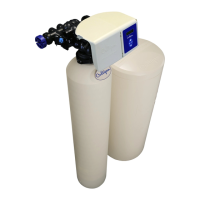
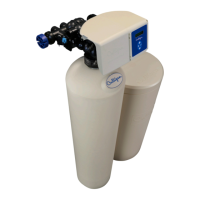
Culligan High Efficiency 1.5 Twin Series - User Manual

Culligan High Efficiency 1.5 Twin Series
77 pages
Print Icon
To Next Page IconTo Next Page
Loading...
CULLIGAN
®
High Efficiency 1.5 Twin
Water Softener
Featuring the
Culligan
®
Smart Controller™
Models from 2012
©2017 Culligan International Com pa ny
Installation,
Operation, and
Service Instructions
with Parts Lists
Cat. No. 01024821
Rev. I 05/09/17
DCO # 017180

Questions and Answers

  • B
    Brenda RoblesAug 16, 2025
    How do I fix a loss of water pressure in my Culligan High Efficiency 1.5 Twin?
    • F
      fsparksAug 17, 2025
      A loss of water pressure in your Culligan Water Dispenser might be due to a control and/or resin bed plugged with debris or iron build-up. Clean the control and increase the frequency or duration of regenerations or backwashes. If the inlet manifold is plugged, remove the control from the tank and clean it. Also, check the eductor screen/nozzle for any blockages.
  • T
    Tiffany PerryAug 19, 2025
    How to troubleshoot a blank display on my Culligan High Efficiency 1.5 Twin Water Dispenser?
    • M
      Mark SmithSep 12, 2025
      If your Culligan Water Dispenser unit's display is blank, it could be due to a lack of power. First, check that the unit is connected to a reliable power source, ensuring it's not an outlet controlled by a switch. If the power source is confirmed and the display remains blank, the plug-in transformer may be defective and require replacement.
  • N
    Norma BoothAug 21, 2025
    Why is my Culligan High Efficiency 1.5 Twin Water Dispenser softener not regenerating automatically?
    • J
      Jamie MedinaAug 22, 2025
      If your Culligan Water Dispenser softener isn't automatically starting regeneration, several factors could be responsible. First, ensure the unit has continuous electrical power. Next, verify that the meter cable is correctly plugged into the circuit board and flow meter housing, and that the flow meter isn't blocked by debris. Finally, check the programming settings to ensure they are correct.
  • T
    Thomas WilliamsAug 25, 2025
    Why does my Culligan Water Dispenser regeneration cycle start at the wrong time?
    • K
      Kelsey JosephAug 25, 2025
      If your Culligan Water Dispenser regenerates at the wrong time, it could be due to several reasons. You may need to reset the timer or ensure the unit has a constant power supply. Check if the circuit board is set to immediate regeneration and change it to delayed regeneration. Also, verify all programming settings are correct.
  • S
    Sherry GrayAug 27, 2025
    What to do if my Culligan High Efficiency 1.5 Twin Water Dispenser fails to draw brine or chemicals?
    • K
      Karen HarrisAug 27, 2025
      If your Culligan Water Dispenser isn't drawing brine or chemicals, start by checking if the drain line flow control is plugged and clean it if necessary. Also, inspect the eductor system for blockages and clean or replace the eductor screen or nozzle. Ensure the line pressure is at least 30 psi (210 kPa). If these steps don't resolve the issue, internal control leaks or a restricted drain line might be the cause, potentially requiring piston replacement or drain line adjustment. Also check tubing connections.
  • D
    Dana HesterAug 30, 2025
    Why is there a continuous flow to drain in my Culligan High Efficiency 1.5 Twin?
    • B
      Brian PattersonAug 30, 2025
      If your Culligan Water Dispenser has a continuous flow to the drain, it could be due to an internal piston leak or a piston jammed in position, requiring replacement. Also, check for power failures during regeneration and restore power to the unit, ensuring it's connected to a constant power source.
  • J
    Julie McintyreSep 2, 2025
    Why is there water in the brine storage tank up to the float in my Culligan Water Dispenser?
    • D
      Donald CostaSep 2, 2025
      If there's water in your Culligan Water Dispenser's brine storage tank up to the float, start by checking for a plugged drain line flow control and clean it. Also, inspect the eductor system for blockages, cleaning the screen and nozzle if needed. A slow leak in the brine line or a faulty brine piston could also be the cause, potentially requiring piston replacement. Finally, consider if there was a power outage during refill.
  • I
    Isabella WattsSep 4, 2025
    Why won't my Culligan High Efficiency 1.5 Twin refill the storage tank?
    • J
      Jose MorenoSep 5, 2025
      If your Culligan Water Dispenser isn't refilling the storage tank, the refill restrictor may be plugged and needs cleaning or replacement. Also, make sure that all tubing connections are properly assembled, as air in the brine line can cause the float to slam shut.
  • D
    Donald CruzSep 7, 2025
    What causes excessive water in the salt storage tank of my Culligan High Efficiency 1.5 Twin Water Dispenser?
    • D
      Daniel CampbellSep 7, 2025
      If there's excessive water in the salt storage tank of your Culligan Water Dispenser (water above the brine valve float), it could be due to a faulty brine valve or float shut-off failure. Clean the brine valve, replace the stem seat, or replace the brine valve to resolve this issue.
  • J
    james50Sep 10, 2025
    What causes loss of mineral to drain in Culligan High Efficiency 1.5 Twin?
    • C
      Casey JordanSep 10, 2025
      If you're experiencing a loss of mineral to drain in your Culligan Water Dispenser, it could be due to an improper drain line flow control. Ensure that the control has the proper drain line flow control. Additionally, check for air in the water system and ensure that the system has a proper air eliminator control.

Summary

Introduction

Read this Manual First

Emphasizes reading the manual before operating the water softener.

About this Manual

Outlines the contents and purpose of the manual.

Safe Practices

Highlights important safety information and warnings for installation and operation.

Basic Principles

What Is Hard Water?

Explains the concept of hard water and its characteristics.

Why Should Hardness Be Removed?

Details the negative impacts of hard water on equipment efficiency and lifespan.

How Does It Work?

Describes the ion exchange process used by the softener to remove hardness.

How Do You Regenerate Resin?

Outlines the four-step regeneration process to restore resin efficiency.

How Often Must You Regenerate?

Discusses factors influencing the frequency of regeneration cycles.

How Do You Control The Regeneration Process?

Explains the automatic and manual control methods for regeneration.

Performance Specifications

HE 1.5 Twin Specifications (U.S. units)

Lists technical specifications, capacities, and dimensions in U.S. customary units.

HE 1.5 Twin Specifications (Metric units)

Lists technical specifications, capacities, and dimensions in metric units.

Installation

Locate Softener

Guides the selection of an appropriate installation location for the softener.

Install Distribution System

Details the process of installing the distribution system within the tank.

Loading the Media

Provides instructions for loading the resin and underbedding into the tank.

Mount the Control Valve

Explains how to attach the control valve assembly to the softener tank.

Install Piping

Covers the necessary steps and precautions for plumbing the softener system.

Suggested Piping Installations

Illustrates common plumbing layouts for the softener system.

Drain Line Flow Control, Eductor Nozzle-Throat

Details settings and replacement procedures for eductor components.

Drain Line Flow Control Replacement

Step-by-step guide for replacing the drain line flow control.

Attaching the Cover

Instructions for reattaching the control valve enclosure cover.

Dial-a-Softness

Describes how to adjust the hardness bypass feature for variable water conditions.

Straight-Through Adapter Installation

Guides the installation of the meter, adapter, and interconnecting pipe.

Optional Bypass Valve Installation

Instructions for installing an optional bypass valve assembly.

Optional Bypass Valve Operation

Explains how to use the bypass valve for service or bypass modes.

Drain Line Connection

Details the drain line connection, including height limitations.

Brine System Installation

Covers the installation of the optional brine system and its piping.

Circuit Board Connections

Explains how to connect wires to the Smart Controller circuit board.

To install HE 1.5 Twin accessory connections

Instructions for connecting various accessories to the control valve.

Installing Accessory Connections

Guides the use of controller enclosure ports for accessory connections.

Installing Aqua-Sensor

Provides detailed steps for installing the Aqua-Sensor probe.

Installing the Modem

Instructions for installing the modem onto the GBE board.

Smart Controller Circuit Board Layout

Smart Controller Circuit Board Layout-Front

Diagram showing the front layout of the Smart Controller circuit board.

Smart Controller Circuit Board Layout-Back

Diagram showing the rear layout of the Smart Controller circuit board.

Electrical Schematic

Electrical Schematic

Diagram illustrating the electrical connections of the Smart Controller.

Installing Accessories

Aqua-Sensor (P;N 01025279)

Details the installation and application guidelines for the Aqua-Sensor probe.

Auxiliary Outputs

Auxiliary Outputs (P;N 01020748)

Explains the function and use of the auxiliary output board.

Auxiliary Output 5 Relay Board

Auxiliary Output 5 Relay Board (P;N 01022238)

Describes the installation and wiring of the auxiliary output 5 relay board.

Installing the Wireless Remote

Installing the Wireless Remote (P;N 01020553)

Guides the selection of location and mounting of the wireless remote monitor.

Smart Brine Tank Probe (P;N 01027289)

Provides installation instructions for the Smart Brine Tank Probe.

Installing the Modem

Installing the Modem in the GBE Board

Steps for installing the modem module into the GBE circuit board.

Installing the Modem In the Remote

Instructions for installing the modem into the remote monitor housing.

Final Startup

Recommended Start-Up Procedure

A step-by-step guide for correctly starting up the water softener system.

Sanitize the System

Instructions for sanitizing the water softener system under specific conditions.

Before Leaving the Installation Site

Check List

A checklist to ensure the system is properly installed and ready for service.

Care and Cleaning

Guidelines for maintaining the appearance and operation of the unit.

Preventive Maintenance

Suggested Preventive Maintenance Inspection Schedule

A schedule for routine inspections and maintenance of the water softener.

Application Problems

Discusses common service issues related to misapplication or environmental conditions.

Maintenance

Analyze the System

Outlines a three-step process for troubleshooting system problems.

Check the System

Lists tools and data needed for diagnosing system issues.

Depressurizing the HE 1.5 Twin Valve and System for Service

Step-by-step shutdown procedure before performing maintenance.

Circuit Board

Circuit Board

Instructions for removing and replacing the circuit board.

Replace Components

Replace the Gearbox

Detailed steps for removing and installing the gearbox.

Replace the Pistons

Instructions for removing and replacing the pistons in the valve body.

Inspect and Maintain Valve Components

Inspect;Clean;Replace the Eductor

Procedures for inspecting, cleaning, or replacing the eductor assembly.

Inspect;Clean the Brine Line and Drain Line Flow Control

Steps for maintaining the brine and drain line components.

Troubleshooting

Drain Line Flow Control-Service

Discusses service for the drain line flow control, including potential clogging.

Brine System Analysis

Analyzes common issues related to water level and safety valve in the brine tank.

General Troubleshooting

A comprehensive table of common problems, their causes, and solutions.

Flow Diagrams

HE 1.5 Twin Flow Valve Piston Locations

Identifies the location of pistons within the flow valve.

Downflow Regeneration Cycle Sequence

Lists the sequence of steps during a downflow regeneration cycle.

Service

Describes the service flow path for the water softener.

Backwash

Details the backwash flow path during regeneration.

Brine Draw

Describes the brine draw flow path during regeneration.

Slow Rinse

Details the slow rinse flow path during regeneration.

Fast Rinse

Describes the fast rinse flow path during regeneration.

Refill

Details the refill flow path for the brine tank.

Bypass

Describes the bypass flow path, allowing raw water to service.

HE 1.5 Twin Service Parts

Control valve assembly

Exploded view showing the components of the control valve assembly.

HE 1.5 Twin Control Valve Parts List

A detailed list of part numbers and descriptions for the control valve.

HE 1.5 tank assembly

Diagram showing the tank assembly and related parts.

Aqua-Sensor Plug and Probe

Lists and illustrates parts for the Aqua-Sensor probe.

18 x38 and 24 x40 Brine Systems

Parts list and diagrams for brine systems of specific sizes.

24 x50 Brine System

Parts list and diagram for the 24"x50" brine system.

Brine Valve Assembly

Exploded view and parts list for the brine valve assembly.

Remote Display and Accessories

Remote Display Assembly

Lists different versions of the remote display assembly.

Accessories

Lists various accessories available for the remote display and controller.

Appendix A Aqua-Sensor Guidelines

Aqua-Sensor Application Guidelines

Provides guidelines for applying the Aqua-Sensor based on water parameters.

Hardness vs. Salt Dosage

Table showing recommended salt dosage based on water hardness.

Resin Bed Depths and Estimated Capacity Per Inch at Various Salt Dosages

Data on resin capacity related to bed depth and salt dosage.

Appendix B Flow Data

High Efficiency Twin 1.5 Water Softeners-Flow Rate Data (gpm)

Table detailing service and drain flow rates for different models.

Appendix C Data Port Output

Single Water Softener or Filter controlled by the Smart Controller

Format and definition of status messages for single unit control.

Test the Data Port

Instructions on how to connect to and test the data port output.

Culligan High Efficiency 1.5 Twin Series Specifications

General IconGeneral
BrandCulligan
ModelHigh Efficiency 1.5 Twin Series
CategoryWater Dispenser
LanguageEnglish

Related product manuals