© 2012 Cummins-Allison Corp.
1.
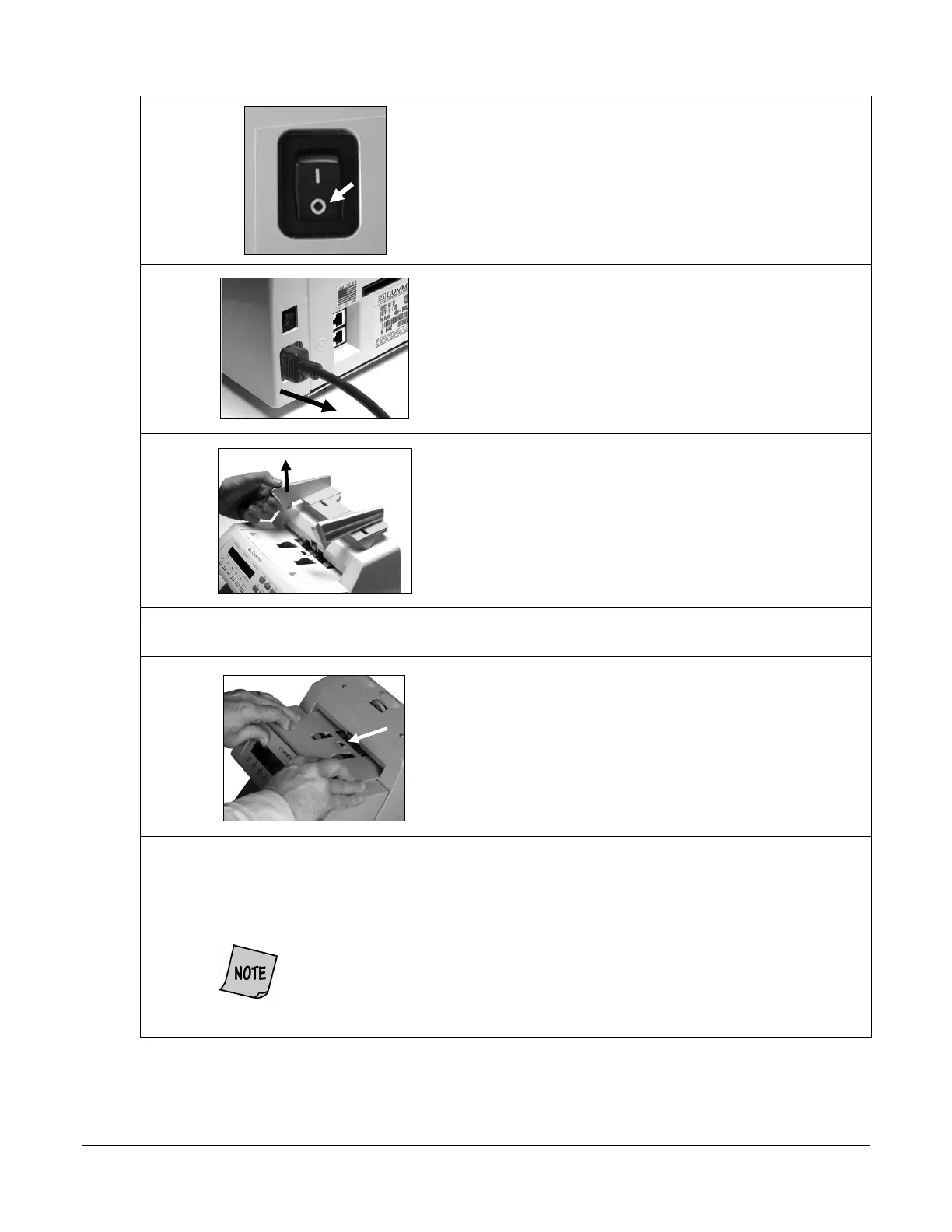
Turn power
(rocker panel to
).
2.
Disconnect power cord from the back of the JetCount.
3.
Raise hopper.
4.
Remove feeder plate as shown below.
5.
Use a microfiber towel to clean the black start sensor at the top,
middle of the feeder plate, as identified at left.
6.
Use a Simple Green
Safety Towel to remove dirt buildup from the upper and lower aluminum
rollers. To reach all exposed surfaces, rotate the large, black feed rollers forward (direction of
note flow).
Rotating the large, black feed rollers will rotate all other shafts and rollers in
the machine. These rollers can be rotated in either direction by using fingers.
Generally, the top of these rollers should be rotated forward (direction of note
flow), so any dirt or stray material is moved out of the unit.



 To Next Page