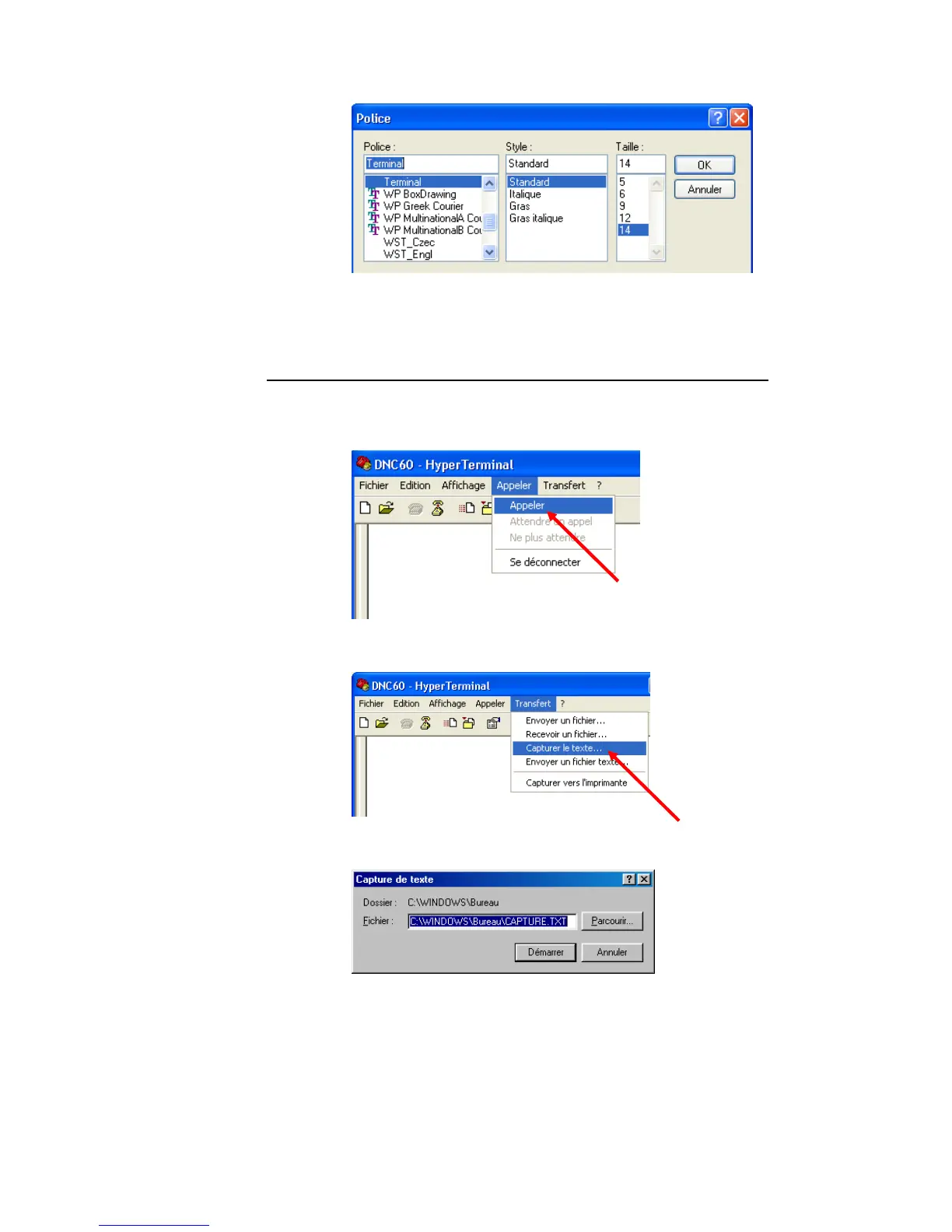
• Choose Standard Terminal 14
ENTERING THE SCREENS
The parameters have now been set on bo
which have been interconnected are ready to transm
th the DNC and the Hyper Terminal,
it.
• Open the Call menu,
• Select Call
• Open the Transfer menu.
• Select Text Capture.
• Select the location and name of the file which will contain the DNC
screen pages.
PAGE 88 USER GUIDE DNC 600S



 To Next Page