2: BladeManager Installation
2-20 AlterPath BladeManager Manual
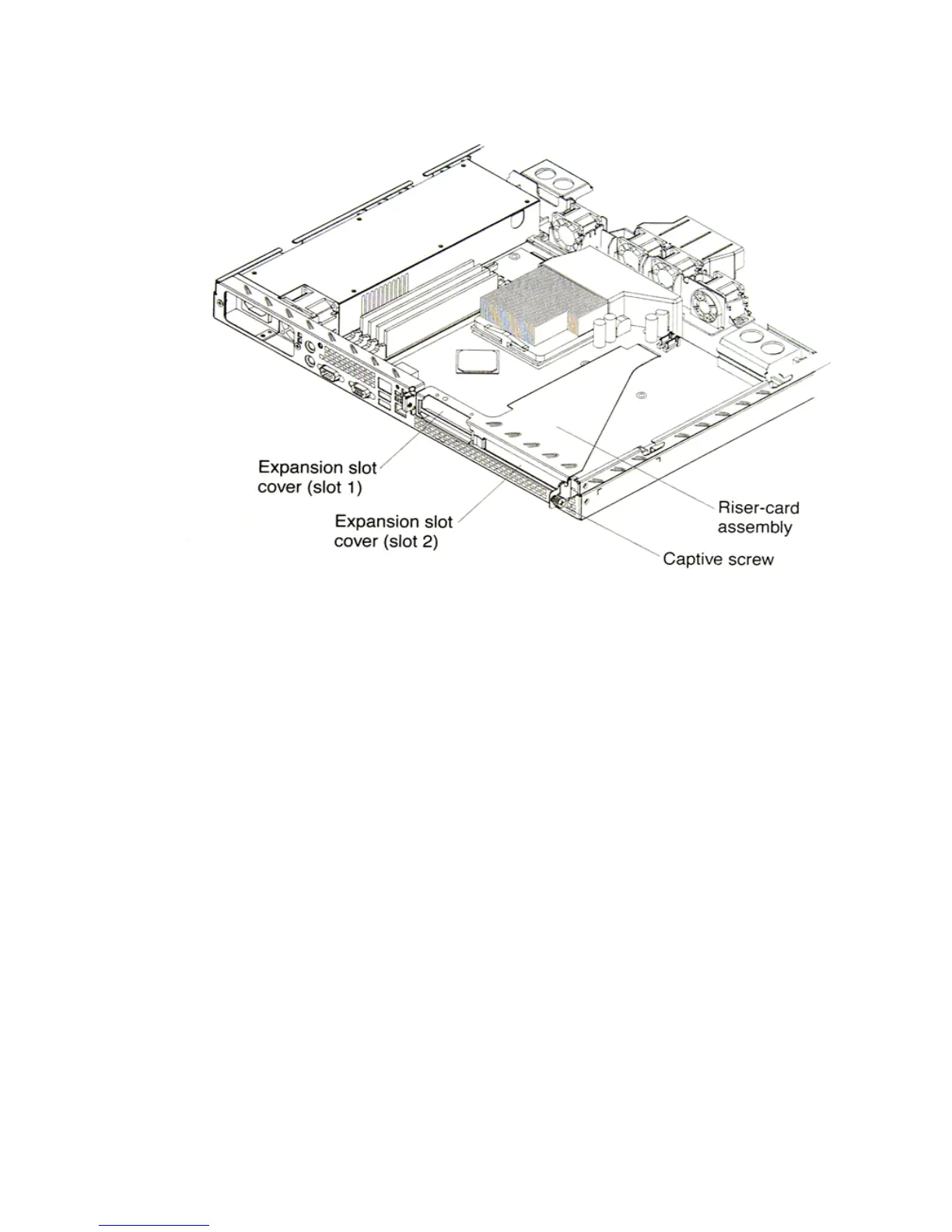
7. Remove the expansion-slot cover.
Important: PCI expansion-slot covers must be installed on all vacant slots.
This maintains the electronic emissions characteristics of the
server and ensures proper cooling of server components.
8. Touch the static-protective package containing the adapter to any
unpainted metal surface on the BladeManager. Then, remove the adapter
from the static-protective package. Avoid touching the components and
gold-edge connectors on the adapter.
9. Place the adapter, component side up, on a flat, static-protective surface
and set any jumpers or switches as described by the adapter manufacturer,
if necessary.
Important: When you install an adapter in the riser-card assembly, carefully
grasp the adapter by its top edge or upper corners, and align it
with the PCI-X expansion slot; then, press the adapter firmly
into the expansion slot.
10. Re-install the riser-card assembly. Ensure that the riser-card assembly is
fully seated in the riser-card connector.



 To Next Page