23 of 35Fly6 PRO User Guide |
Looping function
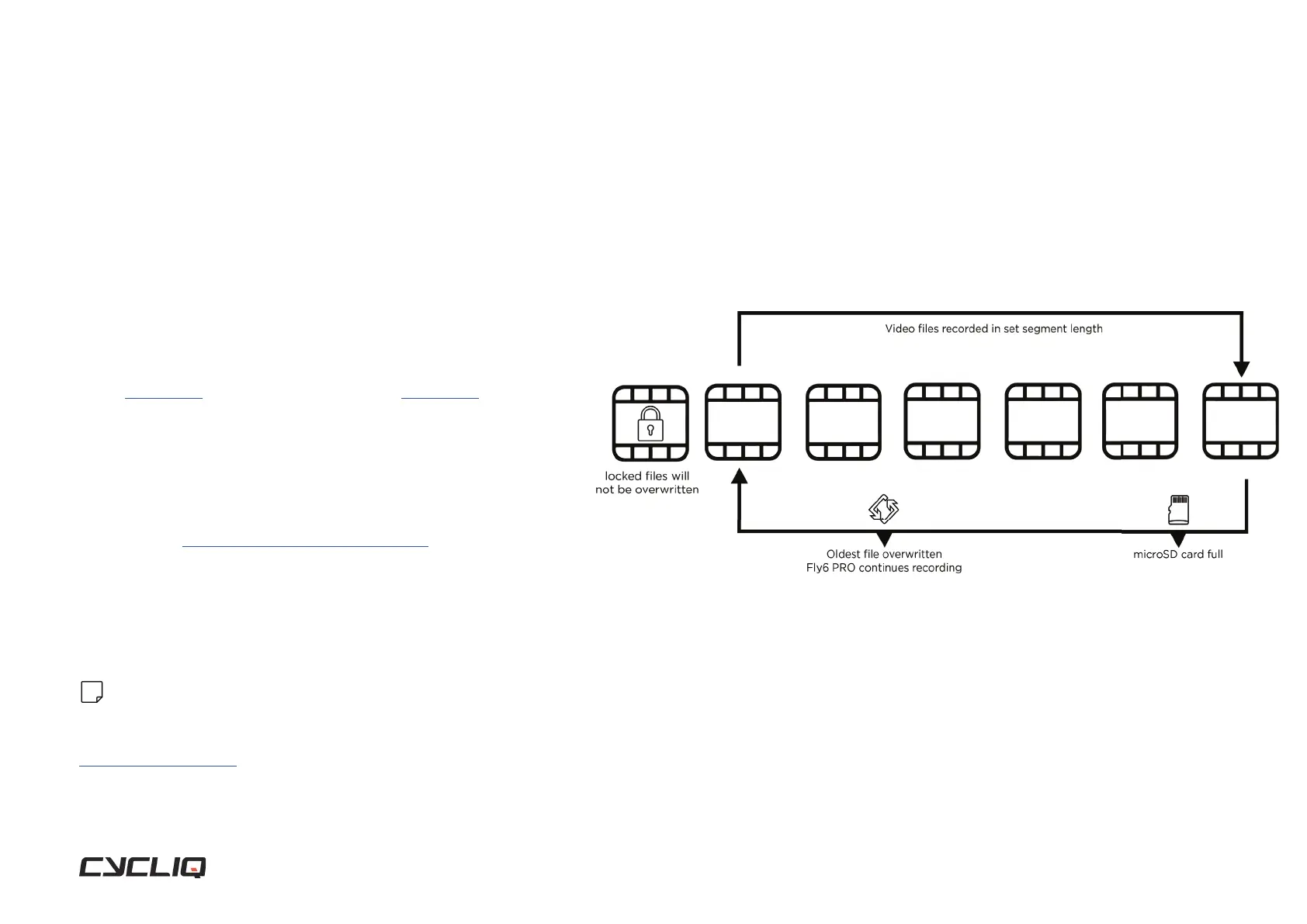
The Fly6 PRO is designed as a ‘set and forget’ cycling accessory. The
footage is set to record on a ‘continuous loop’, so you don’t have to
worry about running out of storage space on the microSD card.
When there is no free space left to record on your microSD card, the
Fly6 PRO will start recording over the oldest available le rst.
Any locked footage saved by the Fly6 PRO incident protection
mode (see page 24) or manual footage capture (see page 24) will not be
overwritten by the looping function.
The looping function cannot be turned off. This ensures that you are
always recording your ride.
If you want to keep your ride footage, simply transfer it onto another
storage device like a phone, computer, or hard drive.
You can use a Cycliq microSD OTG Card Reader to transfer les
from your microSD card.
The maximum duration of video footage that you can record is
dependent on the Fly6 PRO resolution, framerate settings and the
storage size of your microSD card.
Note
The Fly6 PRO requires a compatible Class 10 microSD card. Not all micro sd cards are
the same and may have diff ering read/write speeds. See our recommended list of
compatible microSD cards.
Features



 To Next Page