30 of 35Fly6 PRO User Guide |
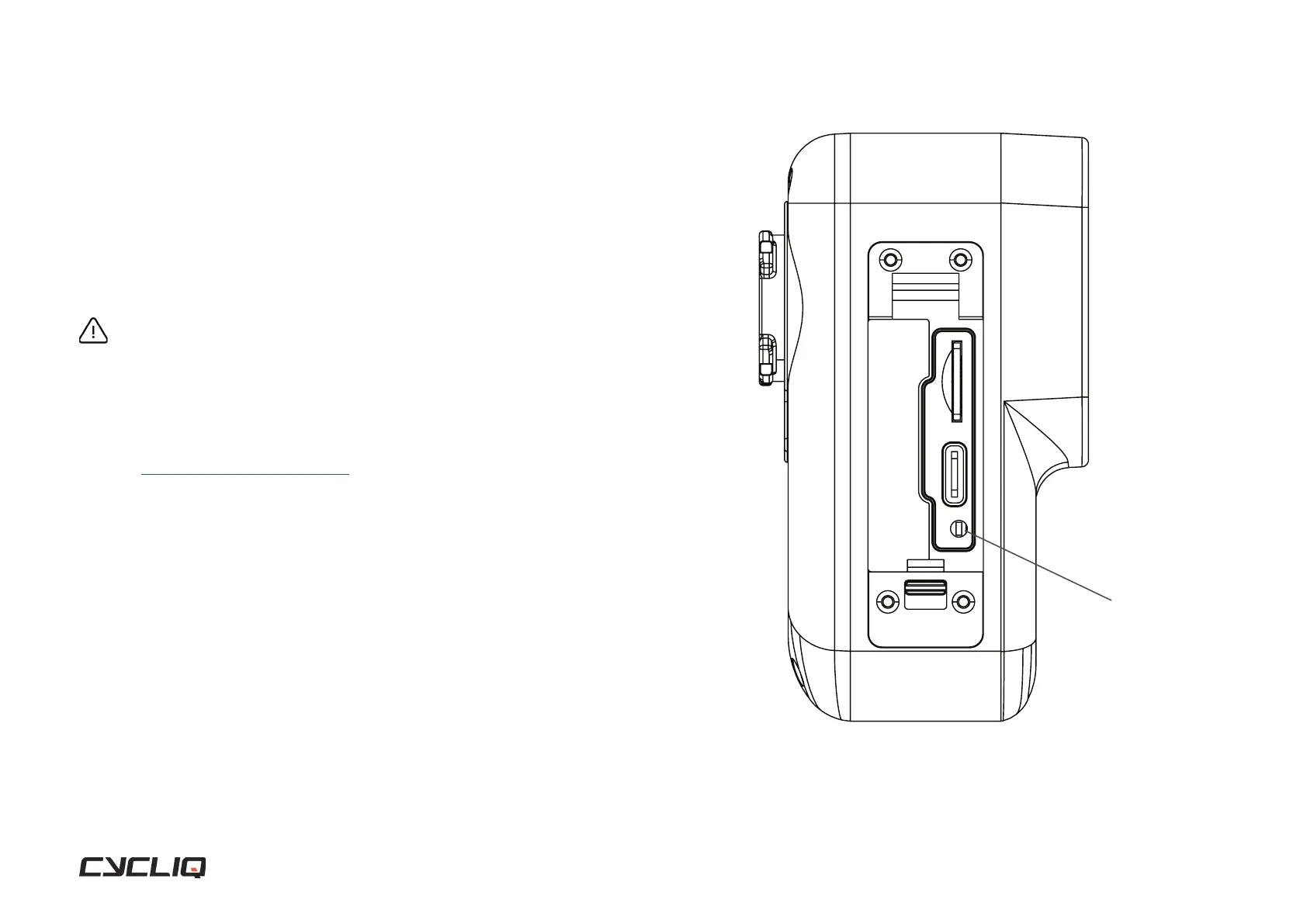
Reset
If a reset is required, the reset button is located within the small cut out as
illustrated. Carefully use a fine object to press the reset button to perform the
reset. Please note the Fly6 PRO will not automatically turn back on. Pleasse
turn your Fly6 PRO on to confirm the reset was sucessful.
WARNING
DO NOT complete a master rest when the Fly6 PRO is in the process of completing a rmware
update, as this may damage your Fly6 PRO.
Still need help?
Go to Fly6 PRO help page where you can view help
topics and contact our friendly support team for help
on troubleshooting any issues you may be having.
Troubleshooting
RESET BUTTON



 To Next Page