DES-3526 / DES-3526DC Fast Ethernet Layer 2 Switch
187
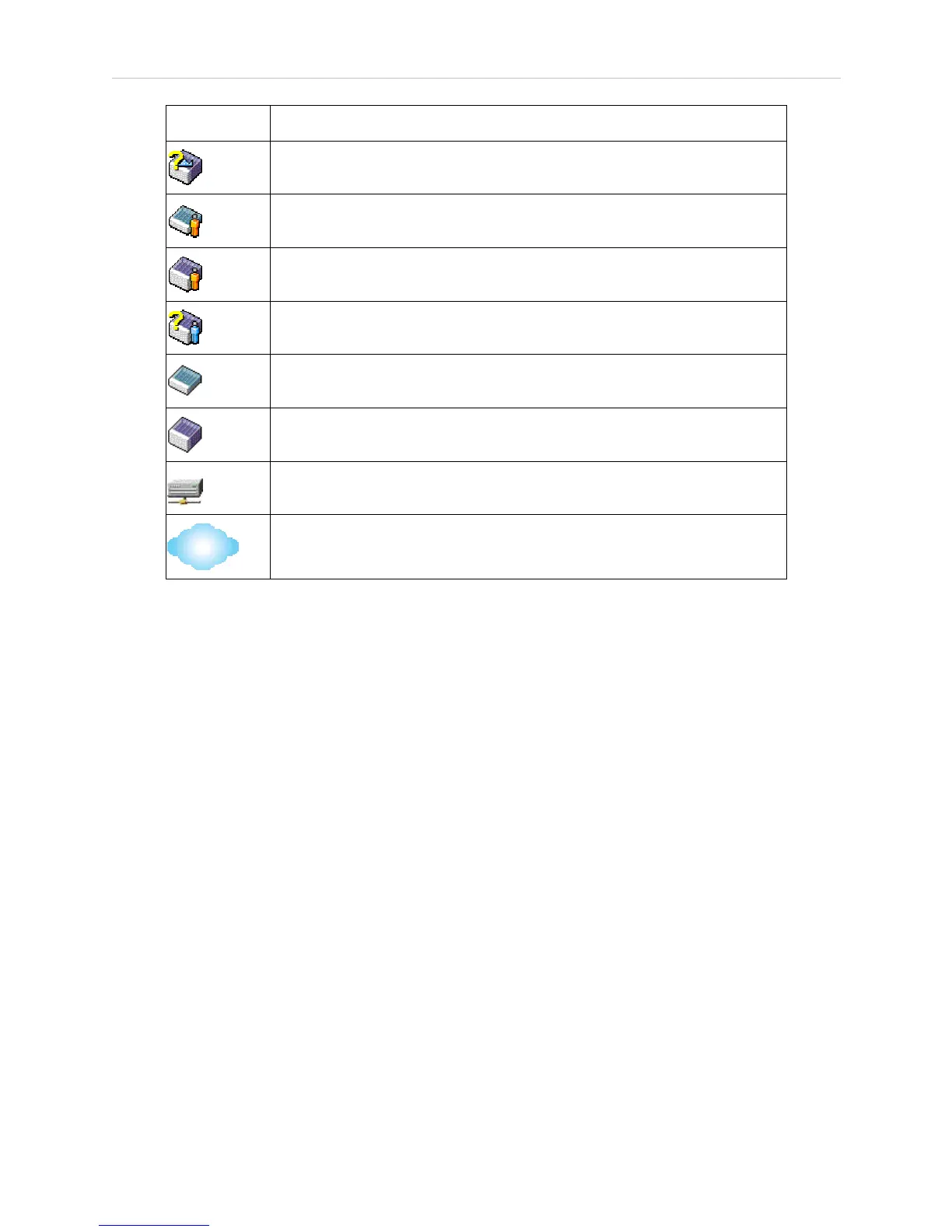
Icon Description
Commander switch of other group
Layer 2-member switch.
Layer 3 member switch
Member switch of other group
Layer 2 candidate switch
Layer 3 candidate switch
Unknown device
Non-SIM devices
Tool Tips
In the Topology view window, the mouse plays an important role in configuration and in viewing
device information. Setting the mouse cursor over a specific device in the topology window (tool tip)
will display the same information about a specific device as the Tree view does. See the window
below for an example.














 To Next Page