DES-3526 / DES-3526DC Fast Ethernet Layer 2 Switch
36
are configured on the Switch, STP will block one entire group; in the same way STP will block a
single port that has a redundant link.
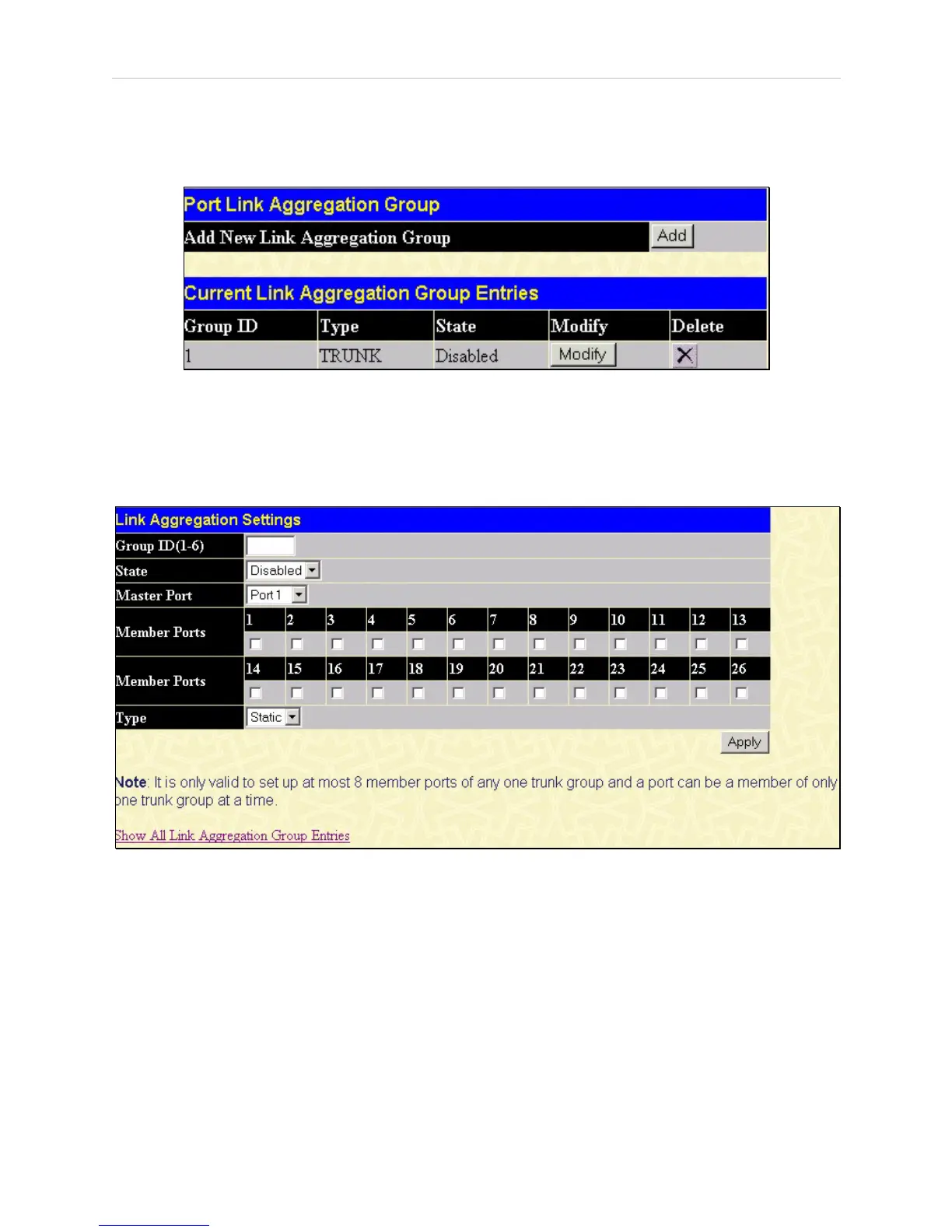
To configure port trunking, click on the Link Aggregation hyperlink in the Configuration folder to
bring up the following window:
Figure 6- 8. Port Link Aggregation Group window
To configure port trunk groups, click the Add button to add a new trunk group and use the Link
Aggregation Settings window (see example below) to set up trunk groups. To modify a port trunk
group, click the Modify button corresponding to the entry you wish to alter. To delete a port trunk
group, click the corresponding X under the Delete heading in the Current Link Aggregation Group
Entries table.
Figure 6- 9. Link Aggregation Settings window – Add














 To Next Page