28D-Link DSL-226 User Manual
Section 4 - Conguration
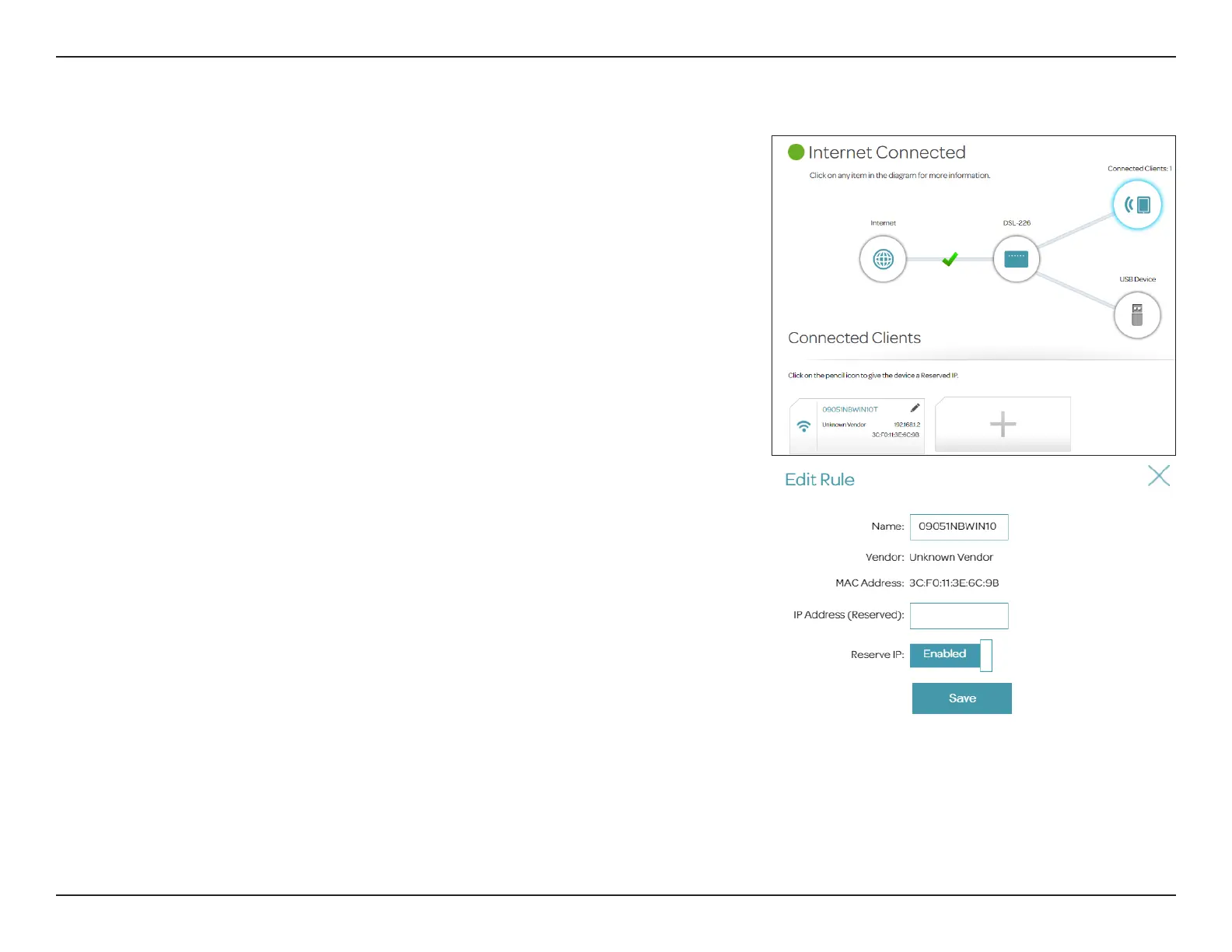
Connected Clients
Click on the Connected Clients icon to view details about the clients currently
connected to the router and their IP and MAC addresses.
To edit a client’s settings, click the Edit icon of the client you want to edit.
Edit Rule
Name:
Enter a custom name for this client.
Vendor:
Displays the vendor of the client network adapter.
MAC Address:
Displays the MAC address of the device.
IP Address:
Displays the IP address for this client. You can reserve an IP address
for this client by enabling the below Reserve IP.
Reserve IP:
Enable this option to reserve this IP address for this client. Go to
Settings > Network >DHCP Reserve to obtain more information
on DHCP reservation.
Click Save when you are done.



 To Next Page