39D-Link DSL-226 User Manual
Section 4 - Conguration
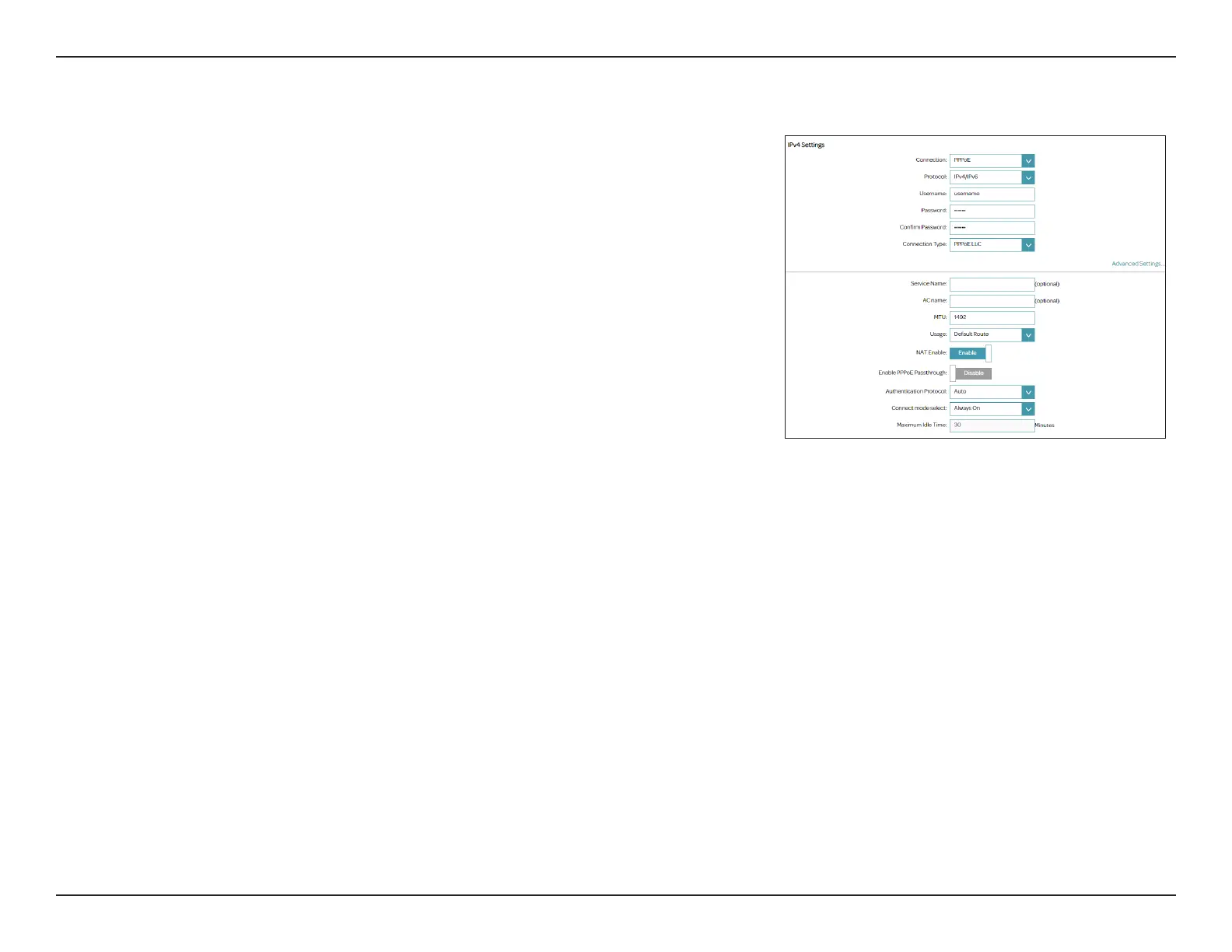
Connection Type: PPPoE
Select PPPoE if your ISP provides and requires you to enter a PPPoE username
and password in order to connect to the Internet.
WAN Settings
Connection:
Select PPPoE.
Protocol
Select IPv4, IPv6 or IPv4/IPv6 for both IPv4 and IPv6 addressing
mechanism. If you choose IPv6, refer to the below IPv6 Settings.
Username:
Enter the username provided by your ISP.
Password/Conrm
Password:
Enter the password provided by your ISP. Then enter it again to conrm
your entry.
Connection Type
Select either PPPoE LLC or PPPoE VC-Mux as the encapsulation type
for the data. This option is only available for ADSL WAN Connection
Type.
Advanced Settings
Service Name
AC name
MTU:
Enter the optional PPPoE service name.
Enter the optional remote PPPoe Server name.
Maximum Transmission Unit - you may need to change the MTU for
optimal performance with your ISP. The default is 1492.
Usage:
Select None or Default Route to use this WAN connection type as the
default route.



 To Next Page
 Loading...










