34D-Link DSL-226 User Manual
Section 4 - Conguration
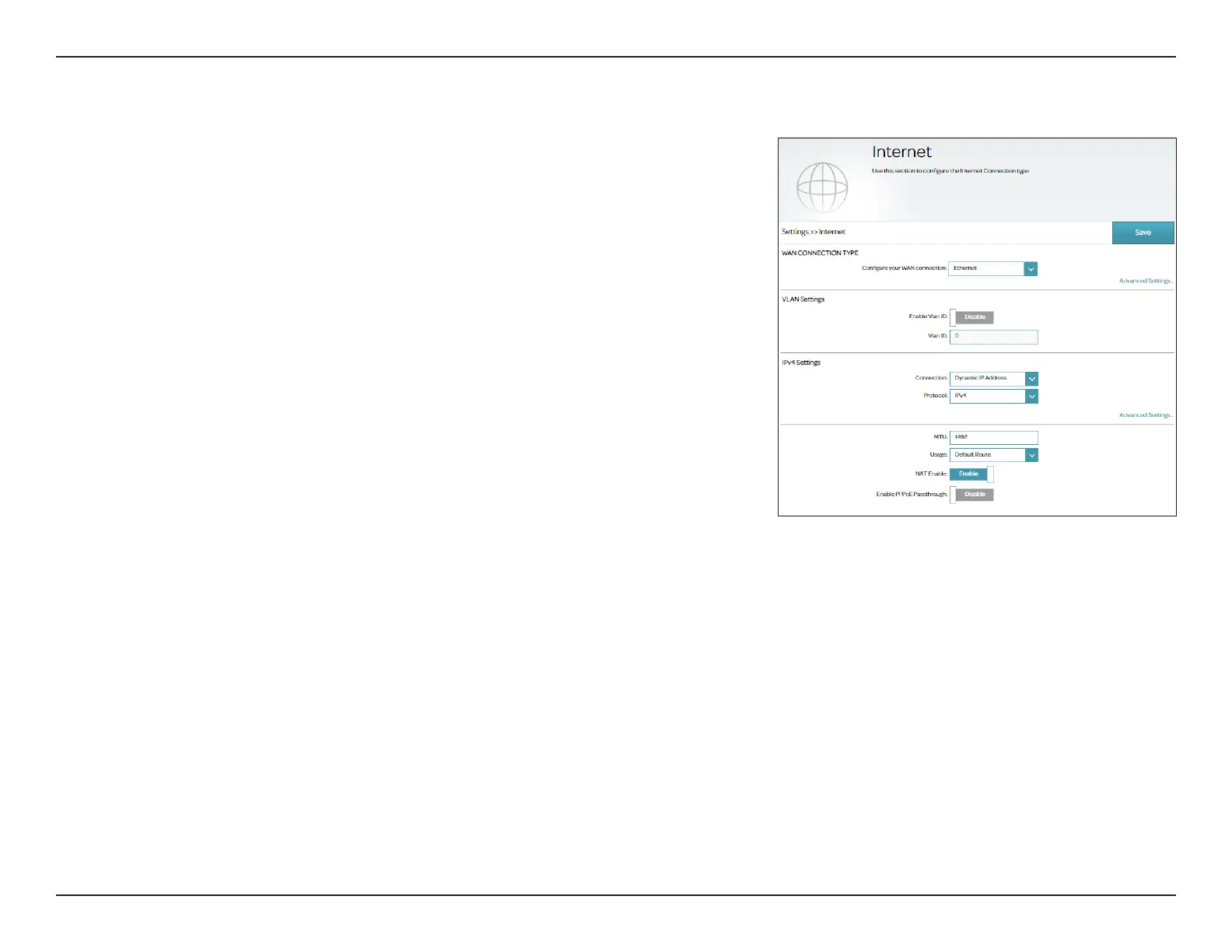
Internet - Ethernet
Your DSL-226 is equipped with a multi-purpose Megabit Ethernet LAN/WAN port which can
be used to connect to the Internet. This port can also be used to connect to other Ethernet
based networks. In order for your DSL-226 to use Ethernet, you must congure the WAN
Connection Type and related WAN settings.
Congure your
WAN connection:
Select Ethernet to congure Ethernet connection settings. To use the
LAN/WAN port for WAN connection, please enable the LAN to WAN
Setting control to designate the LAN/WAN port on the back of the
device as a physical WAN port (go to Settings > Network > Advanced
Settings). The default is disabled (i.e. a LAN port).
VLAN Settings
Enable Vlan ID:
Enable or disable VLAN settings.
Vlan ID:
Enter the VLAN ID. Enter a value from 1 - 4094.
IPv4 Settings
Connection:
Select the connection method for your Internet and refer to the
respective conguration page for setup information.
For Dynamic IP (DHCP) Address, refer to Connection Type:
Dynamic IP (DHCP) on page 35.
For Static IP Address, refer to Connection Type: Static IP on
page 37.
For PPPoE, refer to Connection Type: PPPoE on page 39.
For PPPoA, refer to Connection Type: PPPoA on page 41.
For Bridge Mode, refer to Connection Type: Bridge Mode
on page 43.



 To Next Page
 Loading...










