17D-Link DSL-5300 User Manual
Section 3 - Getting Started
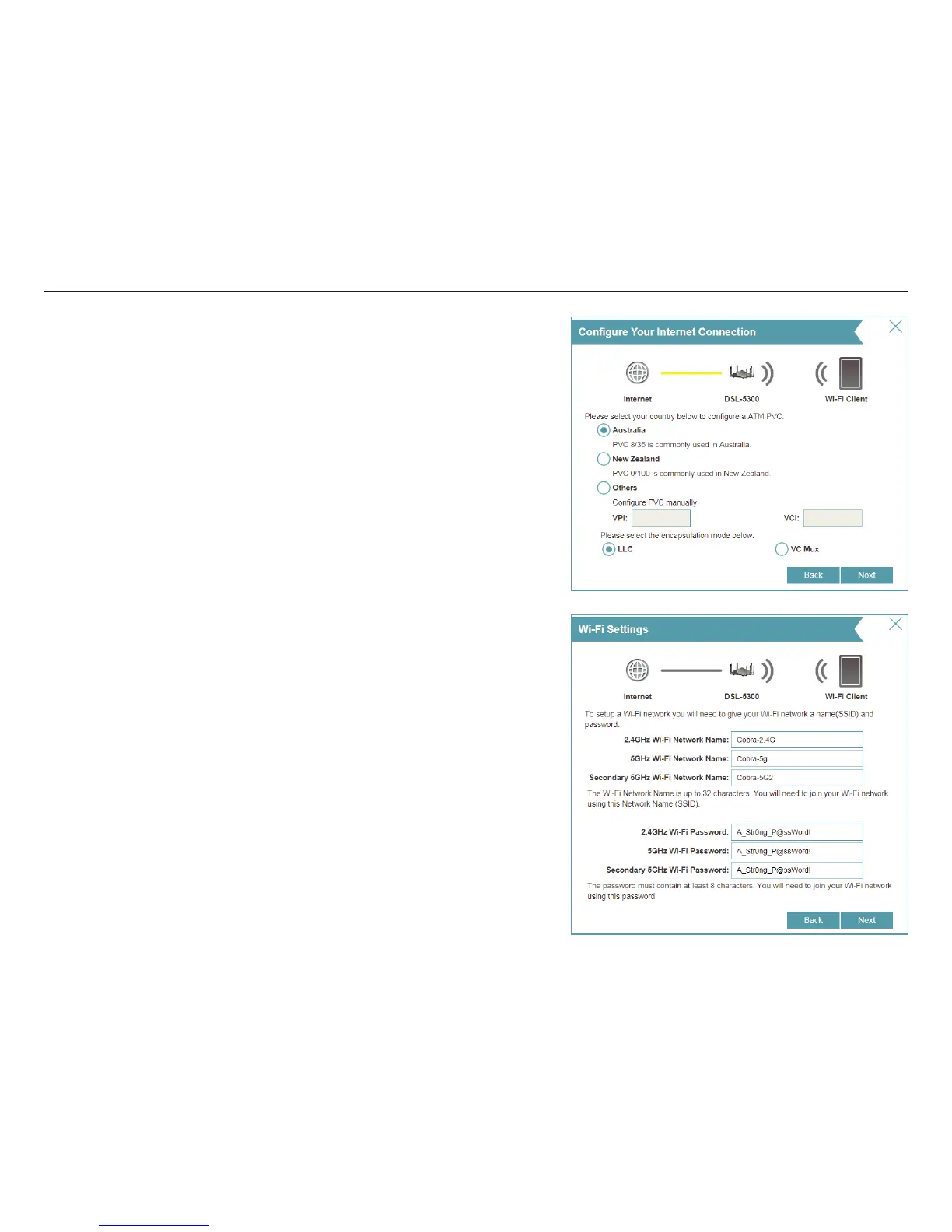
You may be prompted to select a country. If you are not in Australia or
New Zealand, select Others and congure the Asynchronous Transfer
Mode Permanent Virtual Circuit (ATM PVC) settings manually. We
suggest using the default Virtual Path Identier (VPI), Virtual Channel
Identier(VCI), and Logical Link Control (LLC) encapsulation settings
unless directed by your ISP.
These settings may be adjusted later from the Web Conguration
Utility. For more information refer to "ATM" on page 42.
Click Next to continue.
Create a Wi-Fi password (between 8-63 characters). Your wireless clients
will need to have this passphrase or key entered to be able to connect
to your wireless network.
Click Next to continue.



 To Next Page