18D-Link DWM-156 User Manual
Section 6 - Usage Management
Usage Management
Usage
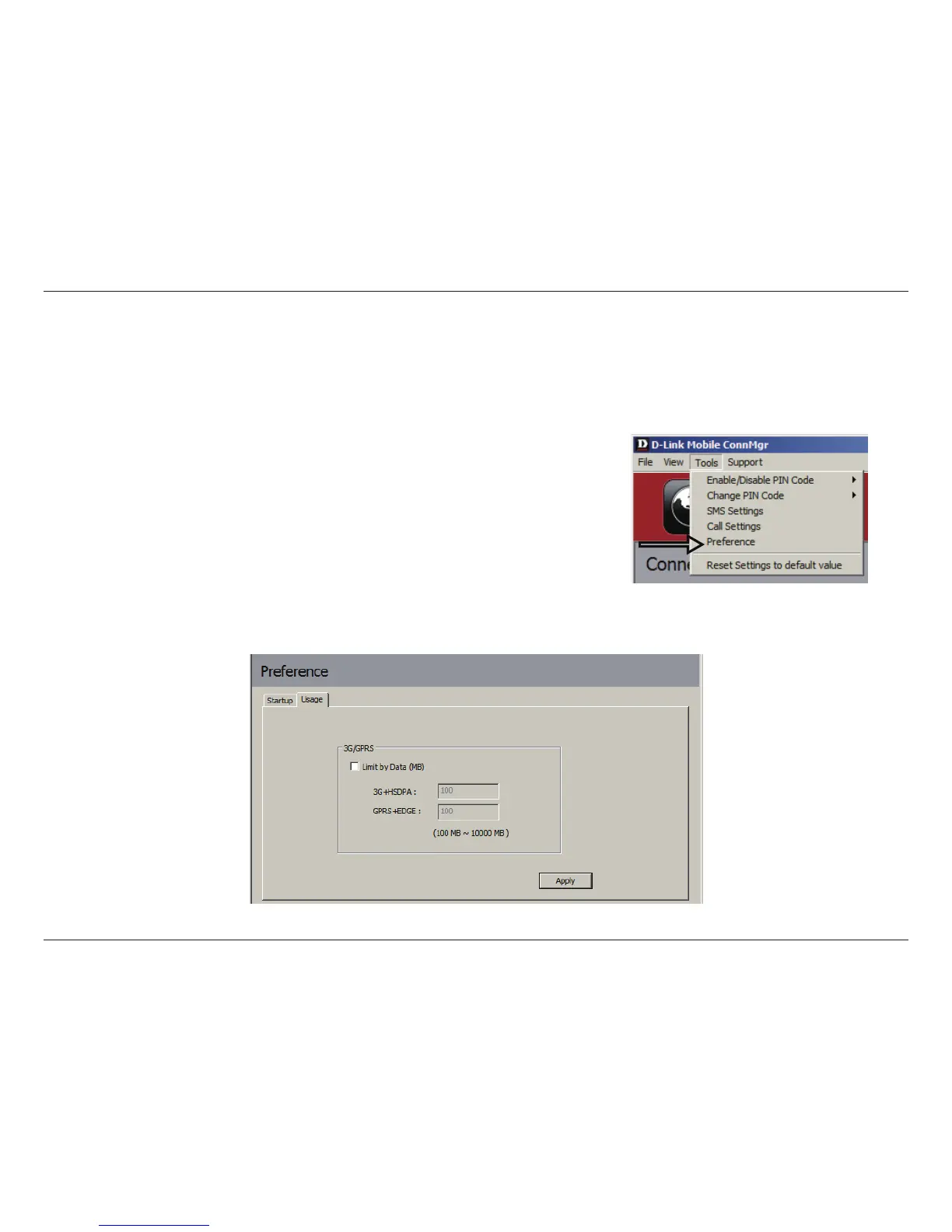
Limits can be set on how long a connection will last. These limits can either be set by usage (3G/GPRS connections)
or by time (Dialup connections).
1. Select Tools > Preference.
2. Select the Usage tab.
3. Check the Limit by Data checkbox.
4. Enter the desired value between 100MB and 10,000MB.
5. Click Apply to save the settings.


 To Next Page
 Loading...









