29D-Link DWM-156 User Manual
Section 10 - Prole Settings
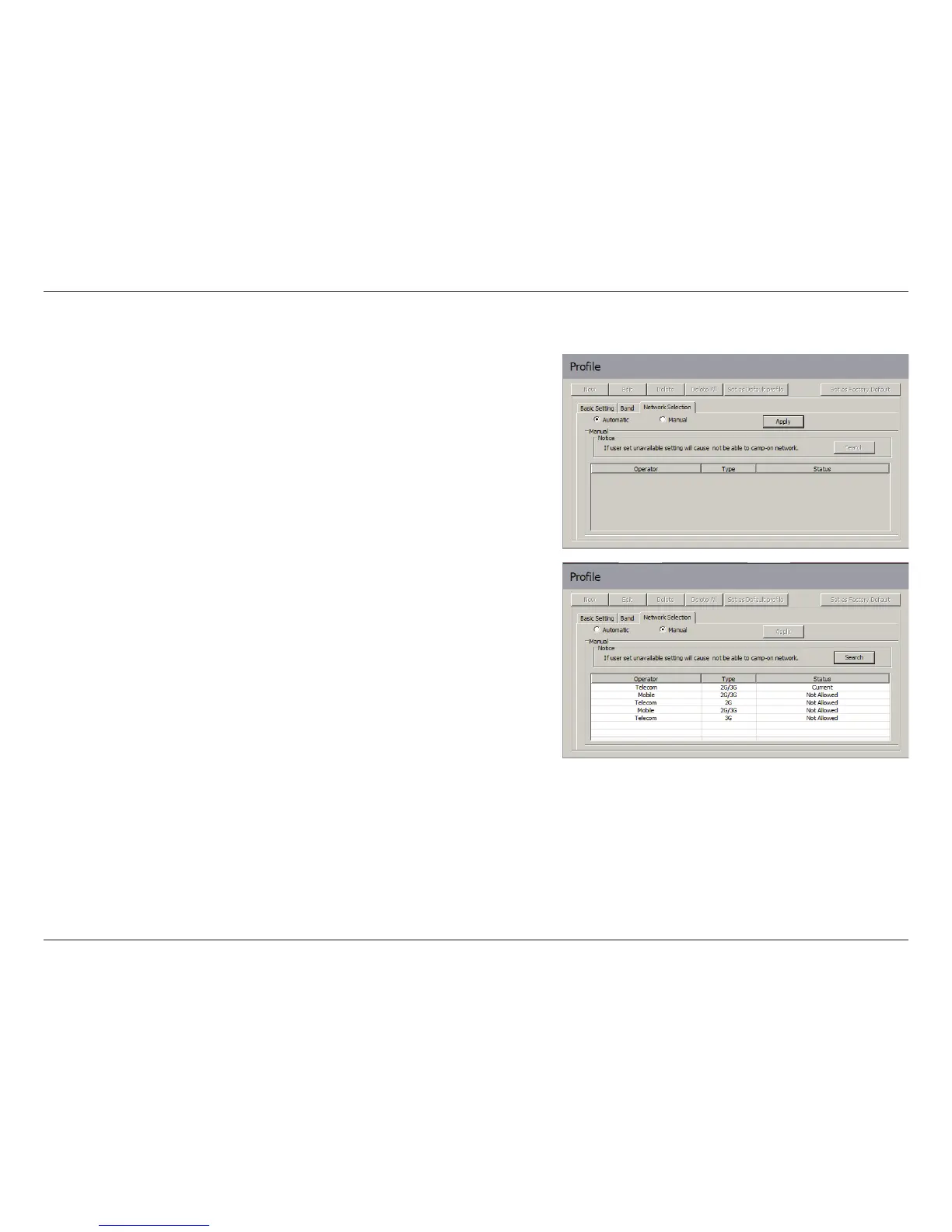
The current location of the DWM-156 may be covered by more
than one network. The DWM-156 supports two network selection
options:
Automatic - By default the DWM-156 will automatically
select the network based on the user’s account and network
availability.
Manual - Users can also use DWM-156 to get the network list,
and select an available network to use.
To manually set the network, follow the steps below:
1. Click the Prole button.
2. Select the Network Selection tab.
3. Select Manual.
4. Click Search to see all available networks.
5. Select a network operator and click Apply.
6. Click OK to nish.
Note: When the band is set to 3G Only, manual selection will only
list 3G networks.
Network Selection


 To Next Page
 Loading...









