33
www.d16.pl
BROWSING PRESETS
Browsing Presets
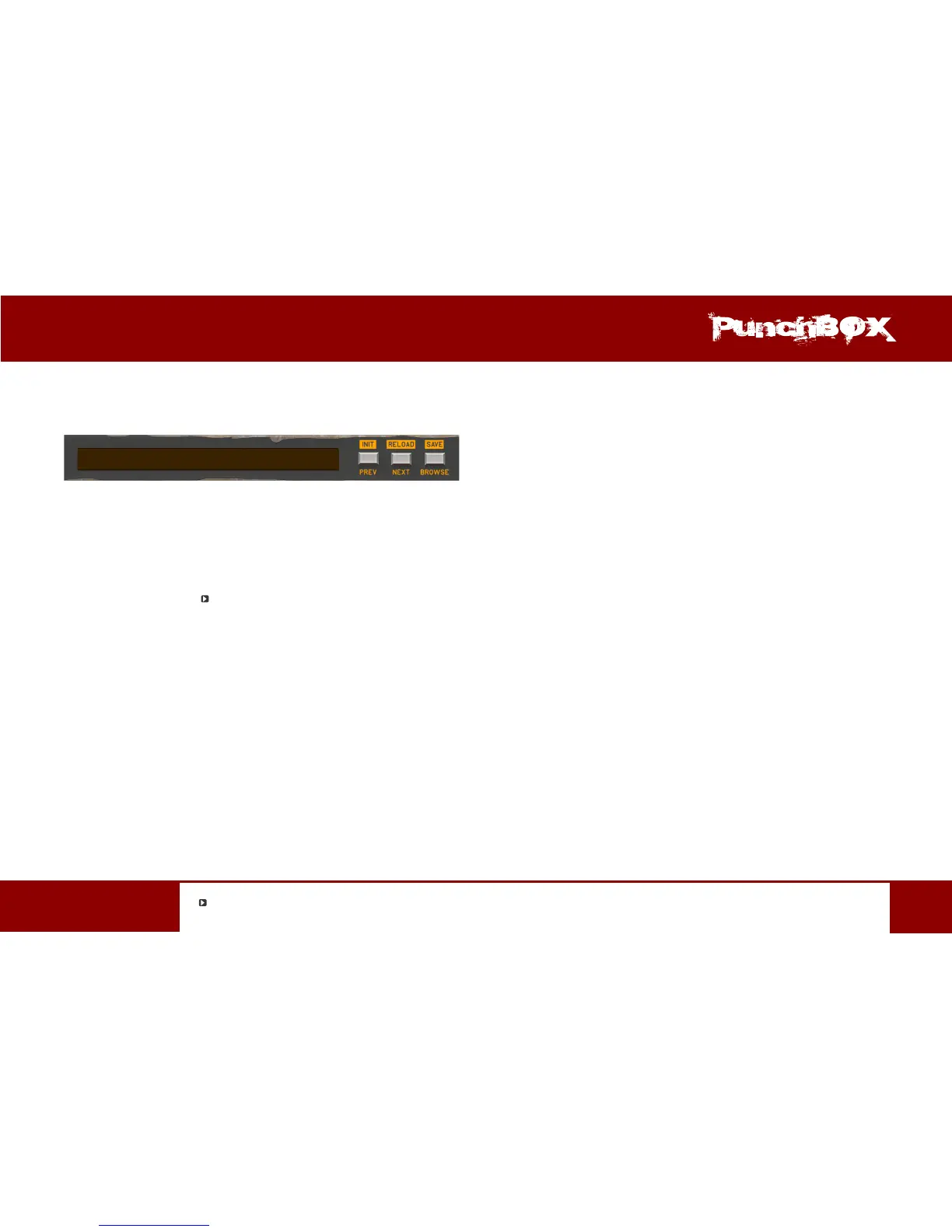
Preset Management secons enable quick navigaon and browsing the presets structure:
Preset Management secon for Master Presets
Each Preset Management secon (for each Preset type) contains following common controls / funcons:
• Preset Name – Displays the name of the currently loaded preset.
• Prev / Next – Buons that allow for linear browsing of items list (depending on currently set lters – see secons below)
• Init (Prev + CTRL )
*
– Simultaneous use of the Prev buon and the CTRL key restores inial sengs of plug-in parameters.
• Reload (Next + CTRL) – Simultaneous use of the Next buon and the CTRL reloads from the most recently loaded parent preset
or if it’s used in Master Preset Management secon reloads the most recently loaded preset.
• Save (Browse + CTRL) – Simultaneous use of the Browse buon and the CTRL key saves current parameters as a new preset
or allows for overwring of the exisng one (see secons below).
• Browse – Expands the Preset Browser panel at the boom of GUI secon.
CTRL buon in Windows system and Apple CMD in Mac OS X system


 To Next Page