BROWSING PRESETS
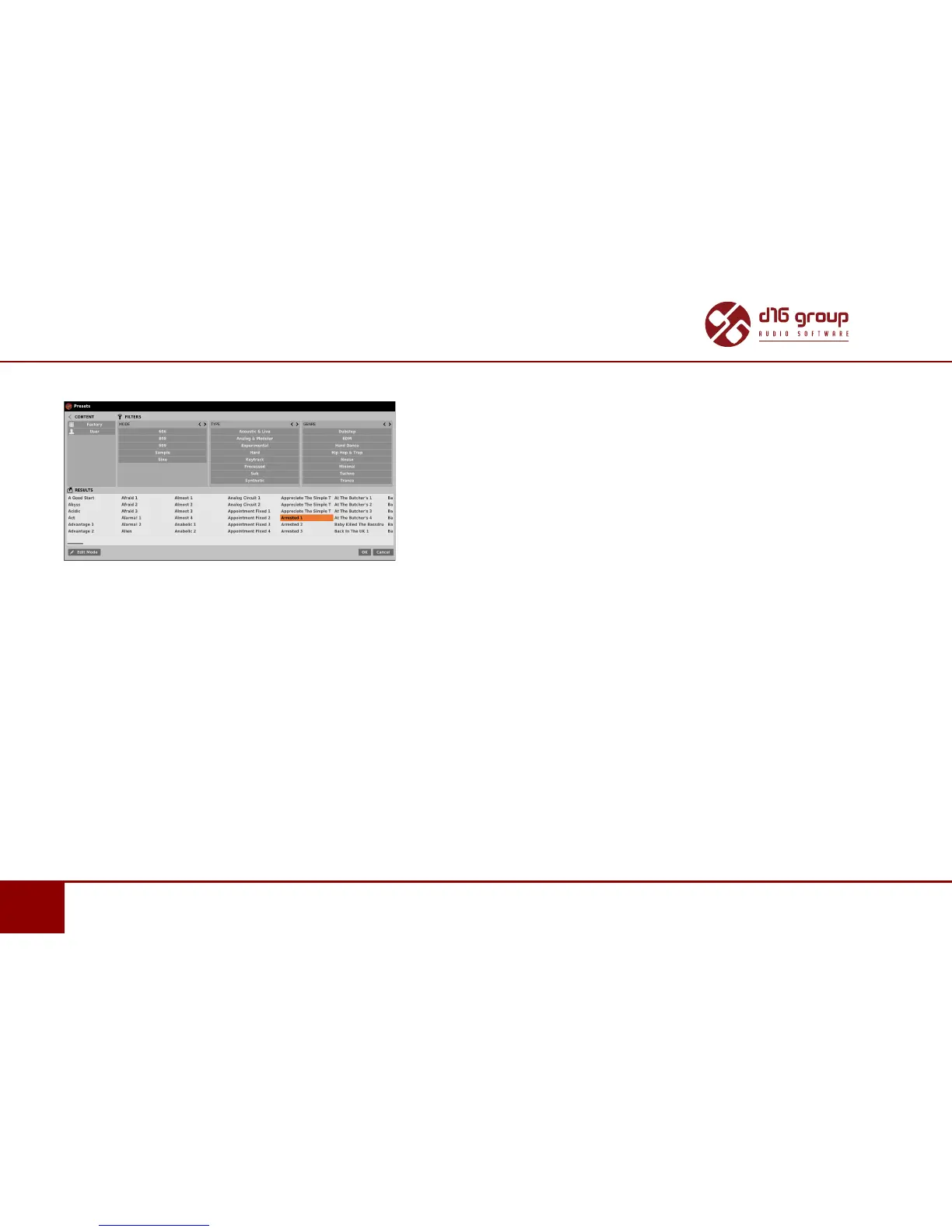
A Preset Browser looks as follows:
Preset Browser
One can see three main secons:
• Content – Sources from which presets can be read.
• Filters – Conguraon of presets Filters (non-acve by default).
• Results – List of presets from resources that meet criteria set by Filters.
Resources
In this secon you can choose a resource / resources in which you want to browse presets. There are two resources to choose from:
• Factory – Delivered together with the plug-in, cannot be modied (read-only).
• User – Created by the user during using the plug-in and can be freely modied, shared with other users etc.
Choosing any of them will cause narrowing the results to the presets from one resource.


 To Next Page