37
www.d16.pl
BROWSING PRESETS
Preset Filtering
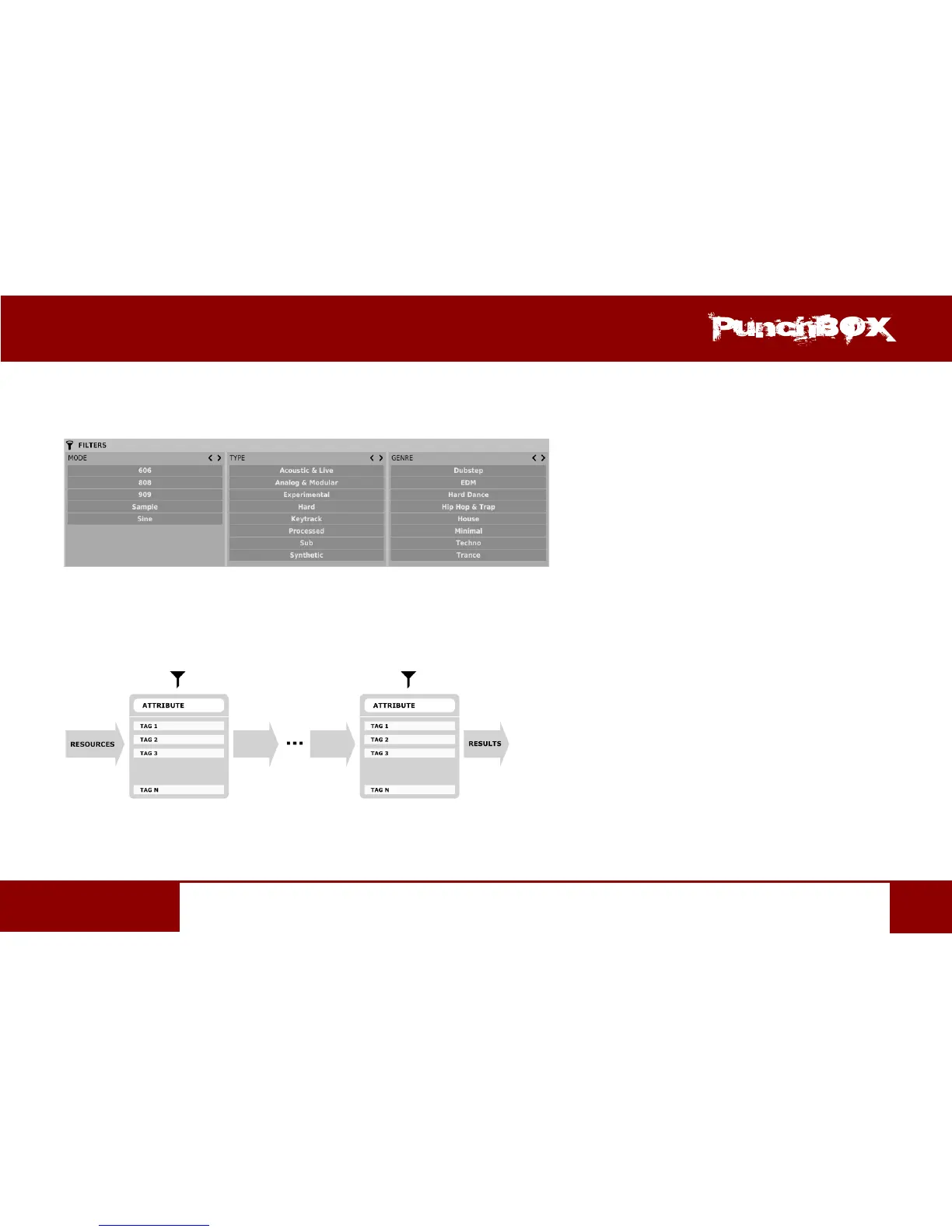
Filters secon columns represent parcular Categories – Category lters, while rows in each of these columns represent Tags available
within each Category.
Preset Browser Categories Filters
Filtering results have a form of a cascade (columns), from le to right. This means that all presets available in the selected resources
are ltered as to presence of Tags from the rst Category (rst column from the le), next a set of presets being a result of ltering by the
rst Category is ltered by the Category represented by the second column etc., unl it is ltered with the last acve Category Filter.
Presets Filtering with the use of Categories Tags
The result of a cascade ltering process (presets that meet the criteria of each lter) is listed below, in the Results secon.


 To Next Page