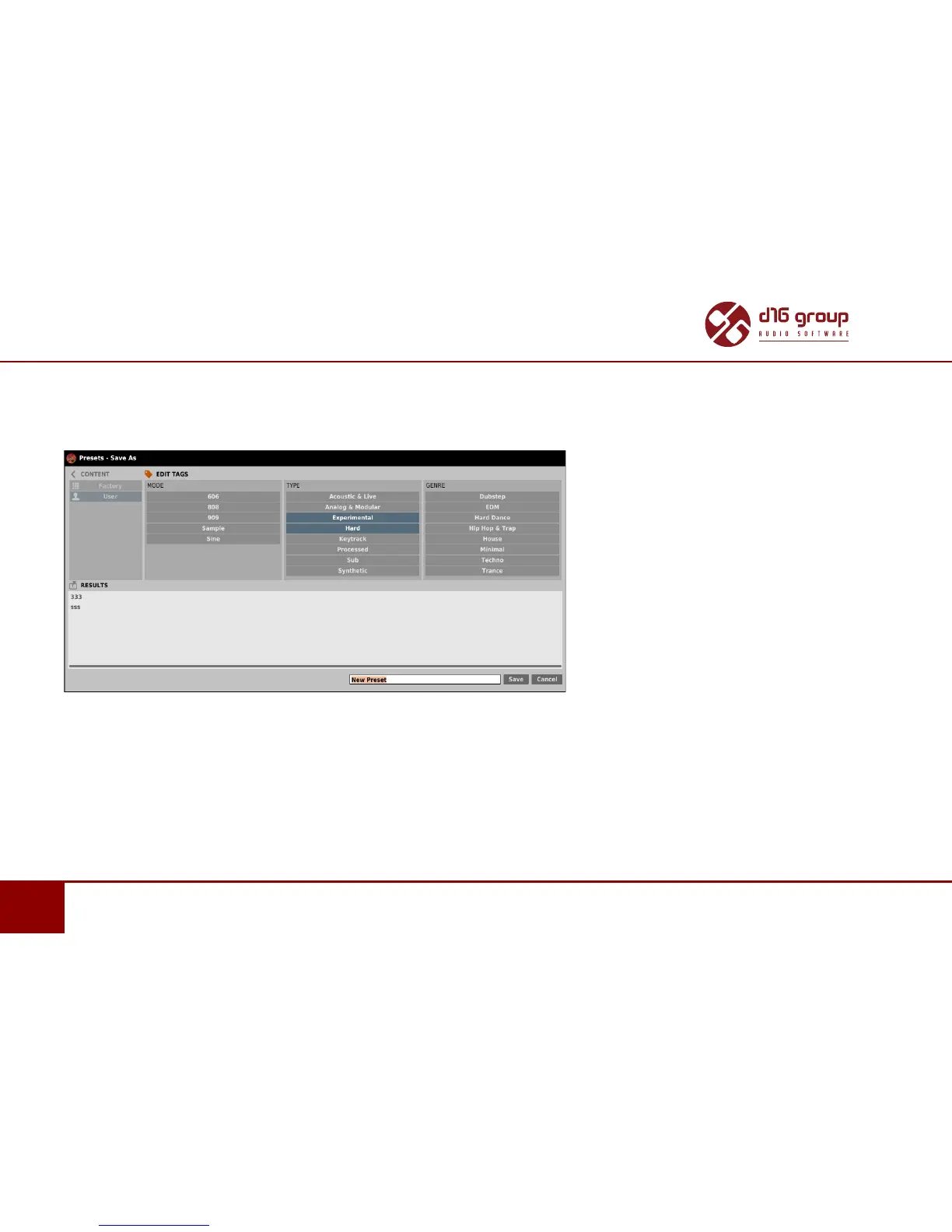
SAVING THE CURRENT SETTINGS AS PRESET
Saving the current sengs as Preset
To save plug-in parameters sengs as a user preset use the Browse buon pressed together with CTRL buon in Presets Management
secon. This acon automacally opens the Preset Browser with an acve Edit Mode.
Saving the Sengs as Preset
Addionally, at the boom there will be a textbox into which you should enter a name of a newly created preset, and then conrm it by
clicking Save or cancel by clicking Cancel.
As the Preset Browser is in the Edit Mode before conrmaon of the newly created seng as preset, we can straightaway categorize
a parcular seng, using funconality of the Edit tags secon, even just before saving it as Preset.


 To Next Page