25
20-06-2023
50400 >
In the event of new product developments, Dancutter reserves the right to change the technical description without advance notice.
Authorised Representative in the United Kingdom: Mini-Cam Limited Unit 33, Ravenscraig Road, Little Hulton, Salford, M38 9PU.
© Copyright 2021 Dancutter A/S. Dancutter A/S is a Halma Company. Dancutter A/S, Livøvej 1 A, DK-8800 Viborg, +45 9651 2150, info@dancutter.dk, dancutter.com
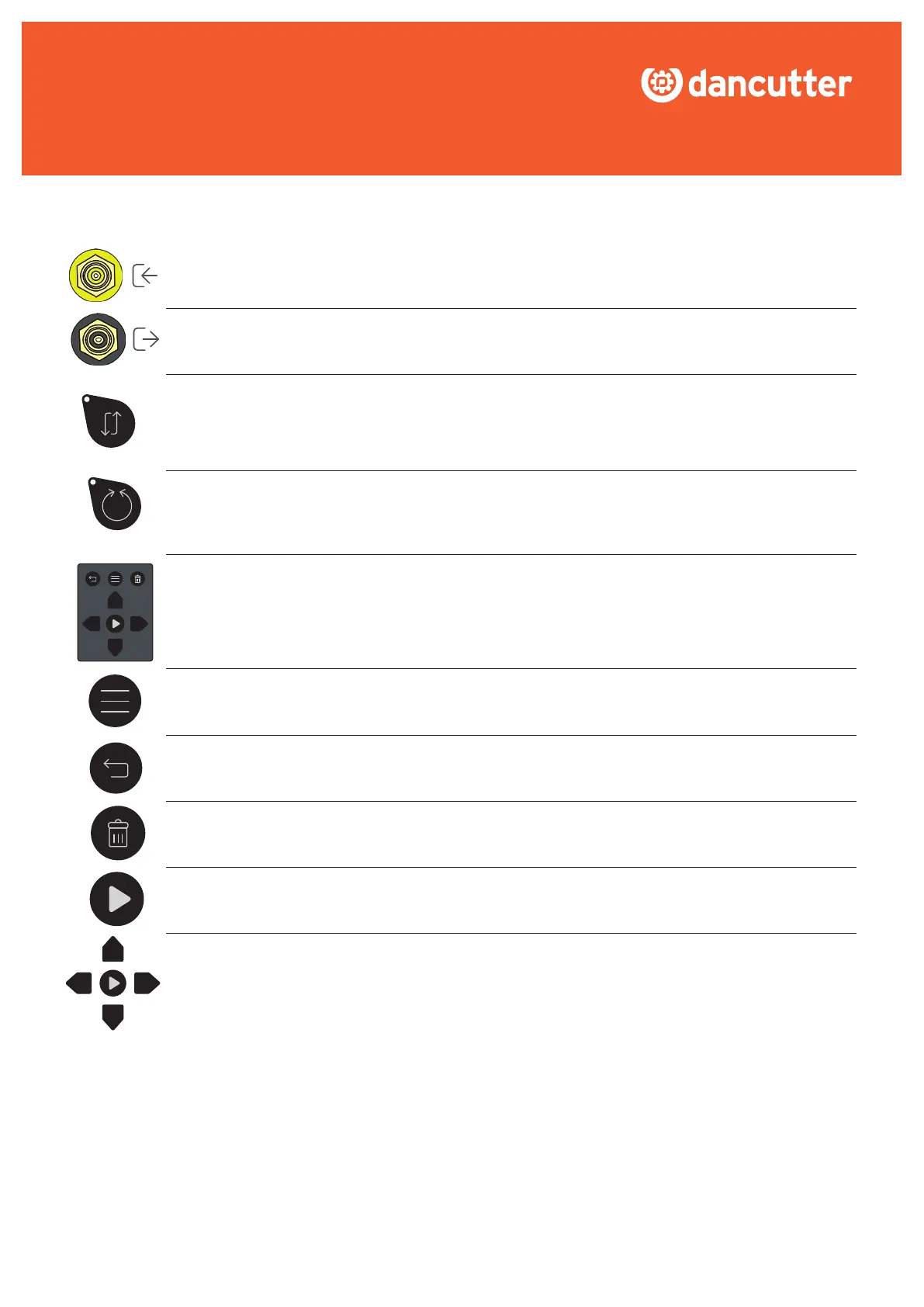
VIDEO IN: Use this if you want to display video from an external source on the control unit’s screen.
VIDEO OUT: Use this if you want to display the video from the cutter on another screen.
REVERSE FORWARD/BACKWARD: Press this button to reverse the direction of the cutter’s forward/backward
movement when using the joystick. This feature is particularly useful when an external camera is being used to
view the cutter from a different angle, making it easier and more intuitive to control. Note, the light will be illumi-
nated when the forward/backward movement is reversed, indicating that the feature is currently active.
REVERSE ROTATION: Press this button to reverse the direction of the cutter’s rotation when using the joy-
stick. This feature is particularly useful when an external camera is being used to view the cutter from a diffe-
rent angle, as it can make controlling the cutter feel more intuitive and natural. Note, it’s worth noting that the
light will be illuminated when the rotation direction is reversed, indicating that the feature is currently active.
PLAYBACK CONTROL PANEL: This panel is used to control the playback function. You can playback videos
and snapshots recorded with the control unit.
MENU: Press to enter the playback menu.
RETURN: Press to go back or to exit the playback menu.
DELETE: Press to delete video recordings or snapshots.
PLAY: Press to play/pause videos or to enter menus and folders.
ARROWS:Usetonavigatethroughmenus,foldersandles.


 To Next Page