EasyManua.ls Logo

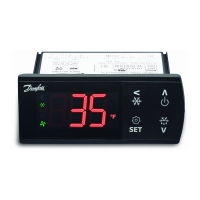
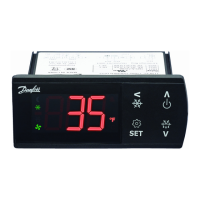
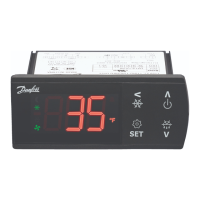
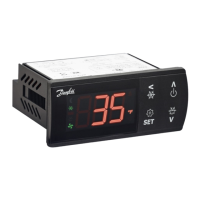
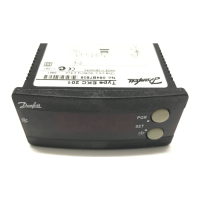
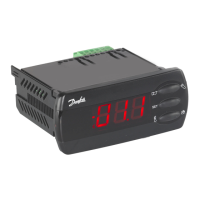
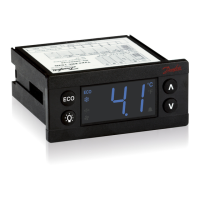
Danfoss ERC 102 - User Manual

Danfoss ERC 102
60 pages
Print Icon
To Next Page IconTo Next Page
Loading...
www.danfoss.com/erc
This reference manual is intended to be used primarily by OEMs for the purposes of programming ERC 102.
It may also be useful for technicians. It is not intended as a user guide for end users.
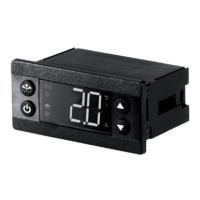
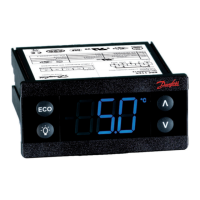
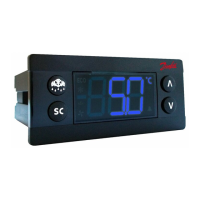
ERC 102 refrigeration controller
Reference manual
MAKING MODERN LIVING POSSIBLE

Questions and Answers

  • S
    Stephanie JohnsonAug 17, 2025
    Why does my Danfoss Controller display alternate between 'Hi' and temperature?
    • M
      Michael MooreAug 17, 2025
      If the display alternates between 'Hi' and the temperature on your Danfoss Controller, it indicates that the temperature is too high. To address this, check the 'HAt' parameter under 'ALA'.
  • A
    Ann BrownAug 19, 2025
    What to do if my Danfoss Controller display alternates between 'Lo' and temperature?
    • Z
      Zachary TurnerAug 19, 2025
      If the display alternates between 'Lo' and the temperature on your Danfoss Controller, it means the temperature is too low. Verify the 'LAt' parameter under 'ALA'.
  • M
    michaelhartAug 22, 2025
    Why does my Danfoss ERC 102 display alternate between 'Con' and temperature?
    • F
      Frank SanchezAug 23, 2025
      If the display alternates between 'Con' and the temperature on your Danfoss Controller, it indicates that the condenser is too hot. Begin by cleaning the condenser. If the problem persists, check 'CAL' and 'CbL' under 'Con'.
  • C
    Christopher ConleyAug 25, 2025
    What to do if the compressor does not start on my Danfoss Controller?
    • K
      Keith DavisAug 26, 2025
      If your Danfoss Controller's compressor isn't starting, it could be due to several reasons: * The compressor delay timer might be active: check 'CSt' under 'CoP'. * Defrost might be in progress: check 'Pot' or 'Pod' under 'CoP'. * The line voltage to the compressor could be too low or too high: check 'dit' and 'dot' under 'dEF'. * Also check 'uLi', 'uLo', 'uHi' under 'CoP'.
  • A
    alexishollandAug 27, 2025
    What does 'dEf' mean on my Danfoss ERC 102 Controller display?
    • J
      James MarshallAug 28, 2025
      If your Danfoss Controller displays 'dEf', it signifies that defrost is in progress. Check 'SdF' under 'diS'.
  • S
    sullivanjenniferAug 30, 2025
    What does it mean if E01, E02, or E03 is shown on my Danfoss Controller display?
    • S
      Stephanie JohnsonAug 31, 2025
      If your Danfoss Controller shows E01, E02, or E03, it means a sensor is defective: * E01: Sensor S1 is defective, replace the sensor. * E02: Sensor S2 is defective, replace the sensor. * E03: Sensor S3 is defective, replace the sensor.
  • G
    gutierrezseanSep 2, 2025
    Why doesn't the fan start on my Danfoss ERC 102 Controller?
    • I
      Ian ShawSep 2, 2025
      If the fan on your Danfoss Controller isn't starting, it might be because the door is open or the door contact is defective. Ensure the door contact is working correctly.
  • L
    Lawrence RussellSep 4, 2025
    Why doesn't defrost start on my Danfoss Controller?
    • S
      Stefanie FosterSep 5, 2025
      If the defrost isn't starting on your Danfoss Controller, the controller might be in pull-down mode. Check the 'Pdi' parameter under 'Pud'.
  • N
    Nicholas JohnsonSep 7, 2025
    Why doesn't the shift between Eco and Normal mode happen on ambient light change on my Danfoss ERC 102?
    • E
      Ethan Walker Jr.Sep 8, 2025
      If the shift between Eco and Normal mode doesn't happen on ambient light change on your Danfoss Controller, the ambient light sensor might be broken, or the light level isn't set properly. Check 'SLd' and 'SLn' under 'Eng'.
  • A
    amy11Sep 12, 2025
    Why doesn't the alarm sound on my Danfoss ERC 102 Controller?
    • D
      Dawn AllenSep 12, 2025
      If the alarm on your Danfoss Controller isn't sounding, it could be delayed. Check 'Htd' and 'Abd' under 'ALA'. Also, check 'Pdd' under 'Pud'.

Summary

1. INTRODUCTION

2. CONTENT OF THE BOX

2.1 Main product

Describes the ERC 102 control unit without front frame.

2.2 Accessories

Lists and describes the included accessories for the ERC 102 controller.

2.3 Connections

3. OVERVIEW OF THE PRODUCT

3.1 Control buttons

Describes the four control buttons on the front panel of the ERC 102.

3.2 Connector inputs

Details the analogue and digital inputs for connecting sensors and communication.

3.3 Connector outputs

3.4 Top label

4. MOUNTING

4.1 Rear mounting - Option 1

Step-by-step guide for rear mounting the ERC 102 controller.

4.1.1 Unmounting

4.2 Front mounting - Option 2

4.2.1 Unmounting

4.3 Fully integrated design - Option 3

5. CONTROLLING; NAVIGATION AND ACCESS LEVELS

5.1 KoolProg;Gateway

Details on using Danfoss KoolProg software for parameter setup.

5.2 Docking station

Information regarding the Danfoss docking station for controller setup.

5.3 Manual operation with buttons (Direct Access)

Explains how to operate and navigate the controller using its buttons.

5.3.2 Direct functions for access

5.3.3 Operating the menu

Example of Changing a Parameter

5.3.4 Menu structure

5.3.5 Password protection

6. CONFIGURATION OF INPUTS AND OUTPUTS

6.1 Changing input and output configuration settings

Guides on defining sensor types and their applications for inputs/outputs.

6.2 Program the buttons

6.3 Set passwords

6.4 Set lighting function

7. PARAMETERS

7.1 Thermostat; tHE

Describes thermostat parameters like set point, differential, and limits.

7.2 Alarms; ALA

7.3 Compressor; CoP

7.4 Defrost; dEF

7.5 Fan; FAn

7.6 Energy Management; Eng

7.7 Pull Down; Pud

7.8 Automatic Heater Control; AHC

7.9 Condenser Protection; Con

7.10 Display; dis

7.11 Assignments; ASi

7.12 Service Information; Ser

8. TECHNICAL SPECS

APPENDIX I: PARAMETER QUICK LIST

Thermostat settings

Quick reference for thermostat parameters and their ERC menu codes.

Alarm settings

Quick reference for alarm parameters and their ERC menu codes.

Compressor settings

Quick reference for compressor parameters and their ERC menu codes.

Defrost Settings

Fan settings

Energy Management

Pull Down settings

Auto-Heater settings

Condenser protection settings

Display settings

Assignment of inputs and outputs

Button configurations

Password and light settings

Service Information

APPENDIX II: CODE NUMBERS AND LENGHTS

APPENDIX III: TROUBLESHOOTING

IV.1 ERC 102 D Glass Door Merchandiser

IV.2 ERC 102 C Glass Door Merchandiser

IV.3 ERC 102 D Gastro No-frost freezer

IV.4 ERC 102 C Gastro Cooler

APPENDIX V: APPLICATION SPECIFICATON

V.1 Control sensor

Details on control sensor placement for various cooler types (with/without fan).

V.2 Evaporator sensor

V.3 Condenser sensor

V.4 Ambient light sensor

V.5 Door sensor

ERC102 Application Matrix

Danfoss ERC 102 Specifications

General IconGeneral
TypeElectronic refrigeration controller
Digital inputs1
Enclosure ratingIP20
ApplicationRefrigeration
Temperature sensor typeNTC
Relative humidity20% to 80% non-condensing
Weight0.15 kg
Relay outputs3 (Compressor, Fan, Defrost)

Related product manuals