EasyManua.ls Logo

Danfoss FC 300 - User Manual

Danfoss FC 300
100 pages
Print Icon
To Next Page IconTo Next Page
Loading...
MAKING MODERN LIVING POSSIBLE
Operating Instructions
VLT
®
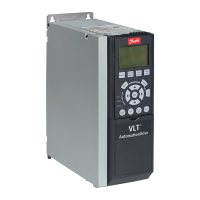
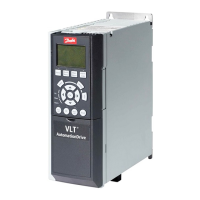
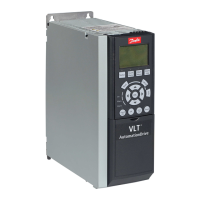
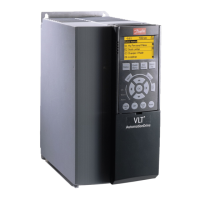
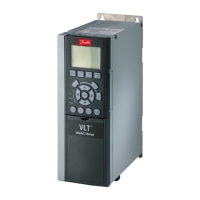
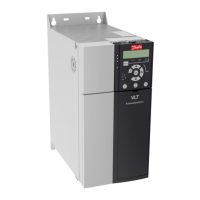
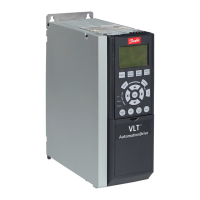
AutomationDrive FC 300, 0.25-75 kW

Table of Contents

Other manuals for Danfoss FC 300

Questions and Answers

  • M
    martinelizabethSep 4, 2025
    What causes a motor current imbalance greater than 3% in a Danfoss Controller?
    • J
      Joel StevensSep 4, 2025
      If the motor current imbalance is greater than 3%, it could be due to a problem with the motor or motor wiring. Try rotating the output motor leads one position: U to V, V to W, W to U. Alternatively, the problem could be with the frequency converter unit, in which case you should also rotate the output motor leads one position: U to V, V to W, W to U.
  • Y
    ywilkinsonSep 4, 2025
    Why is the motor running in the wrong direction with my Danfoss Controller?
    • N
      Noah LawsonSep 4, 2025
      If the motor is running in the wrong direction, it could be due to a motor rotation limit, so program the correct settings. It could also be due to an active reversing signal, so deactivate the reversing signal. Another potential cause is a wrong motor phase connection.
  • P
    paynesaraSep 5, 2025
    What causes an intermittent display on a Danfoss Controller?
    • K
      Kathleen BaileySep 5, 2025
      If the Danfoss Controller display is intermittent, it may be due to an overloaded power supply (SMPS) caused by improper control wiring or a fault within the frequency converter. If the display stays lit, check the control wiring for shorts or incorrect connections. If the display continues to cut out, follow the procedure for a dark display.
  • S
    susan05Sep 6, 2025
    What should I do if the motor is not reaching maximum speed on my Danfoss Controller?
    • D
      David FlowersSep 6, 2025
      If the motor is not reaching maximum speed, it could be due to frequency limits being set incorrectly; program the correct limits. Another cause could be that the reference input signal is not scaled correctly; program the correct settings.

Summary

Safety

Introduction

Purpose of the Manual

Explains the manual's scope, covering installation, startup, and operation.

Installation

Installation Site Check List

Lists essential checks for the installation location and environment.

Frequency Converter and Motor Pre-installation Check List

Outlines checks before installing the converter and motor.

Mechanical Installation

Covers procedures for physically installing the unit, including cooling and mounting.

Electrical Installation

Details all aspects of wiring the converter, including mains, motor, and control.

Safe Stop

Introduces the Safe Stop function and its safety aspects, including commissioning.

Start Up and Functional Testing

Pre-start

Covers procedures and checks before applying power.

Safety Inspection

Details critical safety checks before applying power.

Applying Power

Instructions for safely applying power to the unit.

Basic Operational Programming

Covers initial parameter setup for basic operation.

User Interface

Local Control Panel

Describes the LCP display and keypad functions for operation and programming.

Back Up and Copying Parameter Settings

Covers saving and transferring configuration data to/from the LCP.

Restoring Default Settings

Explains how to reset the converter to factory defaults.

About Frequency Converter Programming

Programming Example

Demonstrates programming for a common application using the quick menu.

Remote Programming with MCT 10 Set-up Software

Details using software for programming and analysis.

Warnings and Alarms

Warning and Alarm Definitions

Provides detailed explanations of specific warnings and alarms.

Basic Troubleshooting

Start Up and Operation

Offers solutions for common issues during initial startup.

Specifications

Specifications

Fuse Specifications

Provides recommendations for fuses and circuit breakers.

Branch Circuit Protection

Emphasizes protection against short-circuit and over-current.

Recommendations

Lists recommended fuse and breaker types by enclosure and power.

Danfoss FC 300 Specifications

General IconGeneral
EnclosureIP20
ApprovalscUL, UL, CE
EMC filterBuilt-in
Communication OptionsCANopen, PROFIBUS DP
Protection FeaturesOvercurrent, Overvoltage, Undervoltage, Overtemperature, Short Circuit
Output Voltage0-100% of supply voltage

Related product manuals