1.
2.
3.4.2 Installing Option Board in VACON® 20, MI4–MI5
This topic gives instructions for installing the option boards in VACON
®
20, MI4–MI5.
Procedure
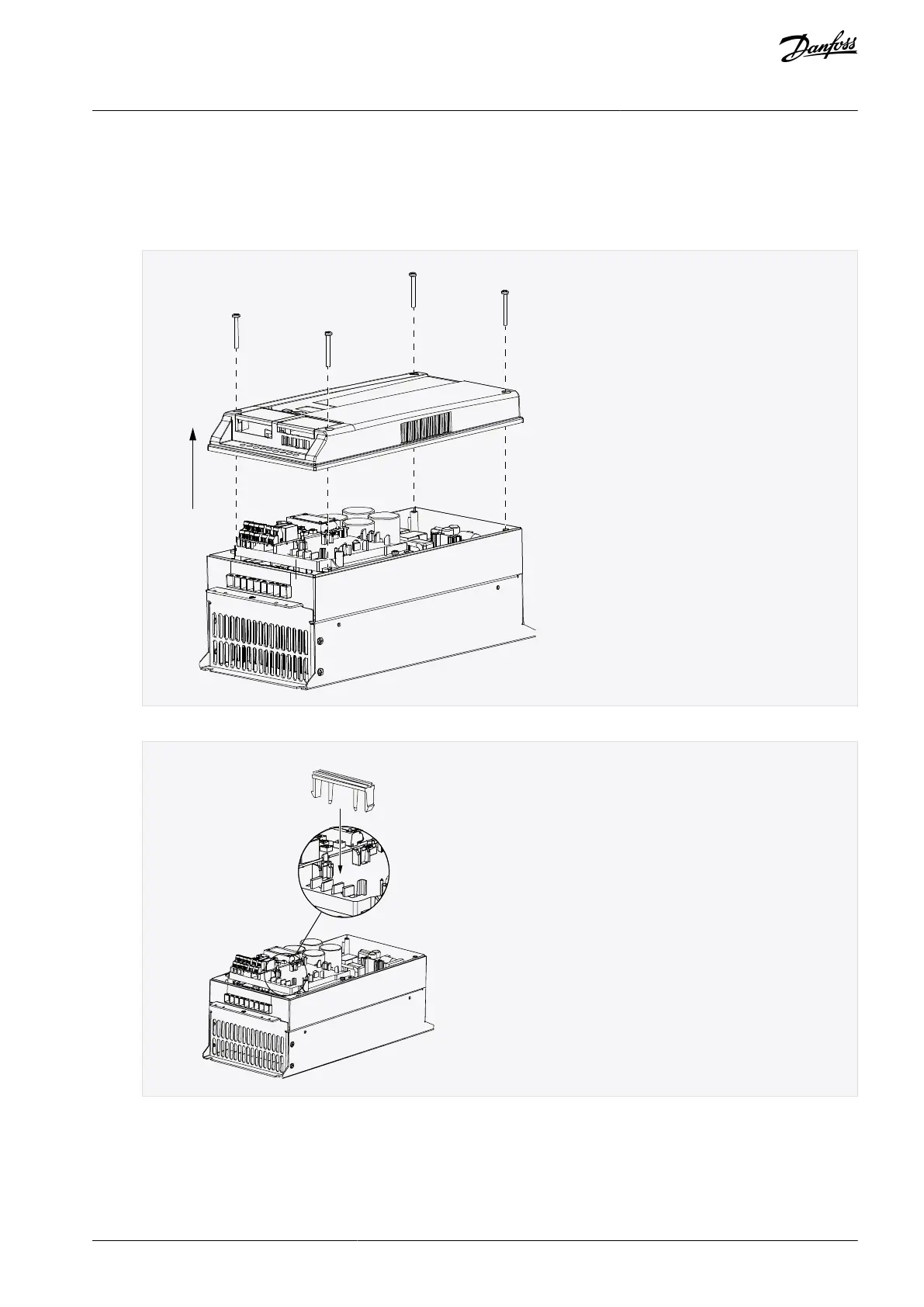
In MI4, open the cover of the AC drive. In MI5, open the cover of the AC drive and release the fan connector.
Attach the option board support.
AN338644703080en-0002 / DPD02156 | 25Danfoss A/S © 2022.08
Installing
VACON® RS485 and CAN Bus Option Boards
Installation Guide



 To Next Page