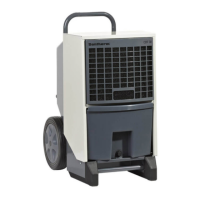
Service guide
Service guide
The dehumidier is designed to require minimal attention in order to run without issues. All
the necessary safety and control functions have been built in. The fan motor and the compres-
sor have permanent lubrication and require no particular maintenance.
Introduction
Once a month, the inlet air lter should be inspected and if necessary cleaned. Please follow
the following procedure to perform the monthly service on the lter:
Monthly service
Step Action
1 Open the inspection door
2 Take out the lter frame and remove the lter
3 Clean the lter in luke-warm soapy water or, if only slightly soiled, with a
vacuum-cleaner
4 Replace the lter in its frame, which can then be pushed back into the unit
Once a year, the interior of the unit should be checked for cleanliness. A service timer can be
congured through the menu. Please follow this procedure to perform the annual service:
Annual service
In most cases, the components are accessible for service after having removed the inspection
door and the cover panels. Otherwise pull out the entire bridge/rail onto which the compo-
nents are xed.
Important: Only qualied service technicians may carry out service on the components.
Service on components is done as follows:
Service on
components
Drip tray and drain must be cleaned so the water can ow out without obstruction.
NOTE
Step Action
1 Cut the power, open the inspection door and remove the front cover panel
2 If the unit is dirty, it may be cleaned with a vacuum cleaner
Important: Especially the condenser, and the fan rotor in particular, should be
thoroughly vacuum-cleaned
3 If the evaporator ns are badly soiled, they may be cleaned with a long haired soft
brush or with lukewarm soapy water
Step Action
1 Switch o the unit
2 Open the inspection door and remove the front cover panel
3 Remove the section in the middle with the control panel
4 Undo the screws along the bridge/rail
5 Pull out the bridge/rail.
Important: If the bridge/rail has to be pulled entirely out of the unit, then the
fan wires must also be disconnected.
NOTE
Shut down the dehumidier immediately, if it is not functioning correctly!
22


 To Next Page