D-200 MK2 User Manual Firmware V-6.3
L058D01-EN - 47 -
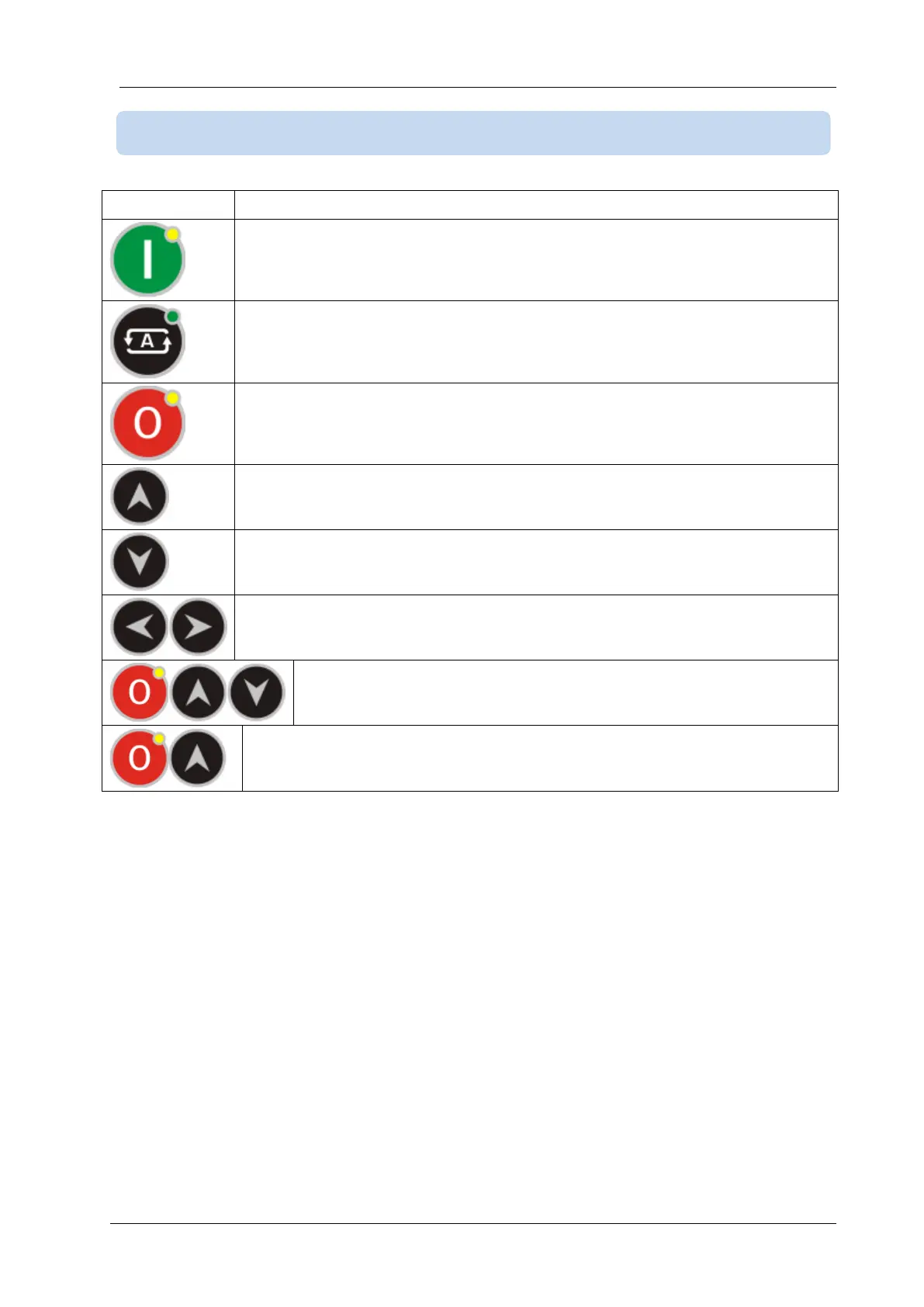
Selects RUN mode. The genset runs off-load.
If held pressed for 5 seconds, selects TEST mode. In TEST mode the genset runs
and takes the load.
Selects AUTO mode. The genset runs when necessary and takes the load.
Selects OFF mode. The genset stops.
Selects next screen group.
LAMP TEST when held pressed.
Selects next display screen in the same group.
Resets the ALARM RELAY.
When held pressed for 5 seconds, enters PROGRAMMING mode.
Makes factory reset. Please review chapter RESETTING TO FACTORY
DEGAULTS for more details.
When held pressed for 5 seconds, resets service request counters. Please review
chapter SERVICE REQUEST ALARM for more details.
9.2. PUSHBUTTON FUNCTIONS



 To Next Page