D-500 User Manual Rev_06 Firmware V-5.8
K35D05-EN - 28 -
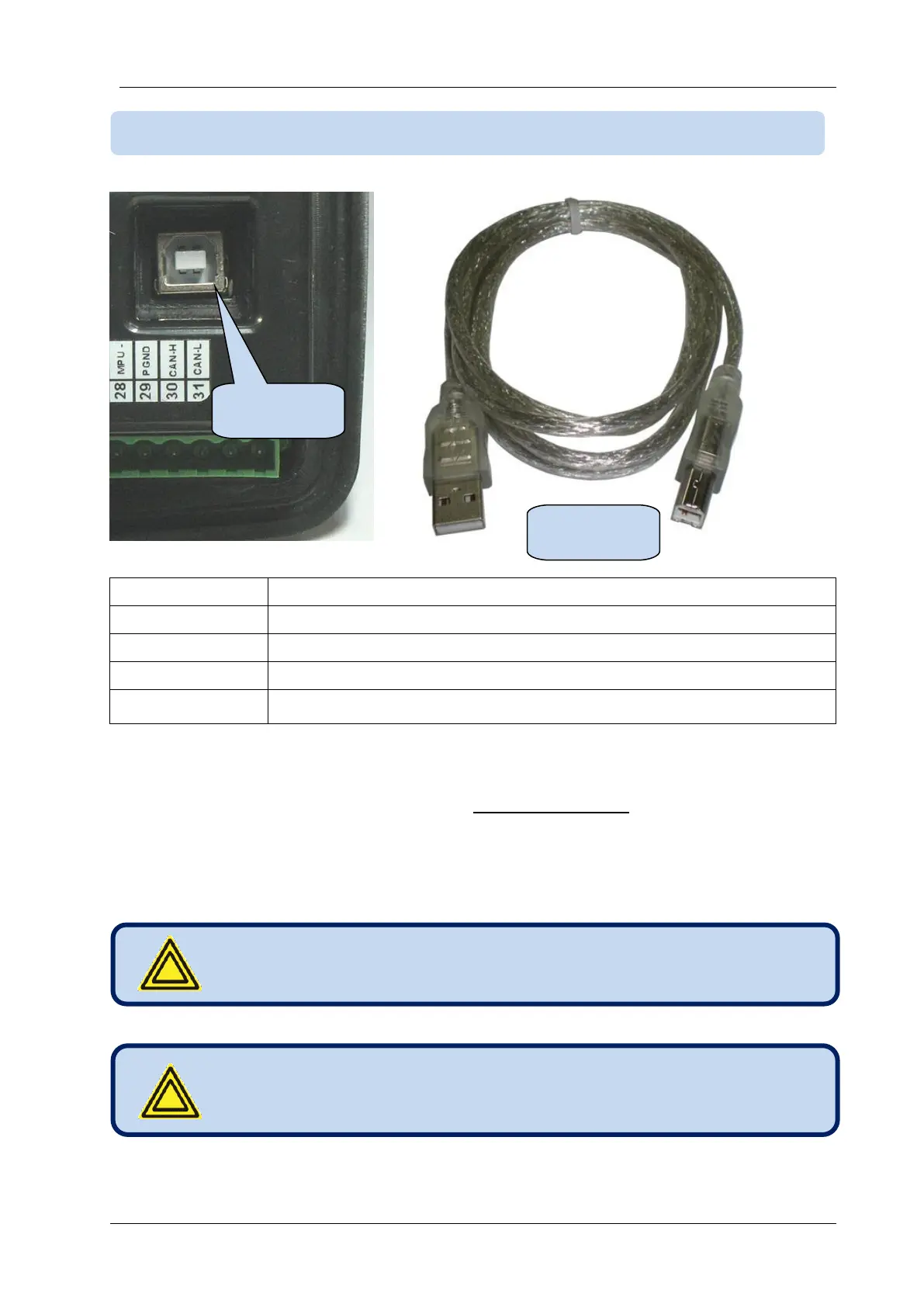
USB 2.0, not isolated, HID mode
Full Speed 1.5/12 Mbits/s, auto detecting
USB-B (printer connector)
Modbus, FAT32 for firmware upgrade (boot loader mode only)
The USB-Device port is designed to connect the module to a PC. Using the RainbowPlus software,
programming, control of the genset and monitoring of measured parameters are achieved.
The RainbowPlus software can be downloaded from www.datakom.com.tr website.
The connector on the module is of USB-B type. Thus A to B type USB cable should be used. This is the
same cable used for USB printers.
For more details about programming, control and monitoring please refer to RainbowPlus user manual.
The battery voltage must be connected.
If USB-Device is plugged then USB-Host port will not
function.



 To Next Page