D-500 User Manual Rev_06 Firmware V-5.8
K35D05-EN - 76 -
The program mode is used to adjust timers, operational limits and the configuration of the unit.
Although a free PC program is provided for programming, every parameter may be modified through the front
panel, regardless of the operating mode.
When modified, program parameters are automatically recorded into a non-erasable memory and take effect
immediately.
The program mode will not affect the operation of the unit. Thus programs may be modified anytime, even
while the genset is running.
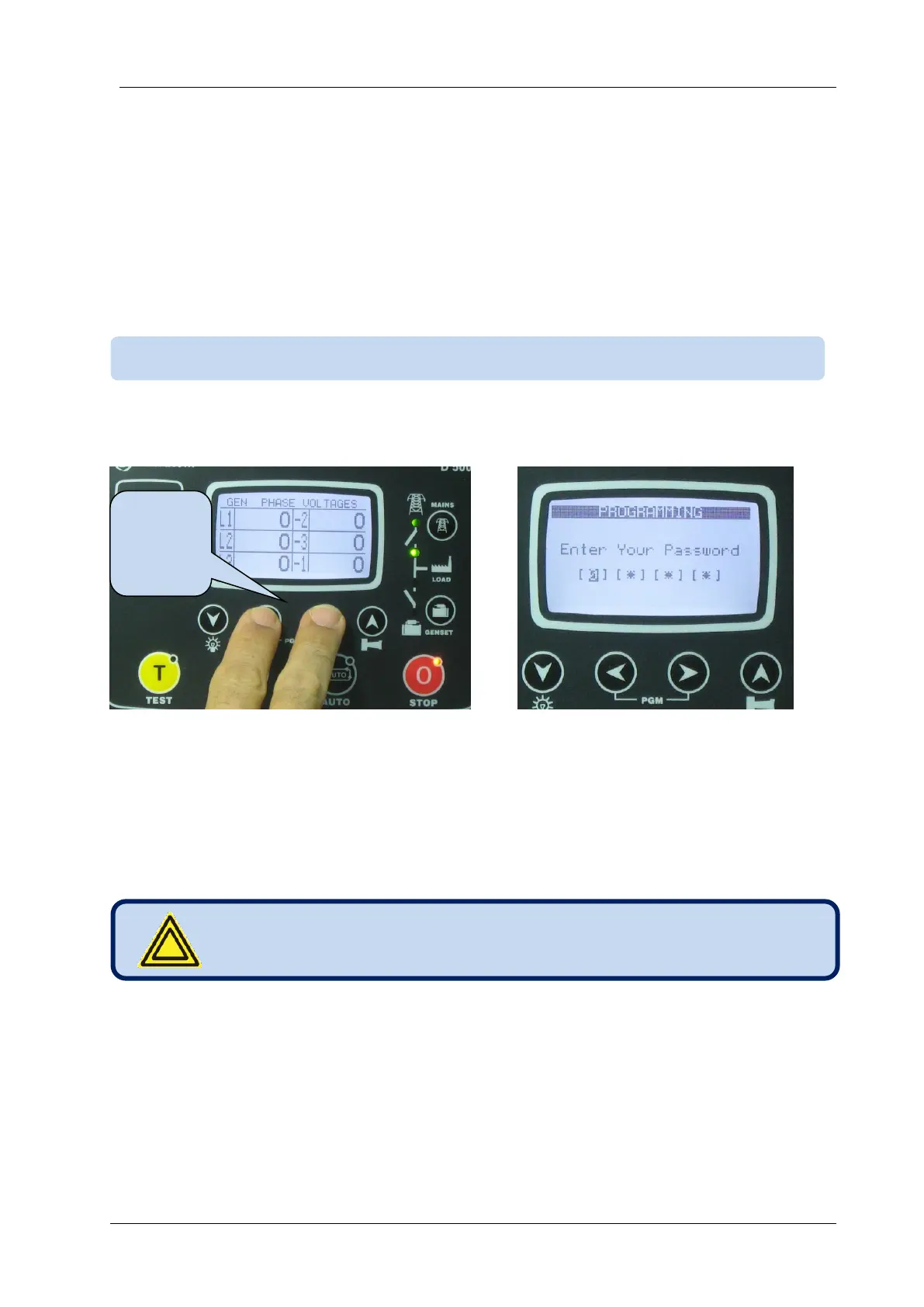
To enter the program mode, press together ◄MENU and MENU►buttons for 5 seconds.
When the program mode is entered, below password entry screen will be displayed.
A 4 digit password must be entered using ▼, ▲ , MENU►and ◄MENU buttons.
The ▼, ▲buttons modify the value of the current digit. The MENU►, ◄MENU buttons navigate
between digits.
The unit supports 3 password levels. The level_1 is designed for field adjustable parameters. The level_2
is designed for factory adjustable parameters. The level_3 is reserved. It allows recalibration of the unit.
The password level-1 is factory set to ‘1234’ and the password level-2 is factory set to ‘9876’.
If a wrong password is entered, the unit will still allow access to the program parameters, but in read-only
mode.
If password “0000” is entered, only EVENT LOG file will be available.
Passwords are not front panel adjustable.
15.2. ENTERING THE PROGRAMMING MODE
Press 2
buttons
for 5
seconds



 To Next Page