D-500 User Manual Rev_06 Firmware V-5.8
K35D05-EN - 75 -
In order to resume to the factory set parameter values:
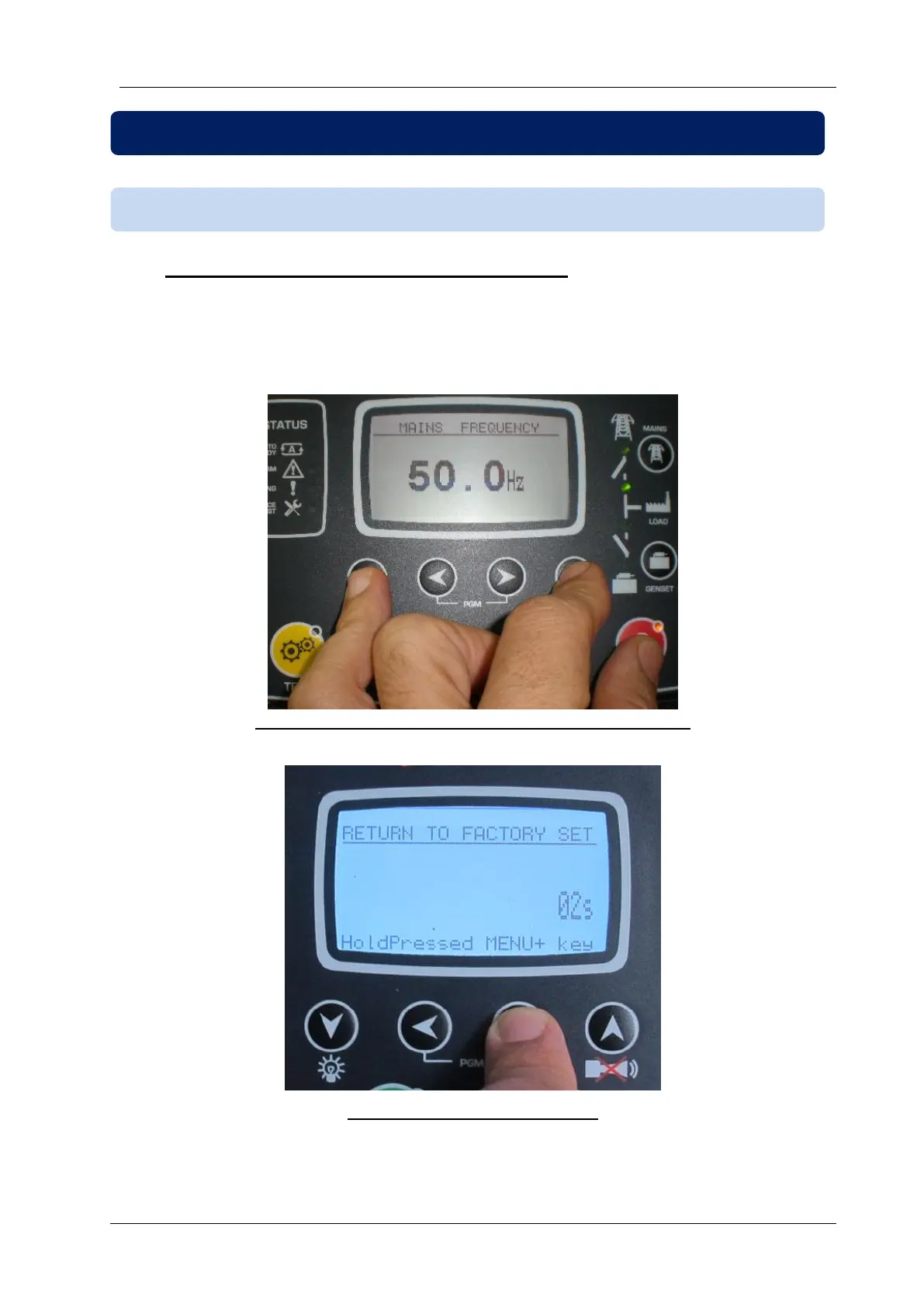
-hold pressed the OFF, LAMP TEST and ALARM MUTE buttons for 5 seconds,
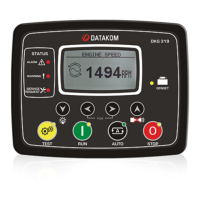
-“RETURN TO FACTORY SET” will be displayed
-immediately press and hold pressed RİGHT ARROW button for 5 seconds
-factory set values will be reprogrammed to the parameter memory.
Hold pressed OFF, LAMP TEST and ALARM MUTE
Hold pressed RIGHT ARROW
15.1. RESETTING TO FACTORY DEFAULTS



 To Next Page