Configuring the Base Station
2Gryphon™ I GBT4100
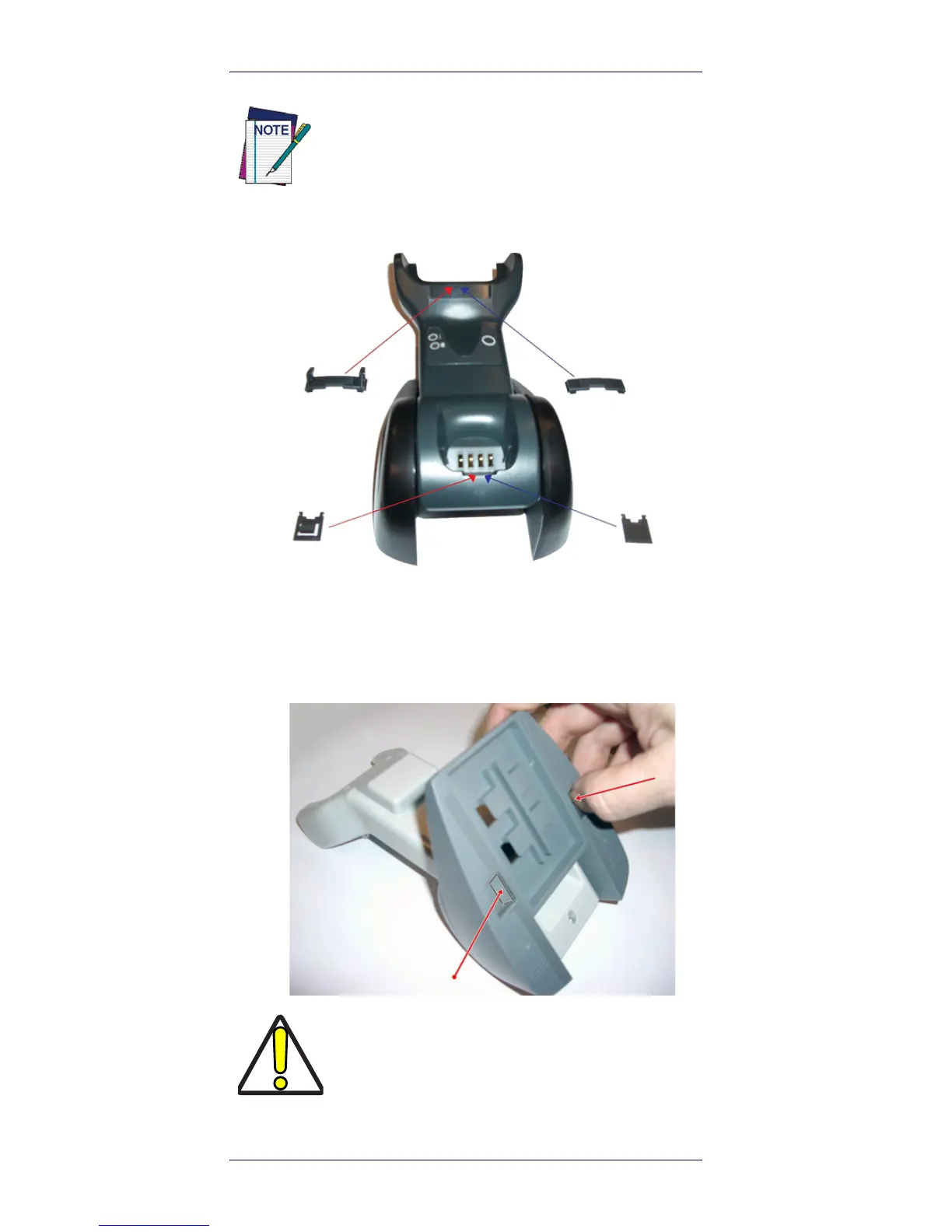
1. Insert the appropriate parts for the desired base
station position, as shown below.
2. Using your thumbs, push open the plastic tabs
on the bottom of the base to free the wing hold-
ers.
A tool such as a rigid pen or a flat screwdriver
can be used to change the mounts. Do not
allow it to touch the contacts.
To ensure best contact and performance, do
not intermix the parts of the two different
mount sets.










 To Next Page