Connecting the Base Station
Quick Reference Guide 7
Using the BC40xx™ Radio Base
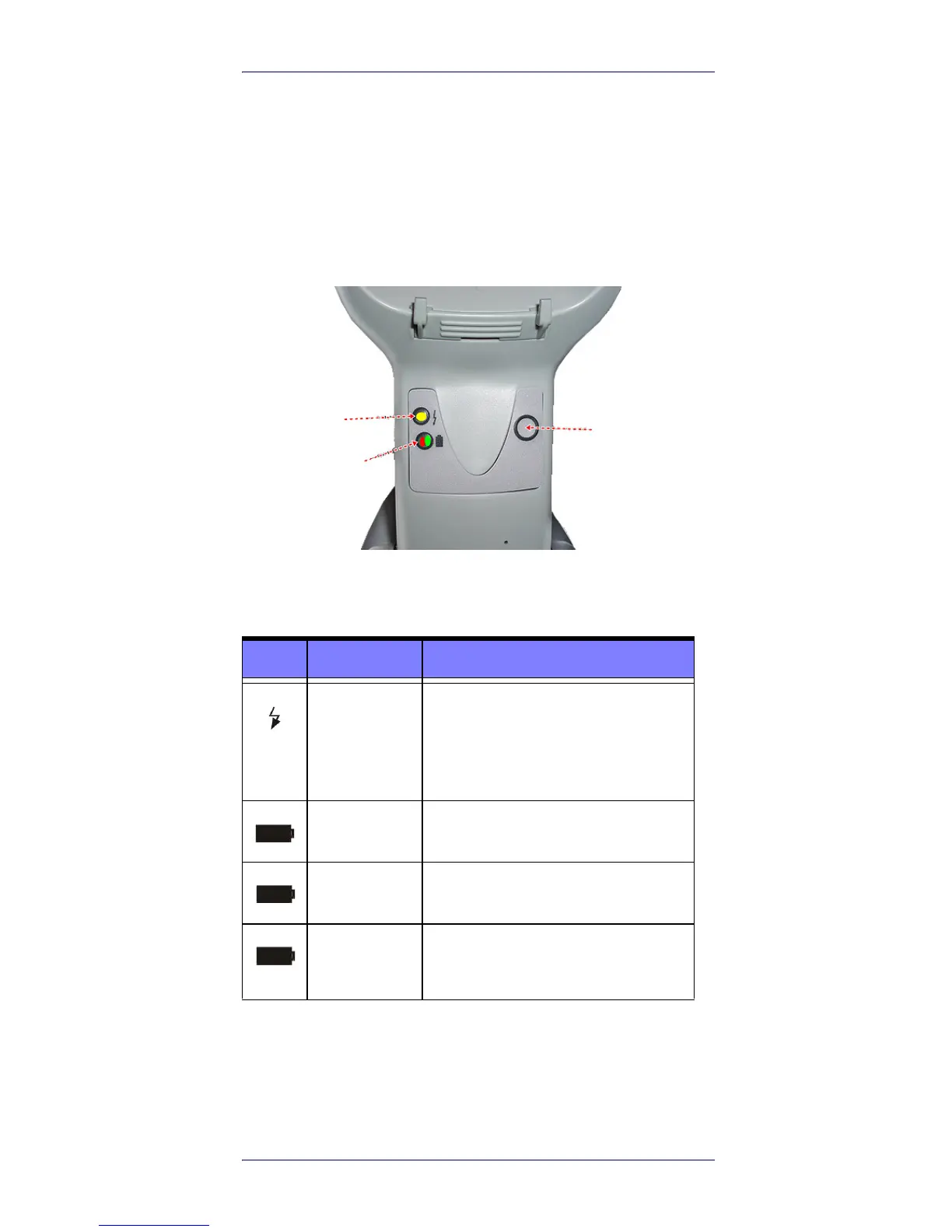
Radio Base LEDs
LEDs on the Gryphon I Base provide information about the
Bases well as battery charging status, as shown in
Figure 6.
Figure 6. Gryphon I Base LEDs
The following table describes the significance of each LED.
Table 1. Radio Base LEDs
The button can be used to force device connection via the
Datalogic Aladdin Software tool, and for paging the scan-
ner when it is activated. Refer to the Gryphon I Product
Reference Guide (PRG) for a more detailed explanation.
LED STATUS
Power on /
Data
Yellow On = Base is powered
Yellow Blinking = Base receives data
and
commands from the Host or the
Reader.
Charging Red On = the Battery is charging.
Charge com-
pleted
Green On = the Battery is completely
charged.
Charging +
Charge com-
pleted
Red and Green Blinking together =
the Reader is not correctly placed
onto the Base.












 To Next Page