Charging the Batteries
8Gryphon™ I GBT4100
Charging the Batteries
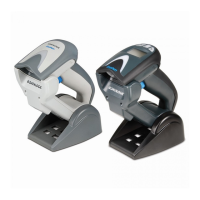
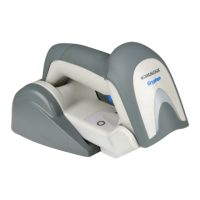
To charge the battery, simply insert the Gryphon into the
base. When the scanner is fully seated in the cradle, it will
sound a “chirp” to indicate that the cradle has detected
the scanner connection.
The LEDs on the base (shown in Table 1) will indicate the
status of the battery.
Battery Safety
To install, charge and/or do any other action on the bat-
tery, fo low the instructions in this manual.
Before using the Battery, read “Battery
Safety” in the following section. Datalogic
recommends annual replacement of
rechargeable battery packs to ensure maxi-
mum performance.
WARNING
Do not discharge the battery using any
device except for the scanner. When the
battery is used in devices other than the
designated product, it may damage the bat-
tery or reduce its life expectancy. If the
device causes an abnormal current to flow,
it may cause the battery to become hot,
explode or ignite and cause serious injury.
Lithium-ion battery packs may get hot,
explode or ignite and cause serious injury if
exposed to abusive conditions. Be sure to
follow the safety warnings listed on the fol-
lowing page.










 To Next Page