EasyManua.ls Logo

Datecs DP-50 - User Manual

Datecs DP-50
32 pages
Print Icon
To Next Page IconTo Next Page
Loading...
ELECTRONIC CASH REGISTER
DP-50 / DP-50D
MP-55B
ESTONIA
USERS MANUAL
Bulgaria, DATECS
Question and Answer IconNeed help?

Do you have a question about the Datecs DP-50 and is the answer not in the manual?

Summary

INTRODUCTION

MAIN FUNCTION AND TECHNICAL CHARACTERISTICS

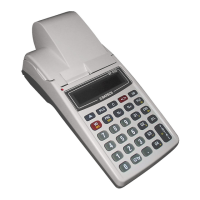
ECR OUTLOOK

KEYBOARD

UNPACKING AND INITIAL SETUP

SWITCHING THE ECR ON;OFF

LOADING PAPER ROLLS

OPERATION MODES

OPERATOR ACCESS PERMISSIONS

Details operator access rights to various modes based on operator number.

OPERATOR PASSWORD ENTRY AND ACCESS LEVELS

PROGRAMMING MODE OVERVIEW

PROGRAMMING MODES P1, P2, P3

Details the three primary programming modes: items, specific parameters, and fiscal memory setup.

FUNCTION OF THE KEYS IN PROGRAMMING MODE

EDITING PARAMETERS AND SYMBOL SELECTION

USING NUMERIC KEYS FOR SYMBOL EDITING

MODE P1 - PROGRAMMING OF ITEMS AND MAIN PARAMETERS

Table 01: Item parameters

Example: Programming Item Name and Price

Table 02: Shop organization

Table 03: Operator names and passwords

Table 04: Key Settings for %+ and %-

Table 05: Receipt format and copies

Table 06: Texts into receipt

Table 07: Date and time

Table 08: Alternative Currency Operations

MODE P2 - PROGRAMMING OF SPECIFIC PARAMETERS

Table 03: Tax Obligated Person ID (BULSTAT)

Enters the identification number for the tax-obligated person (BULSTAT).

Table 04: Tax groups

MODE P3 - FISCAL MEMORY SETUP

MODE R - REGISTERING

FUNCTION OF KEYS IN REGISTERING MODE

Explains the functions of keys like G1-G4, PLU, PRC, Q'ty, and PLC in the registration mode.

KEY FUNCTIONS IN REGISTERING MODE

PAYMENT TYPES AND ALTERNATIVE CURRENCY

Explains payment options including cash, cheque, coupon, and alternative currency.

ADDITIONAL PAYMENT FUNCTIONS AND PERCENTAGE ADJUSTMENTS

SPECIFIC CASES OF OPERATION IN REGISTERING MODE

MODE X - ECR REPORTS

DAILY FINANCIAL REPORT

Provides a detailed financial report covering turnovers, tax debts, and payment types.

OPERATOR TAX DEBTS REPORT

Generates reports on operator tax debts, optionally for specific operators.

ITEM TURNOVER AND PARAMETER REPORTS

MODE Z - REPORTS WITH CLEARING

DAILY REPORT AND CLEARING

Provides daily reports and clears relevant registers, including item and department turnovers if configured.

OPERATOR DEBTS REPORT AND CLEARING

Reports and clears operator debts, including turnovers by sales, payment types, and corrections.

FISCAL MEMORY REPORTS

PERIODICAL TURNOVER REPORTS BY TAX GROUPS

Generates periodical turnover reports categorized by tax groups, by date or block.

OTHER OPERATIONAL MODES

CONNECTION TO PC

Explains how to establish communication with a PC for reading fiscal memory data.

CONTROL TESTS

Describes various tests to check ECR functionality, including printer, display, and memory.

PROGRAMMING AND REPORTING TO PC

Details PC communication for programming and reporting using applications like Ecr Tool.

DISPLAYING ACCUMULATOR LEVEL AND DATE;TIME

Shows how to display the accumulator voltage, current date, and time.

Datecs DP-50 Specifications

General IconGeneral
BrandDatecs
ModelDP-50
CategoryCash Register
LanguageEnglish

Related product manuals