4.
P
27
98
116
110
)
)
)
80
110
P
)
)
)
Cardio Program / C
This program is specially developed for efficient heart and blood circulation training.
The selected heart pulse rate remains stored even after the ergo_bike is switched off.
Select the user identification number (see page 5)
Put on the pulse sensor (see page 11)
Select the Cardio-Program C (see page 26)
Set the required heart pulse rate, then press control button No. 6
Start pedaling
Window no. 5 first displays 25 Watt, which are then raised by five Watts every 15 seconds untilthe
required heart pulse rate is reached. Then the braking power (Watt) is automatically regulated to
the value that keeps the pulse rate at the selected value.
The braking power (Watt) is automatically regulated, so that the pulse rate set by the user
remains constant during the whole training session.
The braking power (Watt) will be automatically raised until the target heart pulse rate is reached. Well-
trained users have the possibility to reduce the time needed to reach the target pulse rate by turning
control button No. 6 to raise the braking power (Watt).
Select the program (see page 26) “Standard selection steps”
Running the Cardio-Program C
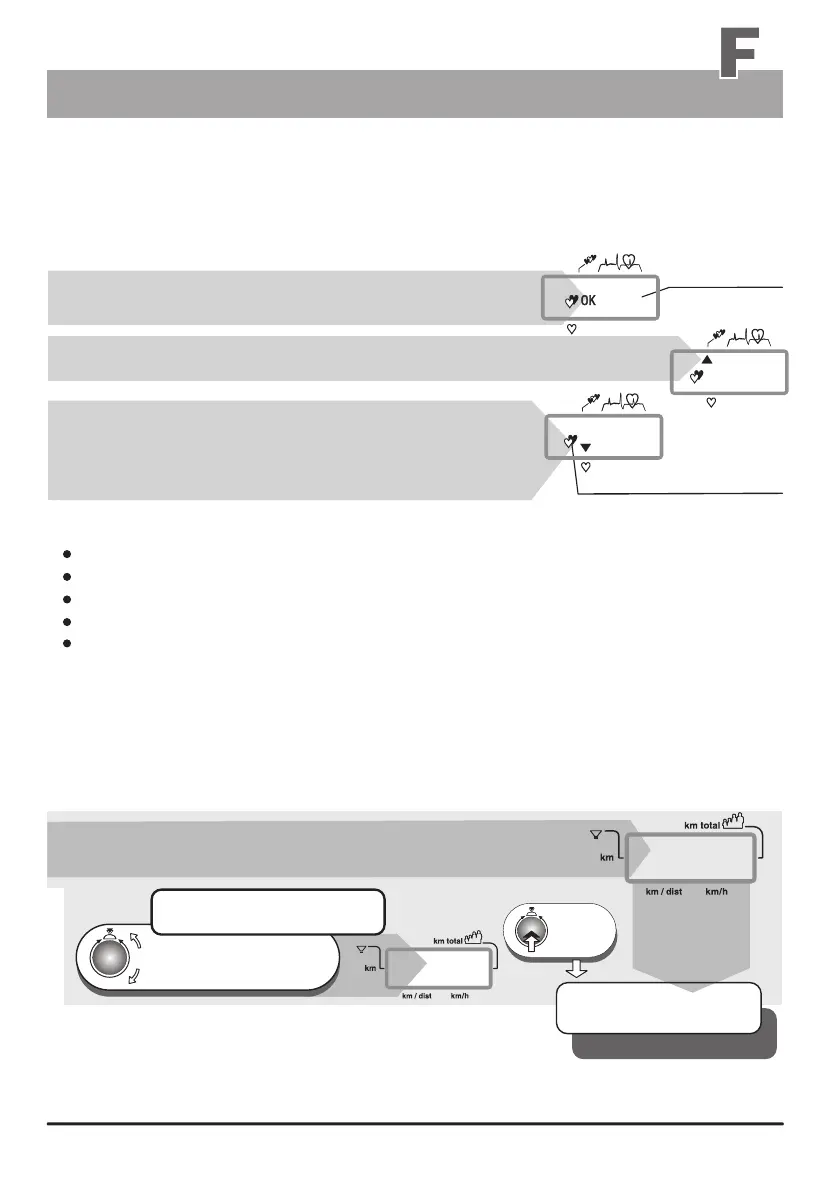
The OK display indicates that the pulse rate does not exceed
the preselected pulse rate by more than five pulses.
The up pointing arrow indicates that the pulse rate is lower
than the preselected cardio rate.
The down pointing arrow indicates that the pulse rate is
higher than the preselected pulse rate by more than five
pulses. In this case the braking power (Watt) will be reduced
by 10 Watt / 15 seconds continually until the preselected
cardio pulse rate is again achieved.
e.g. preset
cardio pulse rate
window no. 1
Window no. 4 displays a “P” and a number between
80 and 199, the prescribed training pulse rate.
We recommend the use of the possibility of entering alarm
levels (see pages 15 and 16)! With the exception of the
entry of a pulse rate alarm level (for heart pulse rate programs).
The heart pulse rate should never be set too high in order to avoid overloads (see page 7). When in
doubt you should always consult a physician or therapist.
Window no. 4
value is O.K.
the
1 x
press
The setting is confirmed
and stored
e. g. program no. C
The blinking heart indicates
that the pulse sensor (ear clip)
or the Cardio sensor chest
band is installed
and operating.
If you want to change this value
Turn until the target heart pulse
rate required or recommended
by a physician is displayed
Training programs


 To Next Page