16
Sect/Secc 2
DriveRack
™
DriveRack™ User Manual/Manual de instrucciones
2.8 Navigating the Delay 2.8 Navegación por la sección de retardo
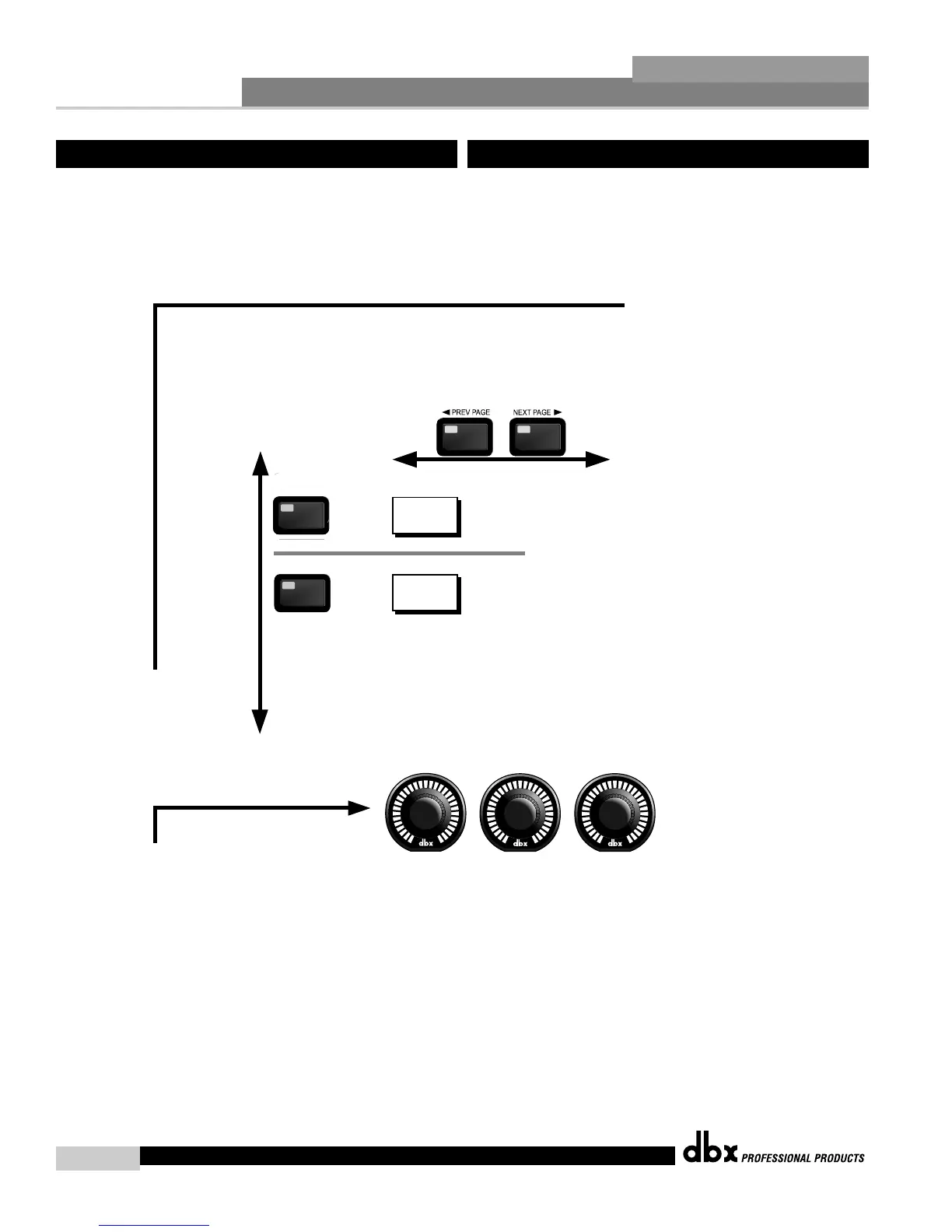
Navigating the "Delay" Section
Navegación por la Sección de "Retardo"
The PARAMETER knobs are used
to edit parameter values.
Los mandos PARAMETER se usan
para editar valores de parámetros.
1
2 3
The DELAY button
toggles through
the Delay
modules used in
each channel of
the selected
program
menu.
El botón DELAY
hace que vaya
pasando através de
los módulos de
Retardo usados en
cada canal del
menú de programa
seleccionado.
DLY
DLY
Speaker Alignment Delay (Post X-OVER)
To edit the parameters of the Delay and Speaker Alignment Delay used in a selected program, simply use the following procedure.
From program mode, either press the DELAY button or use the Parameter 2 or 3 knobs to move to Delay module to be edited.
Navigate through the Pages of the selected Delay module by depressing the "Next Page" or "Prev Page"
buttons successively until arriving at the desired Page.
Para editar los parámetros de Retardo y Retardo de alineación de altavoces usados en un programa seleccionado, simplemente haga lo
siguiente : desde el modo de Programa, pulse el botón DELAY o use los mandos Parameter 2 ó 3 para desplazarse hasta el módulo de
retardo a editar. Muévase por las distintas páginas del módulo de retardo elegido pulsando los botones "Next Page" o "Prev Page"
hasta llegar a la página deseada.
Delay On/Off
Type
Length
DELAY
DELAY
EQ On/Off
Type
Length



 To Next Page