dCS Vivaldi DAC User Manual Software Issue 2.0x
November 2016
Vivaldi DAC Manual v2_0x Page 21 English version
FRONT PANEL
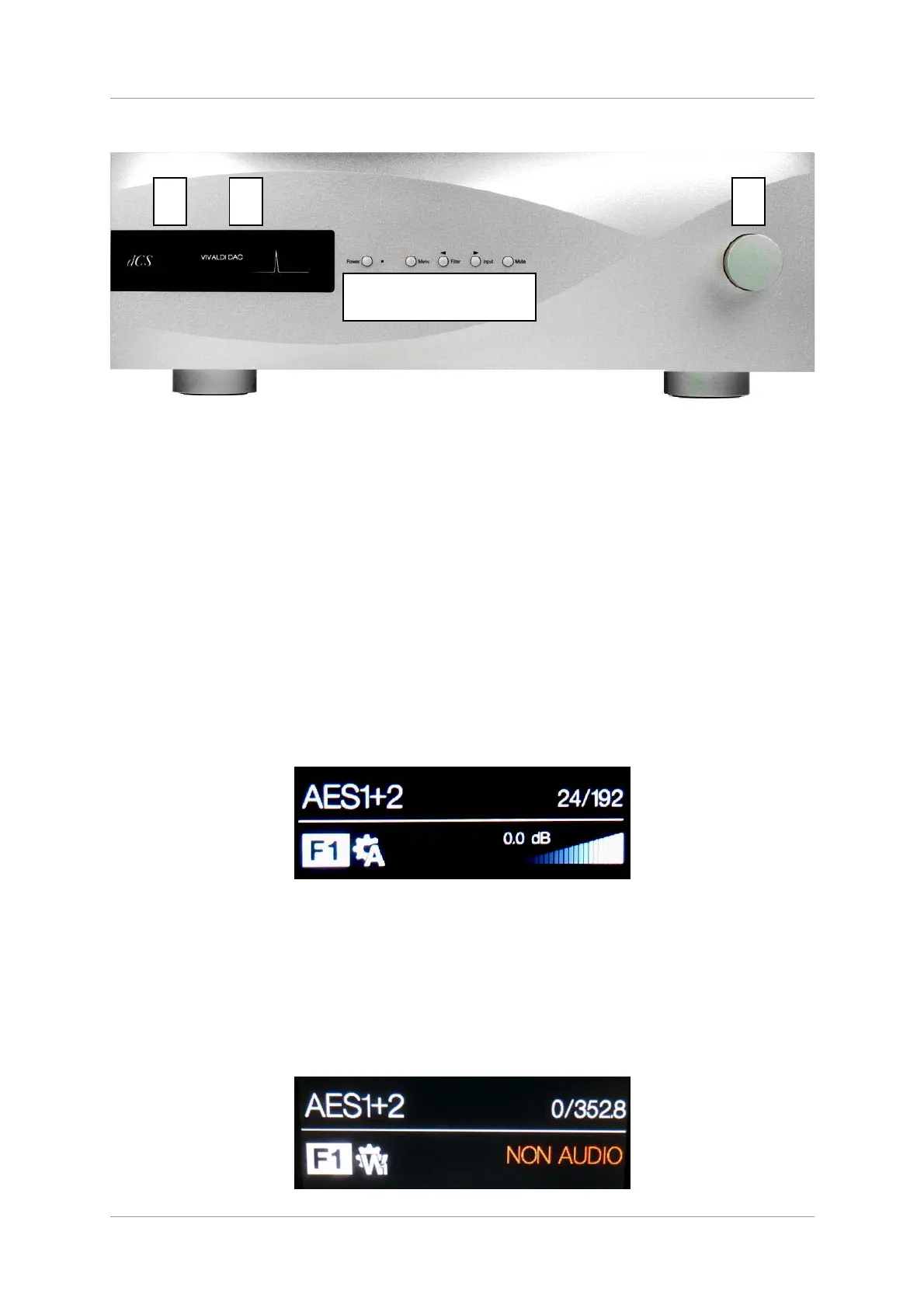
Figure 6 – Front panel
Remote Control Receiver
Aim the remote control handset towards the receiver (A) for best sensitivity.
Display
In normal use, the display (B) is split into 4 areas:
The top left corner usually shows the
selected input (e.g. AES1+2). While you are
changing settings (e.g. Filter), the current
setting may be displayed here briefly.
The top right corner shows the locking status,
the data format. Some examples are No
Input, 16/44.1 (the number of active bits and
the sample rate), 24/192, DSD or MUTE.
Between tracks on a CD, the number of
active bits is zero, so 0/44.1 may be
displayed.
The icons at the bottom left corner are the
selected Filter (Filter 1 is shown) and the
Sync mode (slave to Audio is shown). Other
icons such as Phase Invert or Channel Swap
appear here when required.
The “staircase” icon gives a visual indication
of the Volume or Balance setting, with the
setting shown in text as well (0.0dB is
shown).
If the DAC is receiving an AES or SPDIF data stream in which the NonAudio flag has been set, the
DAC will mute and display Non Audio. This happens when the DAC is connected directly to a Vivaldi
Transport (v1.10 or later) and a disc is loaded. The volume “staircase” will reappear briefly if the
volume setting is changed. The Transport cancels the NonAudio flag when the disc starts playing.
A B
C D E F G H
I



 To Next Page