EasyManua.ls Logo

Dell 2130CN - Page 70

Dell 2130CN
204 pages
Print Icon
To Next Page IconTo Next Page
To Previous Page IconTo Previous Page
Loading...
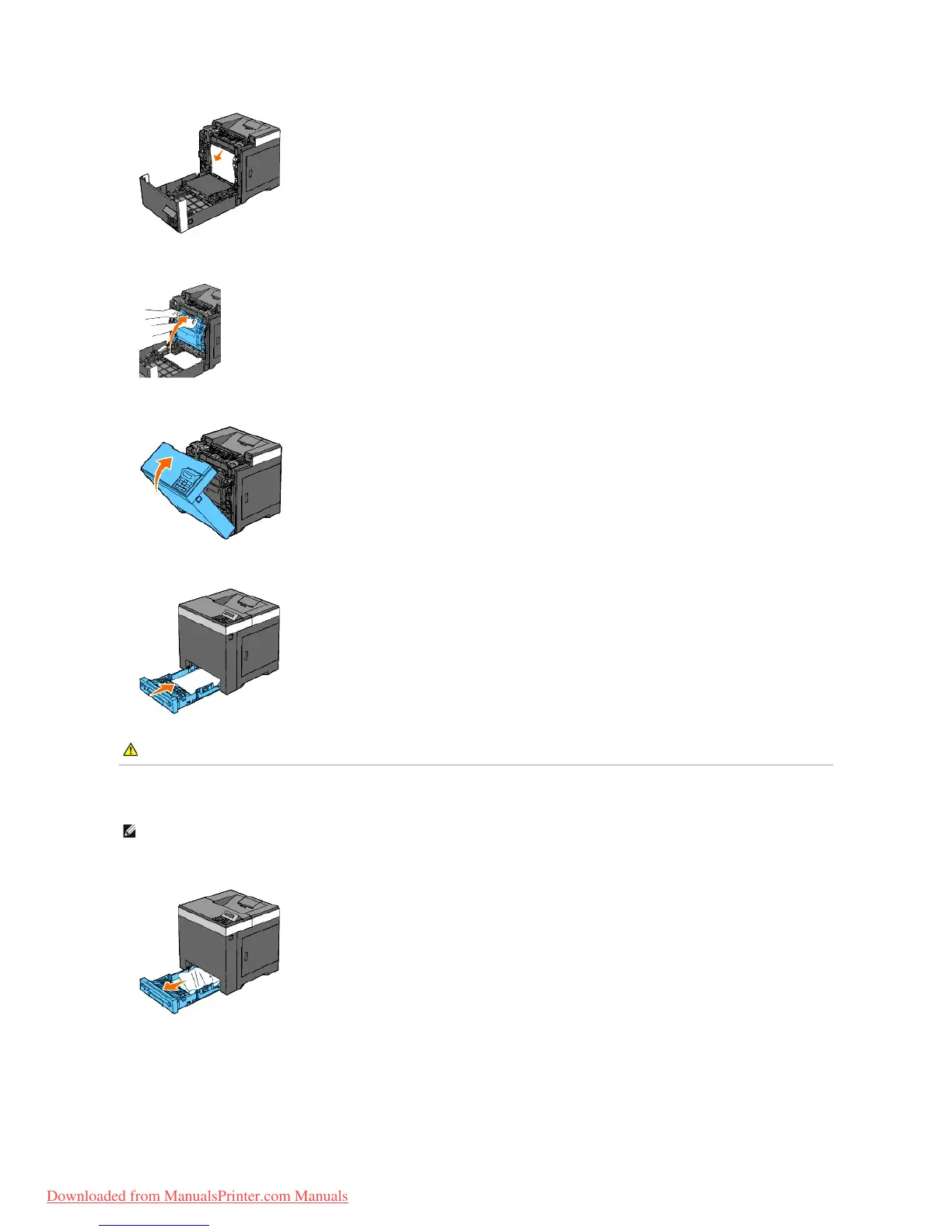
5. Close the belt unit by pushing it up.
6. Close the front cover.
7. Insert the tray back into the printer, and push until it stops.
Removing Print Jams From the Standard 250- Sheet Tray
1. Pull the tray out of the printer carefully. Hold the tray with both hands, and remove it from the printer.
2. Remove all the jammed and/or creased paper from the tray.

CAUTION: Do not use excessive force on the tray. Doing so could damage the tray or the inside of the printer.
NOTE: To resolve the error displayed on the operator panel, you must clear all print media from the print media path.
Downloaded from ManualsPrinter.com Manuals

Table of Contents

Other manuals for Dell 2130CN

Related product manuals