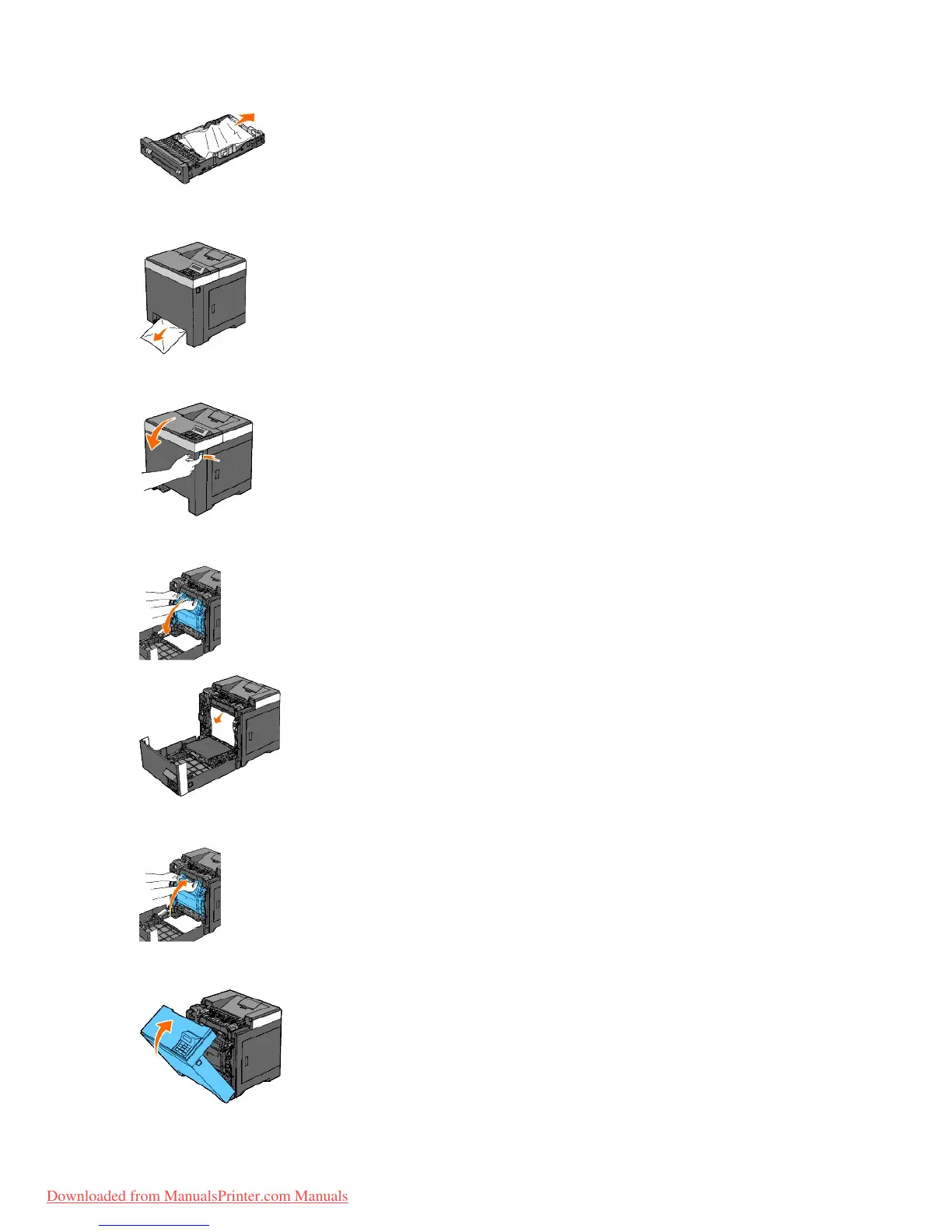
3. Pull the jammed paper out carefully to avoid tearing it. If it is still hard to remove the paper, go to the next step to remove the jammed paper from the
inside of the printer.
4. Open the front cover by pushing the side button.
5. Open the belt unit until it stops and remove the jammed paper. Then, confirm that there are no scraps of paper remaining inside the printer.
6. Close the belt unit by pushing it up.
7. Close the front cover.



 To Next Page