Analog Port Operation 35
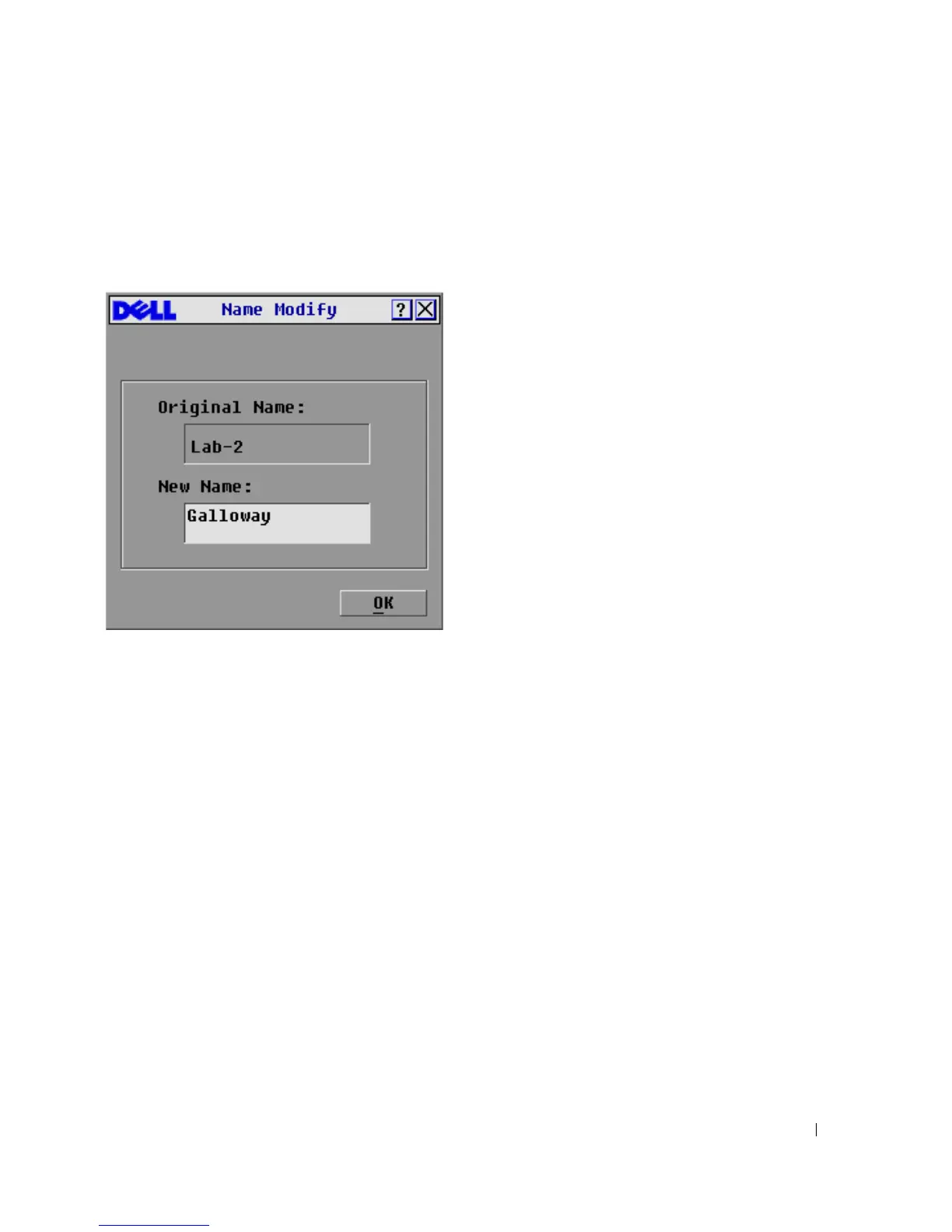
To assign names to servers:
1
In the
Names
dialog box, select the name or port number you wish to change and click
Modify. The
Name Modify
dialog box appears.
Figure 3-18. Name Modify Dialog Box
2
Ty pe a n a me in th e
New Name
box. Names of servers may be up to 15 characters long. Legal
characters include: A-Z, a-z, Ø-9, space, and hyphen.
3
Click
OK
to transfer the new name to the
Names
dialog box. Your selection is not saved until
you click
OK
in the
Names
dialog box.
4
Repeat steps 1-3 for each server in the system.
5
Click
OK
in the
Names
dialog box to save your changes.
-or-
Click
X
or press <Escape> to exit the dialog box without saving changes.






 To Next Page