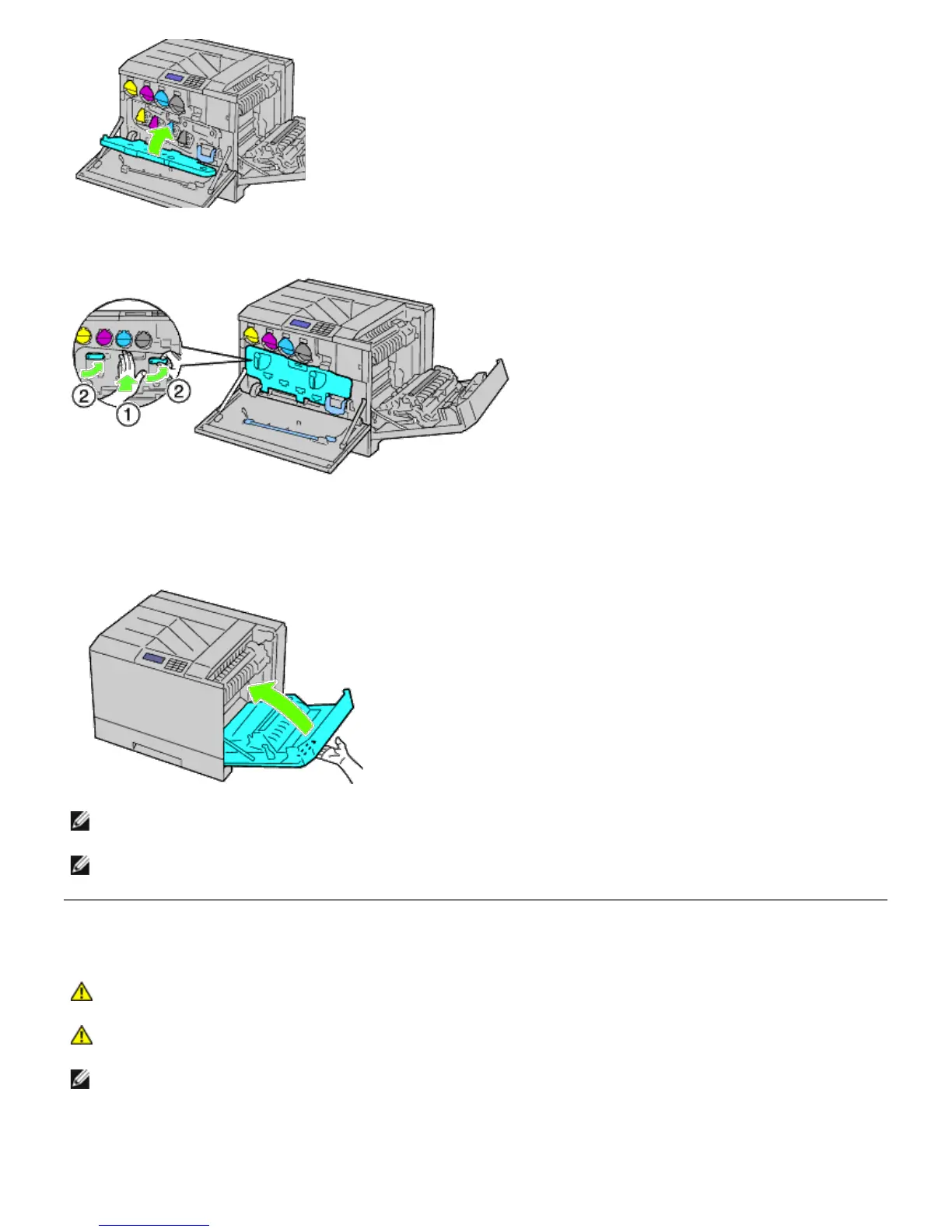
9. Rotate the lock levers to secure the inner cover while pressing the cover with the other hand.
10. Close the front cover.
11. Close the right hand cover.
NOTE: When closing the right hand cover, apply your hand in the vicinity of the handle as shown in the illustration,
and then press the cover firmly toward the printer.
NOTE: Stand straight in front of the right hand cover and not in front of the front cover, whenever you close the
right hand cover.
Replacing the Transfer Roller
CAUTION: To prevent electric shock, always turn off the printer and disconnect the power cable from
the grounded outlet before performing maintenance.
CAUTION: Before performing any of the following procedures, read and follow the safety instructions in
your Product Information Guide provided with your product.
NOTE: Video instructions are also available in the Maintenance Guide.
The Maintenance Guide is included in the Drivers and Utilities CD provided with your printer.
Click start® Run, and then type D:\MaintenanceGuide\MaintenanceGuide.exe (where D is the drive letter
of your CD), and then click OK.













 To Next Page