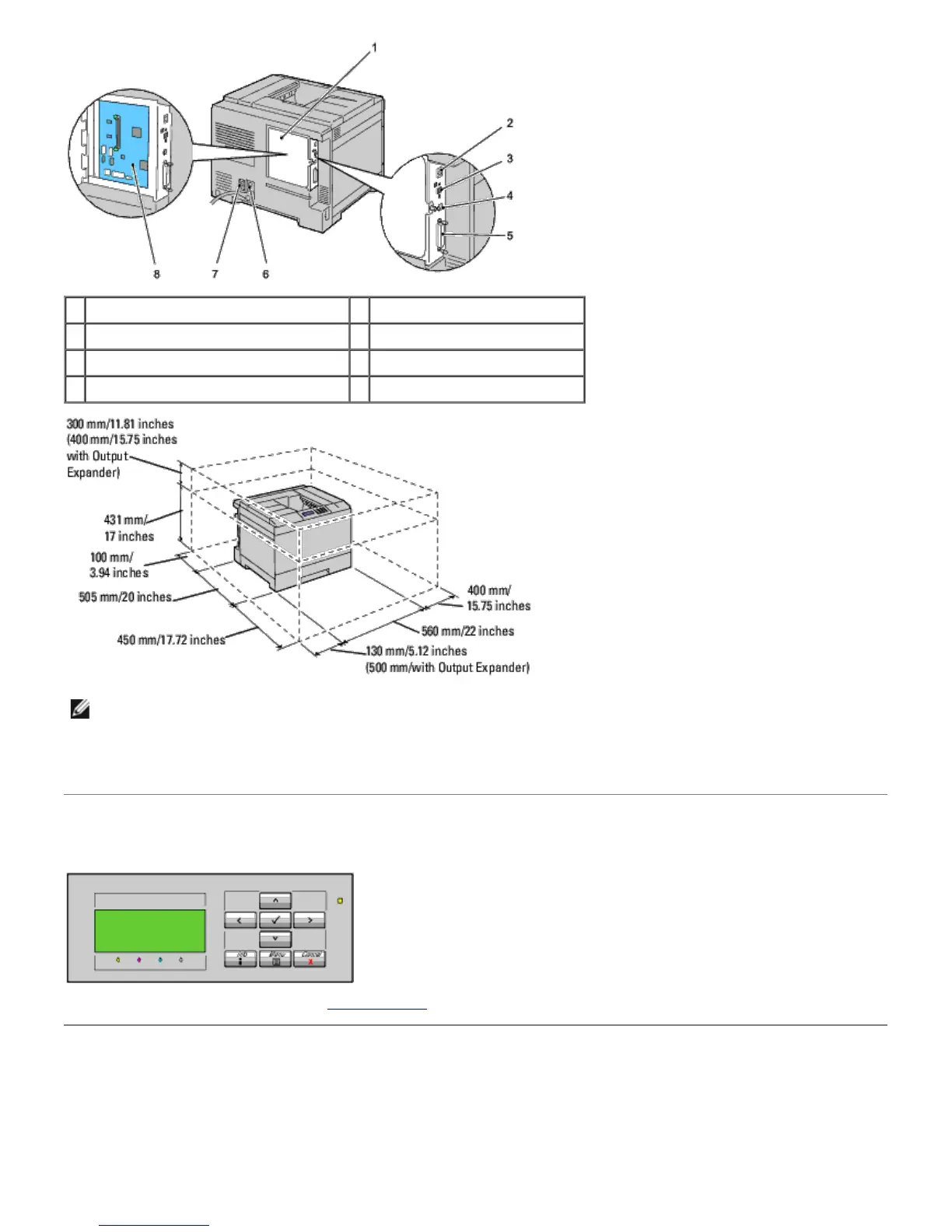
1 Control Board Cover 2 Ethernet Port
3 Wireless Adapter Socket 4 USB Port
5 Parallel Port 6 Power Connector for Main Unit
7 Power Connector for Output Expander 8 Control Board
NOTE: When you use the printer with the MPF opened, do not locate the printer in direct sunlight. Doing so may
cause a malfunction or unnatural screen image.
Provide enough room to open the printer tray, covers, and option. It is also important to allow space around the printer
for proper ventilation.
Operator Panel
For details on the operator panel, see "Operator Panel."
Securing the Printer
To protect your printer from theft, you can use the optional Kensington lock.
Attach the Kensington lock to the security slot of your printer.













 To Next Page