Back to Contents Page
Connect Printer to Computer or Network
Connect Printer to Computer or Network
Print and Check the Printer Settings Page
Assign an IP Address
Verify the IP Settings
Using the Reset Button
Your Dell™ 5130cdn Color Laser Printer interconnection cable must meet the following requirements:
Connection type Connection specifications
Ethernet 10 Base-T/100 Base-TX/1000 Base-T
Wireless IEEE802.11b/802.11g/802.11n
USB USB 2.0
Parallel IEEE 1284
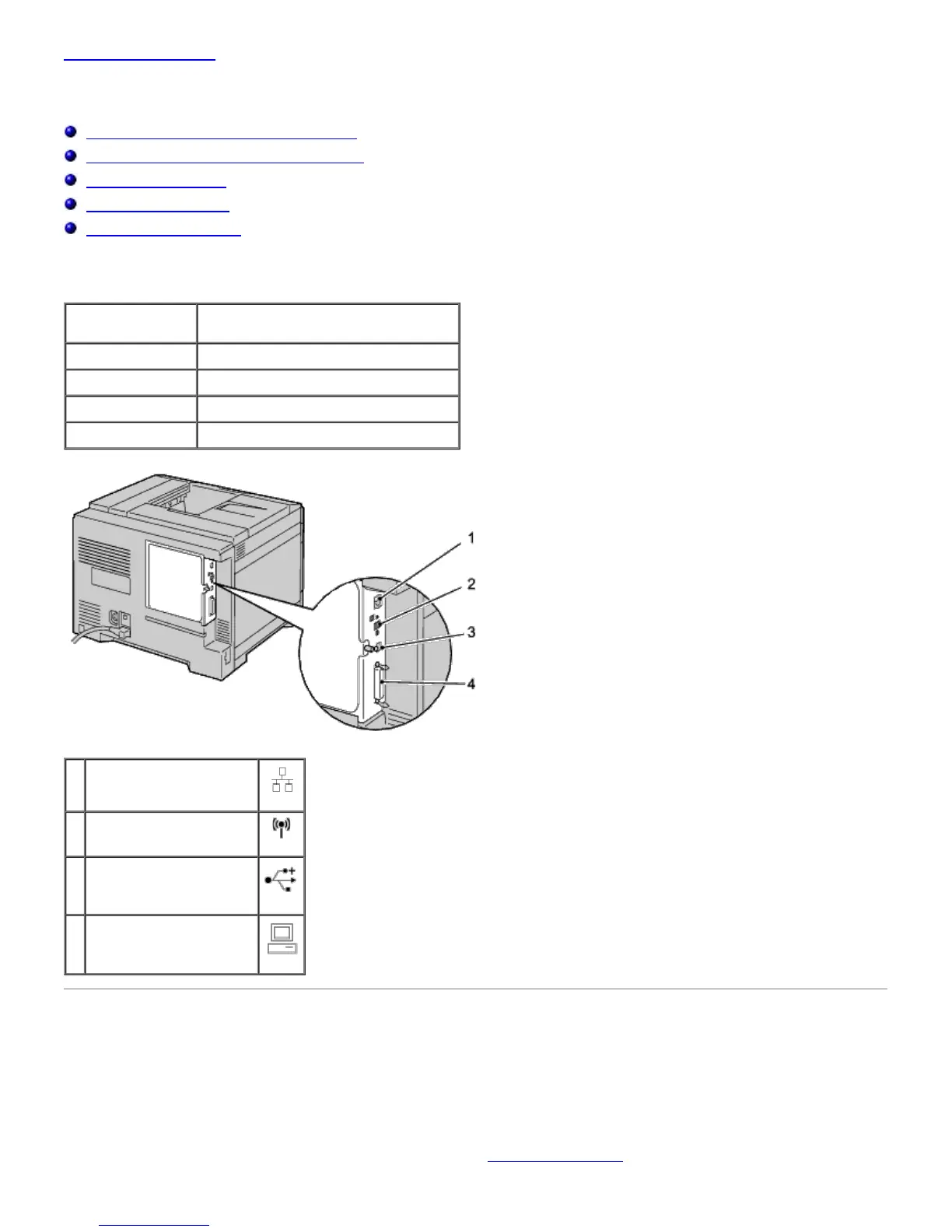
1 Ethernet Port
2 Wireless Adapter Socket
3 USB Port
4 Parallel Port
Connect Printer to Computer or Network
Direct Connection
A local printer is a printer attached to your computer using a USB or parallel cable. If your printer is attached to a
network instead of your computer, skip this section and go to "
Network Connection."













 To Next Page